TF AIO Tool v1 Download Latest Version [2026]
Android devices can become difficult to service when problems include FRP locks, bootloader restrictions, factory reset issues, firmware errors, or connection problems. TF AIO Tool v1 is the best solution; it provides a practical way to handle Android servicing functions in one place. TF AIO Tool v1 supports ADB, Fastboot, and MTP connections along with MediaTek, Spreadtrum, and Qualcomm devices. Users and Technicians can use TF AIO Tool v1 for tasks such as FRP servicing, bootloader management, factory reset, Xiaomi account servicing, device backup, firmware flashing, and OTA updates. TF AIO Tool v1 is useful for anyone who wants to repair Android phones or manage a mobile repair shop.
Also Use: Android Win Tool v1.3.2 Setup Download 100% Working
What is TF AIO Tool v1?
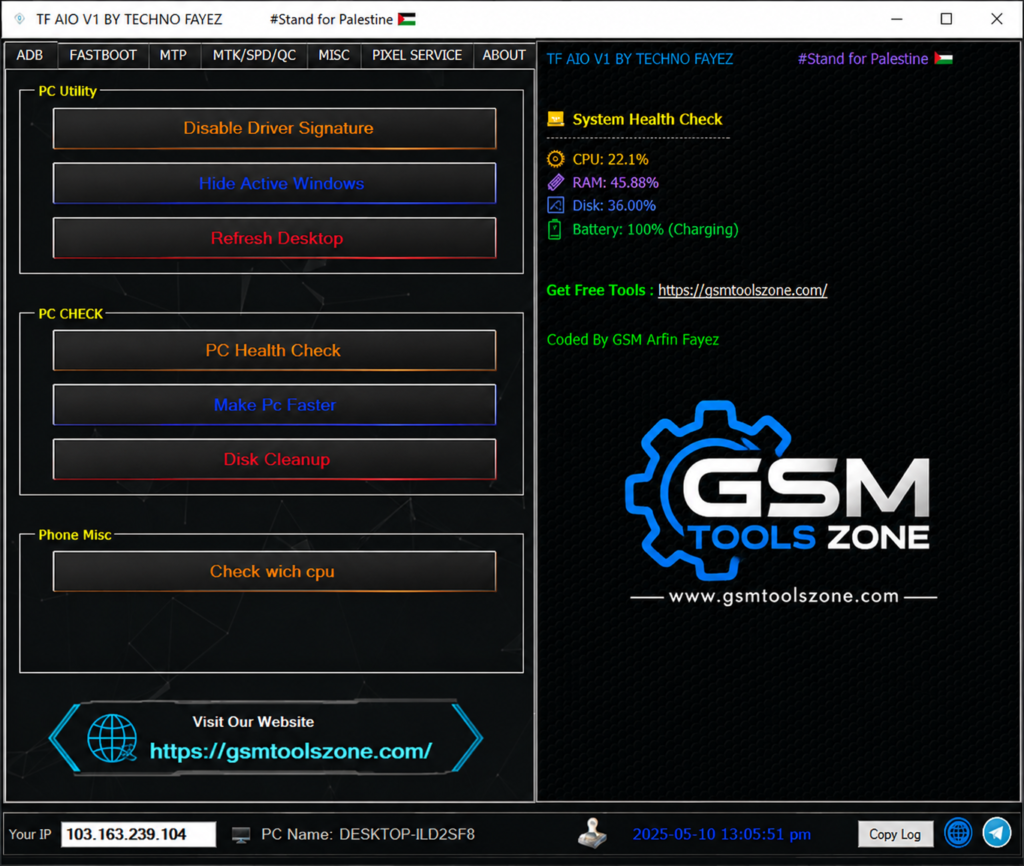
TF AIO Tool v1 is a Windows-based professional Android repair and servicing tool. It is spacaly design to help users and mobile technicians solve Android mobile problems and manage different tasks in one place, such as device maintenance, firmware management, software servicing, and basic repair operations more easily. It has a simple interface; it’s a good choice for users and mobile technicians.
Features
ADB Functions:
TF AIO Tool can read Android device information, erase user data, and perform supported factory reset operations through ADB mode.
Fastboot Functions:
The Fastboot section allows technicians to check device information and perform supported FRP and factory reset operations.
Huawei & Honor Support:
The tool can detect supported Huawei and Honor phones, read device details, and copy available serial number information.
Samsung MTP Support:
TF AIO Tool supports Samsung devices connected through MTP mode and provides available servicing functions for compatible models.
MTK Support:
The MTK section supports device connection, CPU detection, handshake operations, FRP servicing, and factory reset. It also supports compatible DA files and dump operations.
SPD / Unisoc Support:
The tool supports Spreadtrum and Unisoc devices with connection and handshake functions for compatible phones.
Qualcomm Support:
TF AIO Tool provides supported Qualcomm servicing functions, including FRP operations for compatible Android devices.
Samsung FRP Support:
The Samsung section provides selected FRP functions for supported Galaxy models and compatible Android versions.
Google Pixel Support:
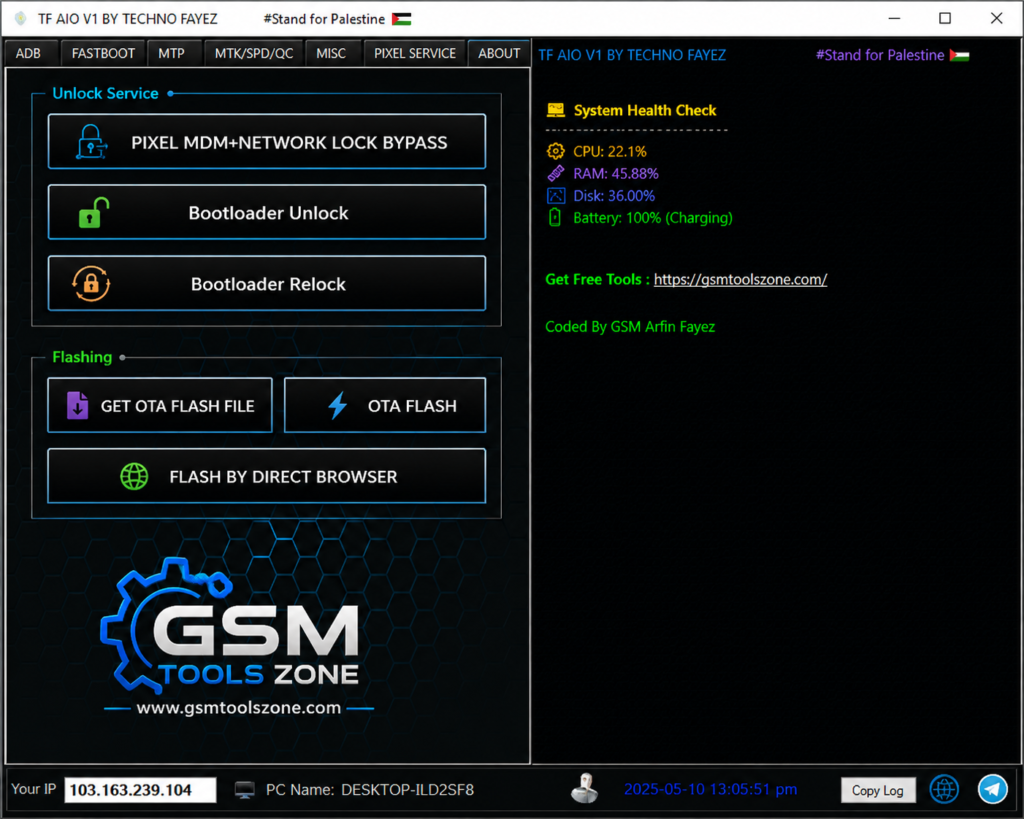
The Pixel section provides supported services for Google Pixel devices, including bootloader unlock and relock operations.
OTA & Firmware Support:
TF AIO Tool can help manage supported OTA files and perform compatible OTA-based firmware flashing operations.
PC Utilities:
The tool also includes basic Windows utilities for driver settings, desktop refresh, system checks, disk cleanup, and simple performance testing.
CPU Detection:
The CPU detection feature identifies the chipset of a connected Android phone, helping technicians choose the correct MTK, Unisoc, or Qualcomm servicing method.
Pros and Cons
Pros
- Simple and easy-to-use interface.
- Supports ADB, Fastboot, and MTP.
- Works with MTK, Unisoc, and Qualcomm devices.
- Supports multiple Android brands.
- Includes firmware and device servicing tools.
Cons
- Some features work only on supported models.
- Requires proper USB drivers.
- Advanced functions may need technical knowledge.
System Requirements
| Requirement | Details |
|---|---|
| Operating System | Windows 7, 8, 10, or 11 |
| Processor | Intel or AMD Dual-Core or higher |
| RAM | 4 GB or more |
| Storage | At least 500 MB of free space |
| USB Port | Required for connecting Android devices |
How to download TF AIO Tool v1?
- Download the TF AIO Tool v1 ZIP file from the official website.
- Extract the downloaded file.
- Open the extracted folder and run the setup.
- After installation, open TF AIO Tool v1.
- Connect your Android phone with a USB cable.
- You are now ready to use the tool.
Setup Download Information
- File Version: v1
- File Size: 56.6 MB
- Download Link👇
Conclusion
TF AIO Tool v1 is a practical choice for Android users and mobile technicians who need a simple tool for daily device servicing. Its easy interface makes it convenient to work with supported Android phones without using many different programs. TF AIO Tool v1 can be useful for technicians and repair shops working with different Android devices. Before using any function, make sure the correct drivers are installed and the device is compatible with the selected task.
FAQs
Is TF AIO Tool v1 easy to use?
Yes, it has a simple interface that is easy to understand.
Which devices does TF AIO Tool v1 support?
It supports selected Android devices using MTK, Unisoc, and Qualcomm chipsets.
Does TF AIO Tool v1 support Samsung phones?
Yes, it includes supported Samsung servicing functions.
Does TF AIO Tool v1 require USB drivers?
Yes, the required device drivers should be installed before connecting the phone.