
Tera Tool v1.0.2.7 Best Setup Download Latest Version [2026]
If you are facing FRP locks, bootloader problems, firmware issues, or IMEI-related problems. Tera Tool v1.0.2.7 is a practical solution that performs FRP operations, factory reset, bootloader management, firmware flashing, device information, phone data operations, EFS backup and restore, and IMEI-related servicing. It works with ADB, Fastboot, and EDL modes.
Also Use: HalabTech Tool v1.1 Safe Setup Download 100% Working
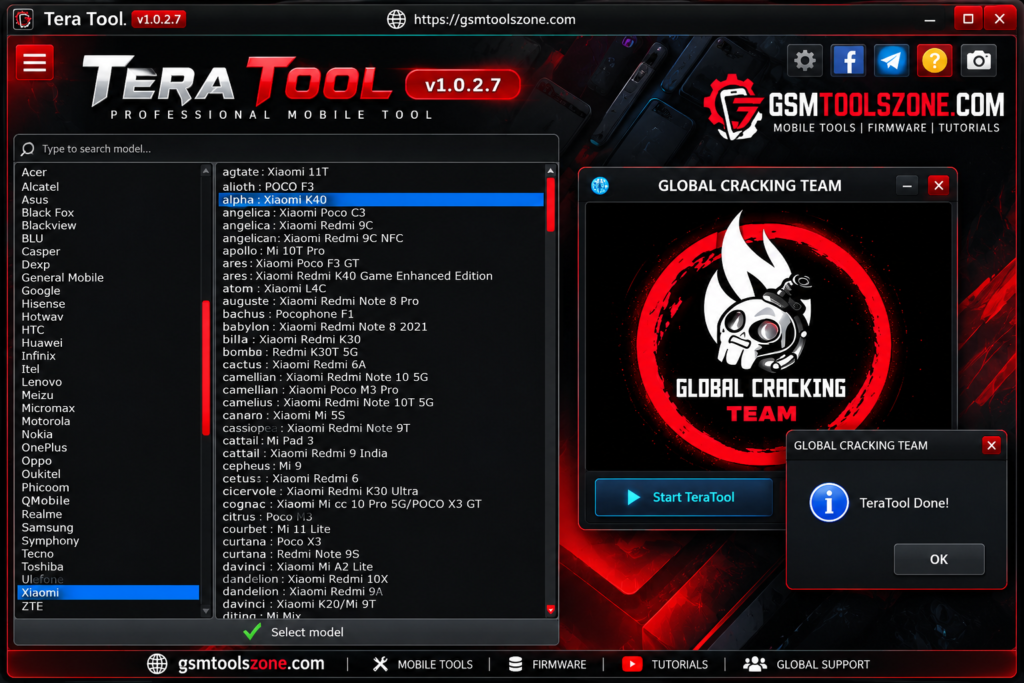
What is Tera Tool v1.0.2.7?
Tera Tool v1.0.2.7 is a Windows-based mobile servicing tool used for working with different Android smartphones. This tool helps mobile technicians perform different software and servicing tasks from one place. Tera Tool v1.0.2.7 supports popular chipsets MediaTek, Qualcomm, Xiaomi, Huawei HiSilicon, and Samsung devices. Technicians use this tool regularly to solve problems in Android mobile devices.
Features
FRP Removal:
Tera Tool v1.0.2.7 supports FRP servicing on compatible Android devices, helping technicians handle Google account lock issues on supported models.
Factory Reset:
It provides factory reset options for supported phones to clear user data and return the device to a clean setup state.
Bootloader Operations:
The tool allows supported devices to be unlocked or locked through available servicing methods. Some devices may also support critical bootloader operations.
Firmware Flashing:
Tera Tool can be used to flash firmware on compatible devices. The available flashing method depends on the device chipset, model, and software.
IMEI Repair:
It includes IMEI-related servicing options for supported devices, including operations for devices with multiple SIM slots.
NVDATA Backup & Restore:
The tool provides options to back up, restore, or wipe NVDATA on compatible devices before or during certain repair operations.
Mi Account Services:
Supported Xiaomi devices can be serviced for Mi Account-related issues using the available tool functions.
ADB Functions:
Tera Tool can communicate with Android devices through ADB to read device information, perform supported commands, and reboot the phone into different modes.
Fastboot Functions:
Fastboot mode provides access to supported device information and servicing operations related to bootloader and firmware management.
EDL Mode Support:
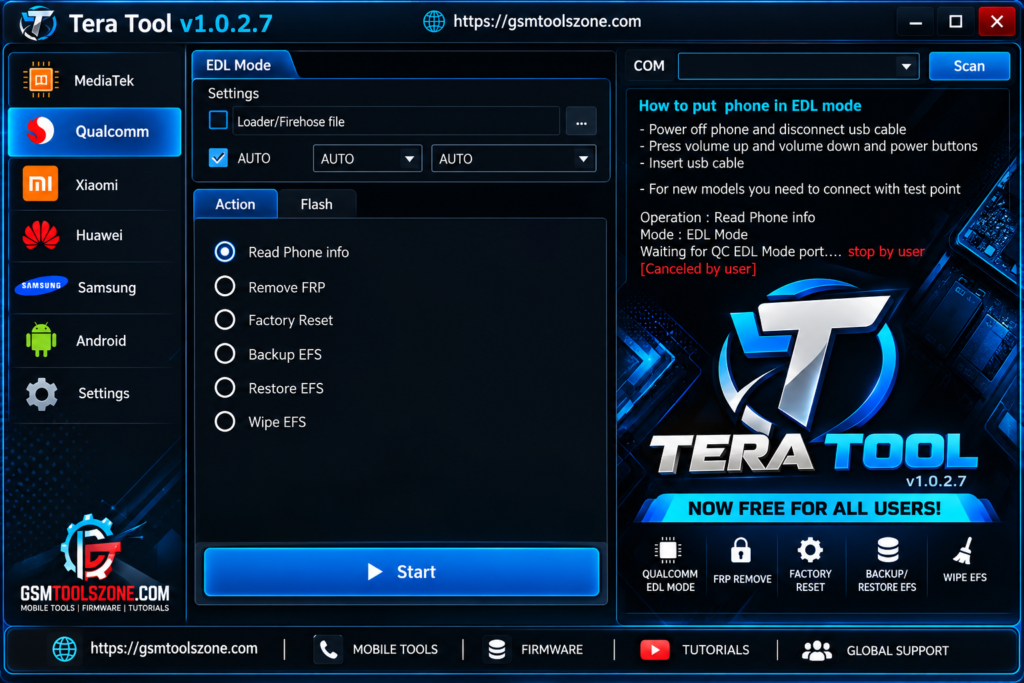
For compatible Qualcomm devices, the tool can work through EDL mode for supported firmware and servicing operations.
TWRP Functions:
On supported devices with TWRP installed, the tool provides options for EFS backup, restore, wipe, and related reboot operations.
Slot Management:
The tool can switch between Slot A and Slot B on compatible A/B partition Android devices, which can be useful during firmware-related servicing.
Reboot Options:
Supported phones can be rebooted into modes such as Recovery, Fastboot, EDL, or normal system mode, making device servicing easier.
Pros and Cons
Pros
- Multiple Android servicing functions in one tool
- Supports ADB, Fastboot, and EDL modes
- Useful for firmware flashing and device maintenance
- Includes FRP and bootloader-related functions
- Provides IMEI and NVDATA servicing options
- Supports different Android device platforms
- Simple interface for common repair tasks
Cons
- Not every feature works on every device
- Some operations require specific drivers or modes
- Compatibility can depend on the Android version
- Advanced functions may need technical knowledge
- Incorrect flashing or repair operations can cause device problems
System Requirements
| Requirements | Details |
|---|---|
| Operating System | Windows 7, 8, 10, or 11 |
| Processor | Intel or AMD Processor |
| RAM | 4 GB or more |
| Storage | At least 1 GB of free space |
| USB Port | Required for connecting Android devices |
| Drivers | Compatible MTK and Qualcomm drivers |
How to download Tera Tool v1.0.2.7?
- Visit the official website.
- Scroll down to the Download section.
- Click on the Download Tera Tool V1.0.2.7 button.
- Wait for the download to start.
- Extract the downloaded ZIP file using WinRAR or 7-Zip.
- Open the extracted folder and run the tool.
- Follow the instructions provided with the tool to complete the setup.
Setup Download Information
- File Version: v1.0.2.7
- File Size: 8.80 MB
- File Password: gsmtoolszone.com
- Download Link👇
Conclusion
Tera Tool V1.0.2.7 is a useful Windows-based solution for Android mobile servicing and software maintenance. It is different functions such as FRP servicing, firmware flashing, factory reset, bootloader operations, IMEI repair, NVDATA management, ADB, Fastboot, and EDL support into one software. It has a simple interface easily use every one. Whether you are a beginner or an expert. You can download this tool and solve your problem with just one click. Before using this tool functions, always check the device and use the correct firmware and drivers.
FAQs
What can Tera Tool be used for?
It can be used for supported tasks such as firmware flashing, factory reset, FRP servicing, bootloader operations, and device management.
Does Tera Tool support Fastboot and ADB?
Yes, Tera Tool includes ADB and Fastboot functions for supported Android devices.
Is Tera Tool suitable for beginners?
The basic functions are easy to understand, but advanced repair operations should be performed by users with proper technical knowledge.
One Comment
Comments are closed.