
SN Write Tool V2.1504 Download for MediaTek IMEI Repair
When a MediaTek smartphone shows an invalid IMEI error, network problems, or connectivity issues after flashing firmware, it is difficult to restore normal functionality. SN Write Tool V2.1504 is a Windows-based tool designed to write or restore IMEI and other supported device information on compatible MediaTek smartphones, feature phones, and tablets. It supports operations related to IMEI numbers, serial numbers, Bluetooth addresses, Wi-Fi/MAC addresses, and barcode data.
Also Use: E-GSM Tool v4.3.4 Download for Android Repair [Latest 2026]
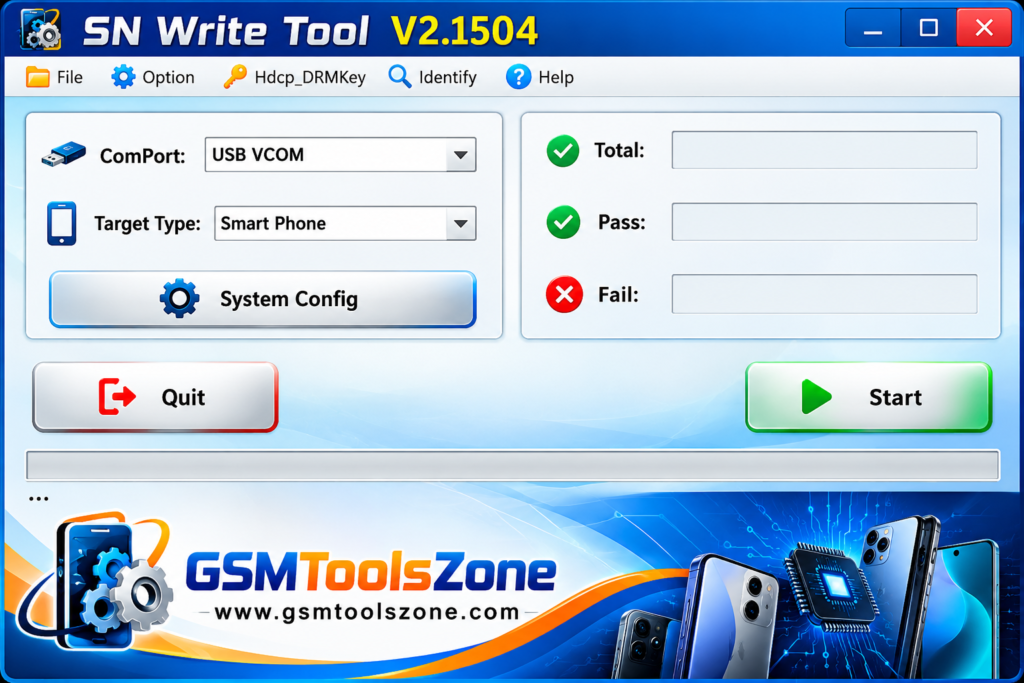
What is SN Write Tool V2.1504?
SN Write Tool V2.1504 is a Windows-based software designed to write or restore device identification information on supported MediaTek (MTK) smartphones, feature phones, and tablets. It is used by mobile technicians to handle IMEI-related errors and missing device information after firmware flashing or software repair. This tool also supports serial numbers, Bluetooth addresses, Wi-Fi/MAC addresses, and barcode data. SN Write Tool V2.1504 provides useful functions for Android servicing and MediaTek device maintenance.
Features
IMEI Writing Support:
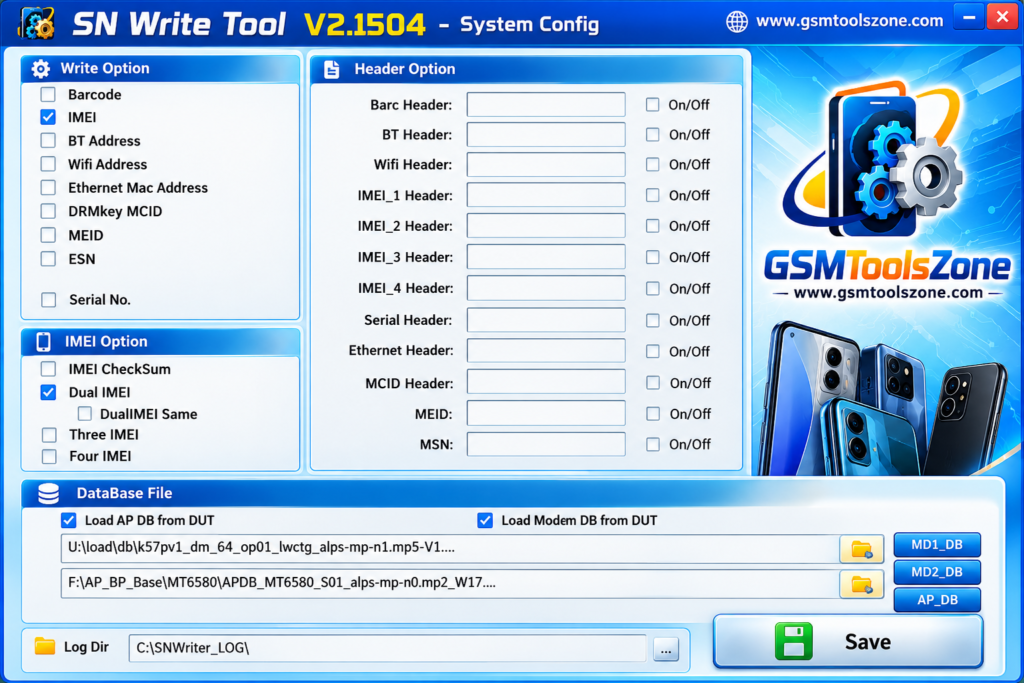
Write or restore IMEI information on supported MediaTek devices, including single-SIM and multi-SIM models.
MediaTek Device Support:
Designed for compatible MediaTek smartphones, feature phones, and tablets.
Serial Number Writing:
Write supported serial number information when required for device servicing.
Bluetooth Address Writing:
Supports writing Bluetooth address data on compatible devices.
Wi-Fi and MAC Address Support:
Provides options to write supported Wi-Fi and MAC address information.
Barcode Writing:
Includes barcode data writing options for compatible MediaTek devices.
Database File Support:
Requires the appropriate database files for supported operations. These files may be available in the device’s stock firmware package.
Simple User Interface:
Offers a straightforward interface that helps mobile technicians access the available functions more easily.
Pros and Cons
Pros
- Supports IMEI writing on compatible MediaTek devices.
- Works with smartphones, feature phones, and tablets.
- Supports serial number, Bluetooth, Wi-Fi, and MAC address writing.
- Includes barcode writing options.
- Simple interface for mobile technicians.
- Supports single-SIM and multi-SIM devices.
Cons
- Works only with supported MediaTek devices.
- Requires compatible database files for certain operations.
- Incorrect settings or device information may cause problems.
- Some functions may not work with every device or chipset.
System Requirements
| Requirements | Details |
|---|---|
| Operating System | Windows 7, 8, 10, or 11 |
| Processor | Intel or AMD |
| RAM | 4 GB or more |
| Storage | 1 GB free space |
| USB Connection | Required to connect the device |
| USB Drivers | Compatible MediaTek USB drivers |
How to download SN Write Tool V2.1504?
- Visit the official website or a trusted source to find the SN Write Tool V2.1504 download.
- Download the compatible SN Write Tool version to your computer.
- Extract the ZIP or RAR file using a file extraction program.
- Open the extracted folder and look for the SN Write Tool application.
- Install the required MediaTek USB drivers if needed.
- Prepare the correct database files for your supported device.
- Run the tool and follow the available instructions for your device.
Setup Download Information
- File Version: v4.3.4
- File Size: 8.32 MB
- File Password: gsmtoolszone.com
- Download Link👇
Conclusion
SN Write Tool V2.1504 is a useful utility for mobile technicians who work with compatible MediaTek devices. SN Write Tool provides options to write supported device information, including IMEI, serial numbers, Bluetooth addresses, and Wi-Fi/MAC addresses. Its simple interface makes this tool easy to use; download it and solve your problems.
FAQs
Can SN Write Tool write an IMEI number?
Yes, it supports IMEI writing on compatible devices. Use it only to restore the device’s original, authorized IMEI.
Does SN Write Tool support dual-SIM phones?
Yes, it can support single-SIM and multi-SIM MediaTek devices, depending on the model and configuration.
Can SN Write Tool write a Bluetooth or Wi-Fi address?
Yes, it provides options for writing Bluetooth and MAC/Wi-Fi address information on compatible devices.
Is SN Write Tool free to use?
Some versions are available free of charge, but availability and licensing depend on the source and version.
Is SN Write Tool safe to use?
It can be useful when handled correctly, but incorrect settings or database files may cause device problems. Always back up important data and use trusted files.


One Comment
Comments are closed.