GSM Flasher Tool Download Latest Version [2026]
Getting stuck on the Google account verification screen after a factory reset is frustrating, especially when you cannot remember the original Google account details. GSM Flasher Tool provides a practical solution for supported Android devices by offering features for FRP removal, screen lock unlocking, and firmware flashing. GSM Flasher Tool supports devices powered by popular Qualcomm and MediaTek chipsets, making it useful for a wide range of Android smartphones.
Also Use: IMEI Write Tool R3.0.0001 Full Activated Version 2026
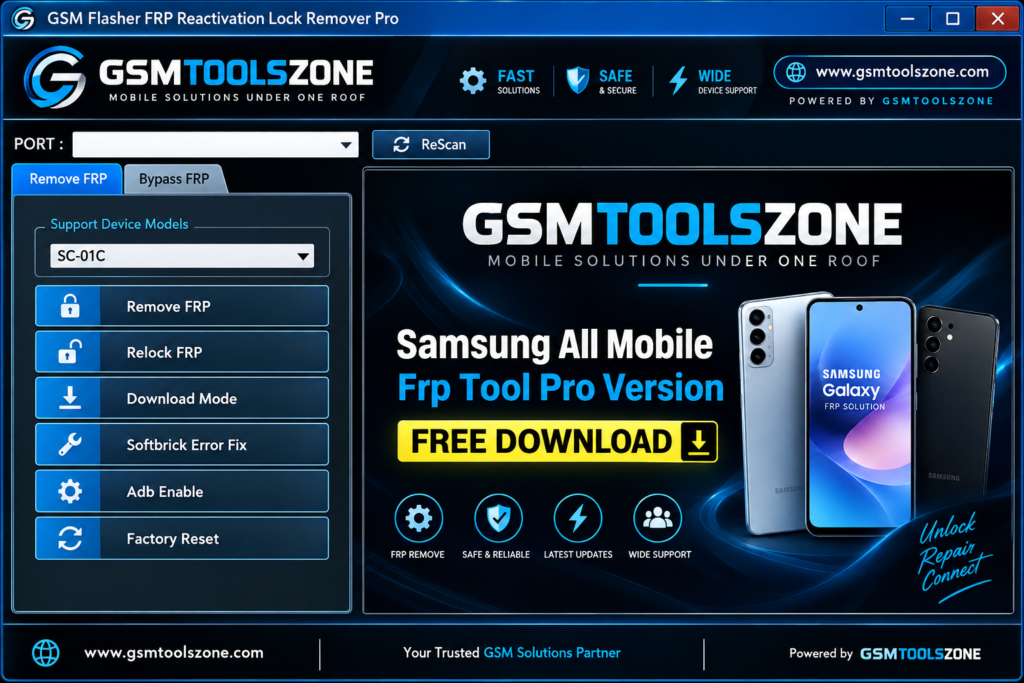
What is GSM Flasher Tool?
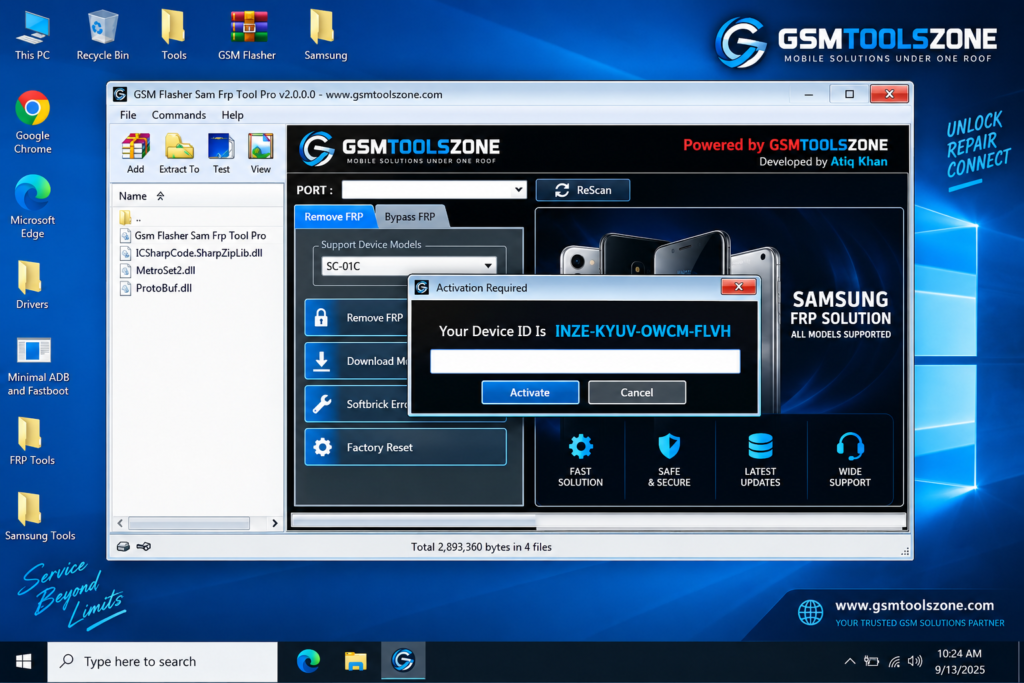
GSM Flasher Tool is a Windows-based Android servicing software developed by the GSM Flasher Team for repairing and servicing supported Android smartphones and tablets. It is especially designed to help users with different mobile software tasks, including firmware flashing, FRP removal, device unlocking, resetting, and ADB-related operations. GSM Flasher is also useful for supported devices with password, PIN, pattern, ADB lock, or reactivation lock issues. Its simple interface is easy for beginners and mobile technicians to use the available options without needing any technical knowledge.’
Features
FRP Removal:
GSM Flasher Tool provides FRP-related functions for supported Android devices. It can help technicians handle Google Factory Reset Protection on compatible phones during the repair process.
ADB Support:
The tool uses Android Debug Bridge (ADB) for supported operations. ADB communication allows the software to perform certain repair and device management tasks through a Windows computer.
Screen Lock Support:
For supported devices, the tool can help with certain password, PIN, and pattern lock problems. This makes it useful for technicians working on different Android software issues.
Qualcomm and MediaTek Support:
GSM Flasher Tool supports many Android devices based on Qualcomm and MediaTek chipsets. This gives technicians more options when working with different smartphone models.
Firmware Flashing:
The tool can be used for firmware flashing on supported devices. Flashing can help technicians repair certain software problems and restore the device with compatible stock firmware.
Easy-to-Use Interface:
GSM Flasher comes with a simple interface and clear options. Beginners and experienced technicians can easily understand the available functions and perform supported tasks.
USB Device Connection:
The software connects Android devices to a computer through a USB cable. With the required drivers and supported device mode, technicians can communicate with the phone and use the available repair functions.
Multiple Repair Functions:
GSM Flasher combines several Android servicing options in one tool. This can save time for technicians who regularly work with FRP, unlocking, ADB, firmware, and software repair tasks.
Pros and Cons
Pros
- Easy-to-use and beginner-friendly interface
- Supports selected Qualcomm and MediaTek devices
- Includes FRP and screen lock-related functions
- Supports ADB-based device operations
- Can be used for firmware flashing
- Combines multiple Android repair functions in one tool
- Useful for both beginners and mobile technicians
Cons
- Not all Android devices and models are supported
- Some functions may require proper USB drivers
- Certain operations depend on the device model and chipset
- It is mainly designed for Windows computers
- Incorrect firmware or repair steps can cause software issues
System Requirements
| Requirements | Details |
|---|---|
| Operating System | Windows 7, 8, 10, or 11 |
| Processor | Intel or AMD processor |
| RAM | 4 GB or higher |
| Storage | At least 500 MB of free space |
| USB Port | Required to connect the Android device |
How to download the GSM Flasher Tool?
- Visit the official website.
- Click on the Download button to start the download.
- Wait for the download to complete.
- Extract the downloaded ZIP file if it is compressed.
- Open the extracted folder and run the GSM Flasher Tool.
- Install the required USB drivers if your device is not detected.
Setup Download Information
- File Size: 149.01 MB
- Download Link👇
Conclusion
The GSM Flasher Tool is a useful Windows utility for Android device servicing and software repair. It brings different functions such as FRP support, screen lock removal, firmware flashing, and ADB operations into one simple interface. This tool supports Qualcomm and MediaTek devices and can be helpful for both beginners and mobile technicians. It has a simple interface; you can unlock the device in just a few clicks.
FAQs
Can I use GSM Flasher to flash firmware?
Yes, the tool can be used for firmware flashing on supported devices.
What operating system does GSM Flasher support?
GSM Flasher is designed for Windows computers.
Do I need USB drivers?
Yes, the required USB drivers may be needed for your computer to detect and communicate with the Android device correctly.
Is GSM Flasher easy to use?
Yes, it has a simple interface that can be used by both beginners and experienced technicians.
![FRT Tool v1.7.5 Download Latest Version Fully Activated [2026]](https://gsmtoolszone.com/wp-content/uploads/2026/08/frt-tool-v1-7-5-2026-768x576.png)