
Eagle GSM Tool V2 Free Download for Android Flashing
Facing problems with FRP, firmware flashing, or Android device connection? Eagle GSM Tool v2 helps simplify Android software repair problems and is a professional Windows-based tool useful for mobile technicians. Eagle GSM Tool v2 provides features such as firmware flashing, Scatter File handling, custom Preloader selection, FRP-related operations, and user-data management. Eagle GSM Tool supports Android repair operations through ADB, Fastboot, MediaTek (MTK), and Qualcomm platforms.
Also Use: Amlogic USB Burning Tool v3.3.1 Download for Windows Latest Version [2026]
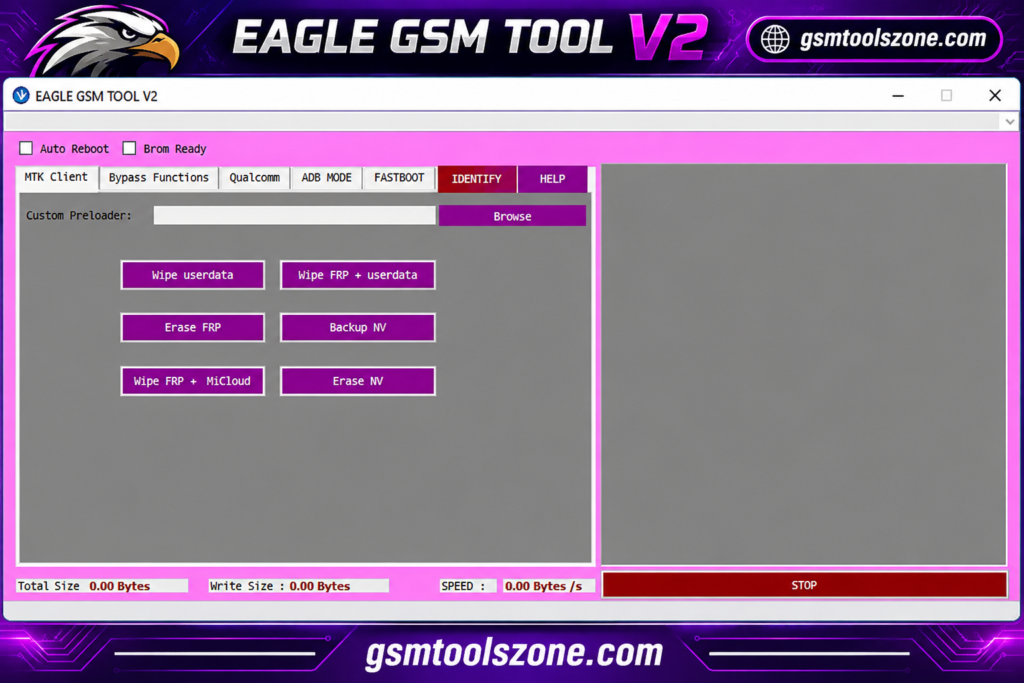
What is Eagle GSM Tool v2?
Eagle GSM Tool v2 is a Windows-based Tool used for Android mobile servicing and device management. Eagle GSM Tool supports different servicing functions, including ADB, Fastboot, MediaTek, and Qualcomm. This tool provides options for firmware flashing, FRP-related tasks, factory reset, reboot, and user-data management on compatible devices. It is very easy and smooth for mobile technicians to use.
Features
Device Information:
Check available phone details, such as model name, chipset, Android version, and other device information on supported smartphones.
ADB Support:
Connect compatible Android devices through ADB to check information, install APK files, and perform supported maintenance tasks.
Fastboot Support:
Use Fastboot options to check device details, reboot the phone, and perform supported bootloader-related operations.
FRP-Related Functions:
Access available Factory Reset Protection servicing options for compatible devices, depending on the Android version and security patch.
Firmware Flashing:
Flash compatible firmware files to help fix certain software problems, including boot loops and failed software updates.
MediaTek Support:
Work with supported MediaTek devices through available connection modes and servicing functions.
Qualcomm Support:
Connect compatible Qualcomm-based devices and use available chipset-related servicing options.
Samsung Device Support:
Access supported Samsung device detection and Download Mode-related functions, depending on the device model.
Factory Reset and Reboot:
Use available options to reset or restart compatible devices when required for servicing.
User-Data Management:
Access supported user-data operations for device maintenance. Available functions depend on the connected device.
NV Data Operations:
Use available NV backup and erase options on supported devices. These operations require care because incorrect changes may affect device functionality.
Scatter File and Preloader Support:
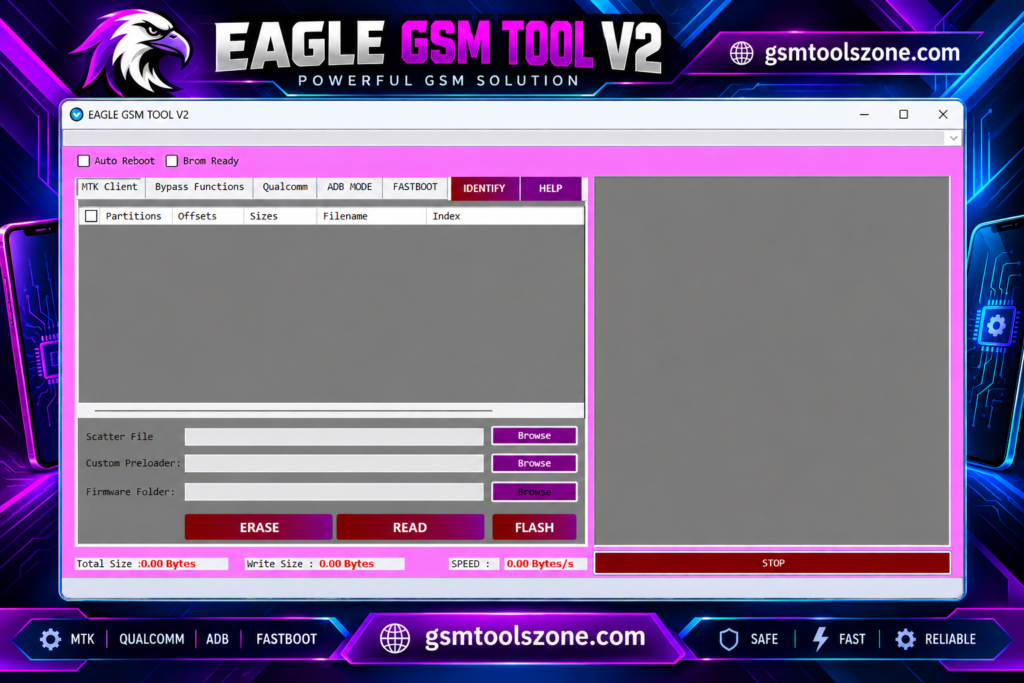
Work with Scatter Files and select a compatible Preloader for supported MediaTek firmware operations.
Device Mode Options:
Access supported modes such as Recovery, Fastboot, and other available servicing modes when working with compatible phones.
Firmware File Management:
Manage the firmware files required for supported flashing and repair operations.
Pros and Cons
Pros
- Supports MediaTek and Qualcomm devices.
- Includes ADB and Fastboot functions.
- Offers firmware flashing options.
- Provides FRP-related servicing features.
- Includes factory reset and reboot options.
- Supports Scatter File and Preloader selection.
- Offers user data and NV data management options.
Cons
- Not all features work with every device.
- Some functions depend on the Android version and security patch.
- Incorrect firmware flashing can damage the device software.
- Certain operations require technical knowledge.
- Compatible USB drivers may be required.
- Some advanced functions may not be available for newer devices.
System Requirements
| Requirements | Details |
|---|---|
| Operating System | Windows 7, 8, 10, or 11 |
| Processor | Intel or AMD |
| RAM | 4 GB or more |
| Storage | 1 GB free space |
| USB Connection | USB cable |
| Drivers Compatible | USB drivers |
How to download Eagle GSM Tool v2?
- Visit a trusted source to find the EAGLE GSM Tool v2 download.
- Download the tool file to your computer.
- If the file is in ZIP or RAR format, extract it using a suitable extraction tool.
- Install any required USB drivers for your Android device.
- Open the tool and follow the available setup instructions.
- Connect your compatible Android phone to the PC using a USB cable.
- Select the required function and check device compatibility before starting any servicing operation.
Setup Download Information
- File Version: v2
- File Size: 8.32 MB
- Download Link👇
Conclusion
Eagle GSM Tool v2 is a helpful choice for users who need to manage Android phone software from a Windows computer. It brings several useful options together, making it easier to handle different servicing needs without using separate programs for every task. So if you are finding the best tool perfume task in one place then Eagle GSM Tool is right choice.
FAQs
Can Eagle GSM Tool v2 remove FRP?
The tool includes FRP-related functions for certain supported Android devices. Compatibility depends on the device model, Android version, and security patch.
What are the main features of Eagle GSM Tool?
Its features include ADB, Fastboot, firmware flashing, FRP-related functions, device information, factory reset, and user data management.
Is Eagle GSM Tool free to use?
The availability and licensing terms may vary by version and download source. Check the source of the specific version before installing it.
Is Eagle GSM Tool safe to use?
Safety depends on the file source and the operation you perform. Download it from a trusted source, scan the files, and back up your data before making changes.
One Comment
Comments are closed.