
E-GSM Tool v4.3.4 Download for Android Repair [Latest 2026]
Many Mobile technicians often face problems like FRP locks, forgotten screen locks, boot loops, firmware errors, and software issues when repairing Android smartphones. E-GSM Tool v4.3.4 provides a practical solution by combining several mobile servicing functions into one Windows software. E-GSM Tool v4.3.4 provides functions including FRP servicing, factory reset, device information reading, ADB operations, and firmware flashing. This tool supports selected MediaTek, Qualcomm, and Exynos-based devices.
Also Use: Eagle GSM Tool V2 Free Download for Android Flashing
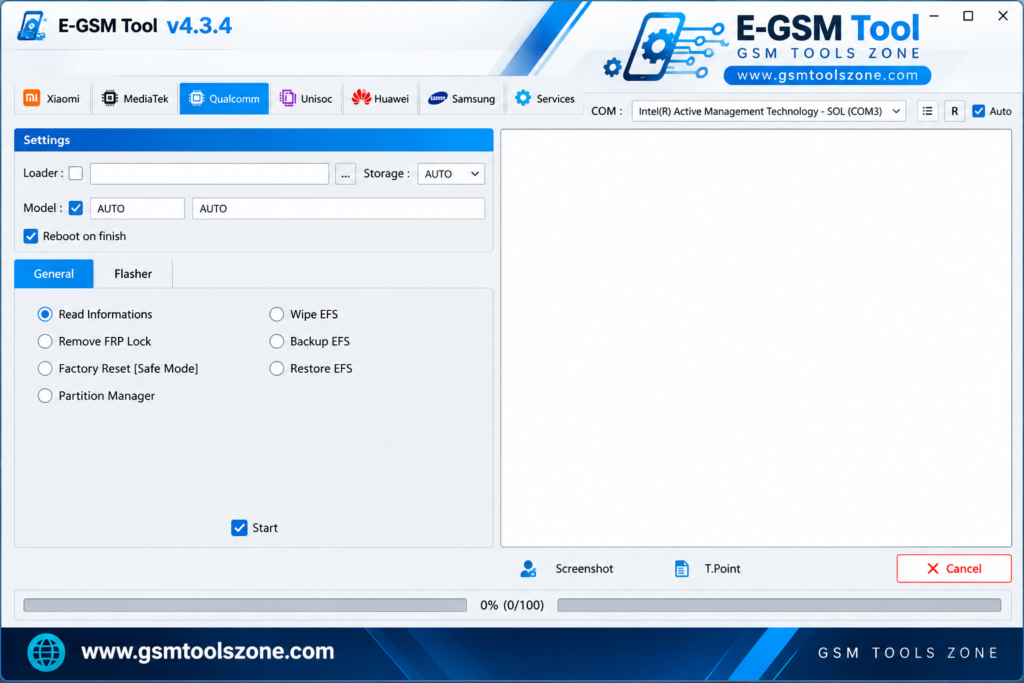
What is E-GSM Tool v4.3.4?
E-GSM Tool v4.3.4 is a Windows-based mobile servicing tool. It is developed to help users repair common Android software problems. It connects supported smartphones to a computer through USB and provides different functions for mobile maintenance. E-GSM Tool v4.3.4 supported functions include FRP servicing, factory reset, firmware flashing, ADB operations, and device information reading. E-GSM Tool v4.3.4 supports popular Android brands, including Samsung, Xiaomi, Huawei, OPPO, Vivo, Realme, and OnePlus.
Features
FRP Servicing:
The tool provides FRP-related functions for supported Android devices. Available options depend on the phone model and security version.
Firmware Flashing:
It offers firmware operations for compatible devices, helping technicians reinstall or update system software when needed.
Factory Reset:
Users can perform a factory reset on supported smartphones to restore the device to its default settings. This process may erase personal data.
Multi-Brand Compatibility:
E-GSM Tool supports selected smartphones from brands such as Samsung, Xiaomi, Huawei, OPPO, Vivo, Realme, and OnePlus.
ADB Mode Support:
ADB mode allows communication between a computer and a compatible Android device for supported servicing and diagnostic operations.
Fastboot Mode Support:
The tool supports Fastboot-related operations on compatible devices for certain software maintenance tasks.
Device Information Reading:
Technicians can check available device details to identify a connected smartphone before starting a servicing operation.
Multiple Chipset Support:
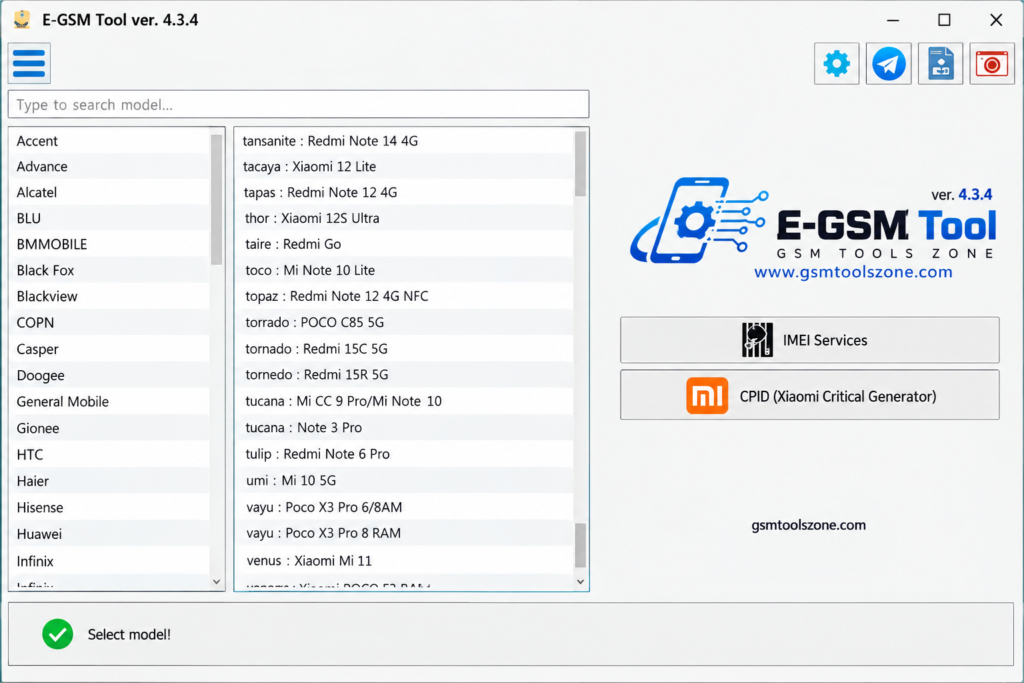
E-GSM Tool works with selected MediaTek, Qualcomm, and Exynos-based devices, depending on the supported model and available functions.
USB Communication:
The software uses a USB connection to communicate with compatible smartphones and perform available servicing tasks.
User-Friendly Interface:
Its organized interface helps users find available functions and manage common mobile servicing operations more easily.
Mobile Software Troubleshooting:
The tool provides supported servicing options for certain Android software problems. Available repair functions vary by device and software version.
Trial Version Availability:
New users may be able to try the software through a trial license before purchasing. Check the current license terms for availability and limitations.
Pros and Cons
Pros
- Simple and user-friendly interface.
- Supports multiple Android smartphone brands.
- Includes firmware flashing and factory reset options.
- Provides FRP servicing for supported devices.
- Supports selected MediaTek, Qualcomm, and Exynos chipsets.
- Offers ADB, Fastboot, and USB communication.
- Includes different mobile servicing functions in one tool.
Cons
- Some features work only with supported device models.
- Certain functions may require a paid license.
- A compatible USB driver may be required.
- Incorrect firmware can cause software problems.
- Some operations may erase personal data.
- New Android security updates may limit certain functions.
System Requirements
| Requirements | Details |
|---|---|
| Operating System | Windows 7, 8, 10, or 11 |
| Processor | Intel or AMD |
| RAM | 4 GB or more |
| Storage | 1 GB free space |
| USB Cable | Required to connect the device |
| USB Drivers | Compatible device drivers may be required |
How to download E-GSM Tool v4.3.4?
- Visit the official website to check for the available E-GSM Tool v4.3.4 download.
- Download the setup file from a trusted source.
- Extract the ZIP file if the download comes in a compressed format.
- Open the extracted folder and run the setup file, if provided.
- Follow the installation instructions on your computer.
- Install the required USB drivers for your supported Android device.
- Connect your smartphone to the computer using a USB cable.
- Open E-GSM Tool and check the available features for your device.
Setup Download Information
- File Version: v4.3.4
- File Size: 68.93 MB
- File Password: gsmtoolszone.com
- Download Link👇
Conclusion
E-GSM Tool v4.3.4 is a useful tool for mobile technicians who need to perform common Android servicing tasks on supported devices. It offers features such as firmware flashing, FRP servicing, factory reset, and device information reading in one place. Its simple interface is easy to use to solve problems smoothly. You can download this and use it to solve the problem.
FAQs
Does E-GSM Tool support FRP removal?
Yes, it provides FRP-related services for supported devices. Availability depends on the model, Android version, and security patch.
Can E-GSM Tool flash Android firmware?
Yes, the tool offers firmware flashing for compatible devices. Always use the correct firmware for your exact phone model.
Does E-GSM Tool support Samsung phones?
Yes, Samsung is one of its main supported brands. However, supported models and available operations vary by version.
Does E-GSM Tool require USB drivers?
Compatible USB drivers may be needed so the computer can detect the connected phone correctly.
One Comment
Comments are closed.