Mr Auth Tool Full Activated Setup Download [2026]
Mr Auth Tool is an Android servicing solution for supported Xiaomi and other compatible devices. It helps with common issues such as FRP Lock, Mi Account restrictions, authentication errors, firmware problems, and device connection issues. Mr Auth tool supports Sideload, Fastboot, EDL, OTP authentication, firmware flashing, factory reset, and EFS services, with selected operations available for Xiaomi, OPPO, Realme, and OnePlus devices.
Also Use: Adanichell Tool v3.4 Download Setup 100% Working [Tested]
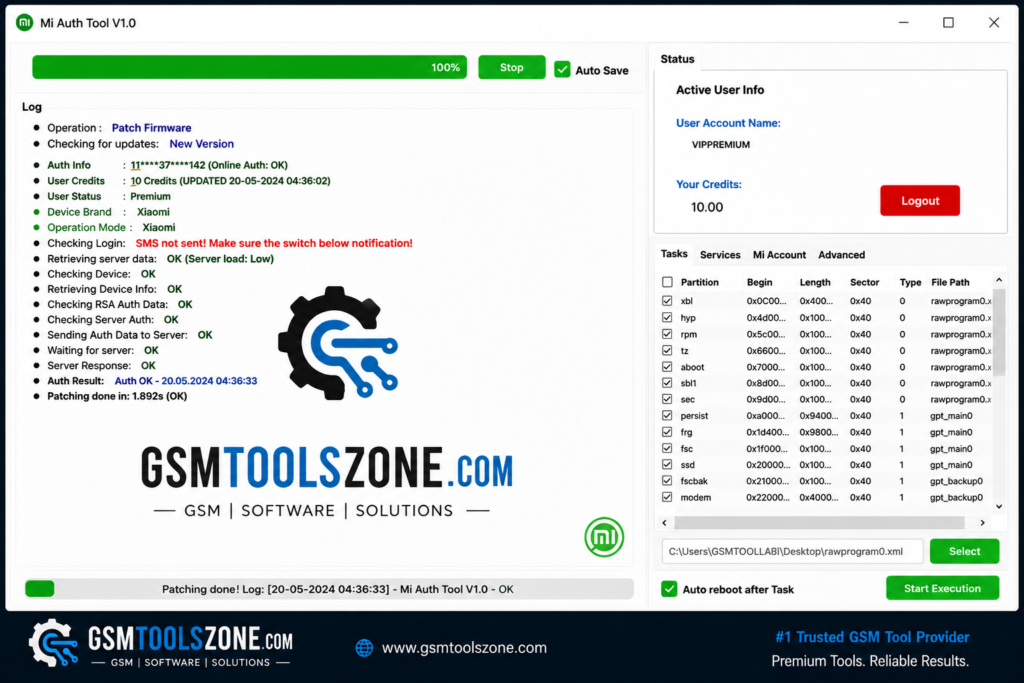
What is Mr Auth Tool?
Mr Auth Tool is a credit-based Android servicing tool for supported Xiaomi, OPPO, Realme, and OnePlus devices. It helps technicians with FRP Lock, Google Factory Reset Protection, authentication, Sideload Mode, OTG, and OTP-based services. Its simple interface makes it useful for beginners or expert mobile technicians.
Features
Xiaomi FRP Removal:
Mr Auth Tool helps remove Google FRP (Factory Reset Protection) from supported Xiaomi devices using the required authentication process.
Phone-to-Phone Support:
For supported operations, the tool works with another Android phone, an OTG cable, and an internet connection, reducing the need for a computer.
Sideload Mode:
It supports Xiaomi Sideload Mode on compatible devices for FRP and other supported servicing operations.
OTP Authentication:
MR Auth Tool uses a One-Time Password (OTP) for supported services, helping verify and authorize each operation.
Xiaomi Firmware Flashing:
The tool provides firmware flashing and reset-related functions for supported Xiaomi smartphones.
Mi Account Services:
It supports selected Xiaomi Mi Account servicing operations on compatible devices.
EFS Management:
Technicians can perform supported EFS Read, EFS Write, and EFS Erase operations on compatible devices.
Qualcomm Support:
MR Auth Tool supports selected Qualcomm-powered Xiaomi devices, depending on the model and available service.
OPPO, Realme & OnePlus Support:
The tool also provides selected authentication and servicing operations for compatible OPPO, Realme, and OnePlus devices through its credit-based workflow.
Credit-Based Servicing:
Instead of relying only on a yearly license, MR Auth Tool uses service credits for supported operations, allowing technicians to use credits when required.
Pros and Cons
Pros
- Supports Xiaomi FRP services on compatible devices
- Supports Sideload, Fastboot, and EDL modes
- OTP authentication for supported operations
- Supports Mi Account services
- Includes EFS Read, Write, and Erase functions
- Supports selected Qualcomm devices
- Works with OPPO, Realme, and OnePlus operations
- Simple and user-friendly interface
- Credit-based service model
Cons
- Not all devices are supported
- Some operations require OTP authentication
- Credits may be required for certain services
- Internet connection may be needed for online operations
- Results can depend on the device model and firmware version
System Requirements
| Requirements | Details |
|---|---|
| Operating System | Windows 7, 8, 10, or 11 |
| Processor | Intel or AMD Dual-Core processor or higher |
| RAM | 4 GB minimum |
| Storage | At least 500 MB of free space |
| USB Port | Working USB port for device connection |
How to download the Mr Auth Tool?
- Download the Mr Auth Tool ZIP file from the official website.
- Extract the downloaded file.
- Open the extracted folder and run the setup.
- After installation, open Mr Auth Tool.
- Connect your Android phone with a USB cable.
- You are now ready to use the tool.
Setup Download Information
- File Version: v3.4
- File Size: 964.48 KB
- Download Link👇
Conclusion
Mr Auth Tool is a Windows-based Android servicing tool that can be useful for mobile technicians working with supported devices. Its straightforward workflow makes routine servicing more convenient. Its credit-based system and supports multiple popular brands, including Xiaomi, OPPO, Realme, and OnePlus. It has a user-friendly interface; whether you are a beginner or experienced, this tool is a good choice.
FAQs
Does MR Auth Tool require an internet connection?
Yes, an internet connection may be required for OTP authentication and online services.
Can beginners use MR Auth Tool?
Yes, its simple interface makes it suitable for both beginners and experienced mobile technicians.
Does MR Auth Tool support Qualcomm devices?
Yes, it supports selected Qualcomm-powered devices, depending on compatibility.
![FRT Tool v1.7.5 Download Latest Version Fully Activated [2026]](https://gsmtoolszone.com/wp-content/uploads/2026/08/frt-tool-v1-7-5-2026-768x576.png)