Android Root Tool v6.0.5.0 Download Latest Version Fully Activated [2026]
Android users and mobile technicians face problems with root access, locked system features, boot images, FRP, partitions, and Android software. Solving every task to find a tool is time-consuming. Android Root Tool is an easy solution with multiple Android repair and rooting features in one place. It supports ADB (Android Debug Bridge) and boot-level operations.
Also Use: FRT Tool v1.7.5 Download Latest Version Fully Activated [2026]
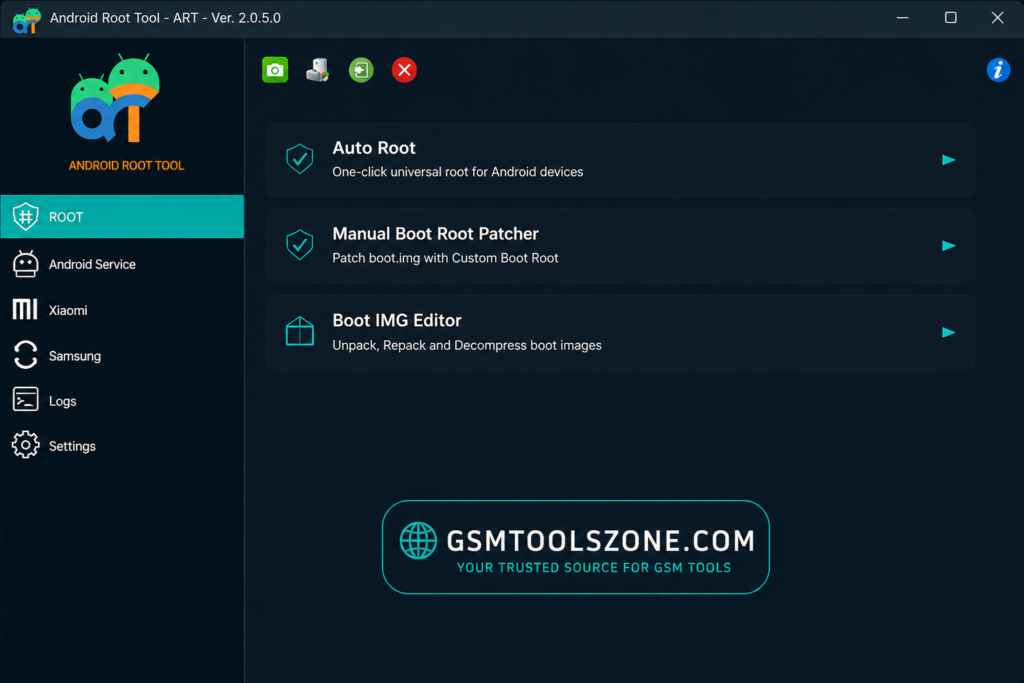
What is Android Root Tool?
Android Root Tool is a professional Windows-based Android servicing software. It helps users and mobile technicians to solve common problems like FRP locks, boot errors, software issues, or unwanted system apps. It has a simple interface. It’s easy to use for beginners. Its supported Samsung, Xiaomi, MediaTek, Qualcomm, and other Android devices. Android Root Tool is the right choice to fix these problems.
Features
Boot IMG Editor
Edit and manage boot image files for supported Android devices.
Manual Boot Root Patcher
Patch boot images for root access on compatible devices.
Xiaomi Virus Remove
Help remove certain unwanted software and virus-related issues from supported Xiaomi phones.
Samsung Android 16 FRP Remove
Provides an FRP servicing option for supported Samsung devices running Android 16.
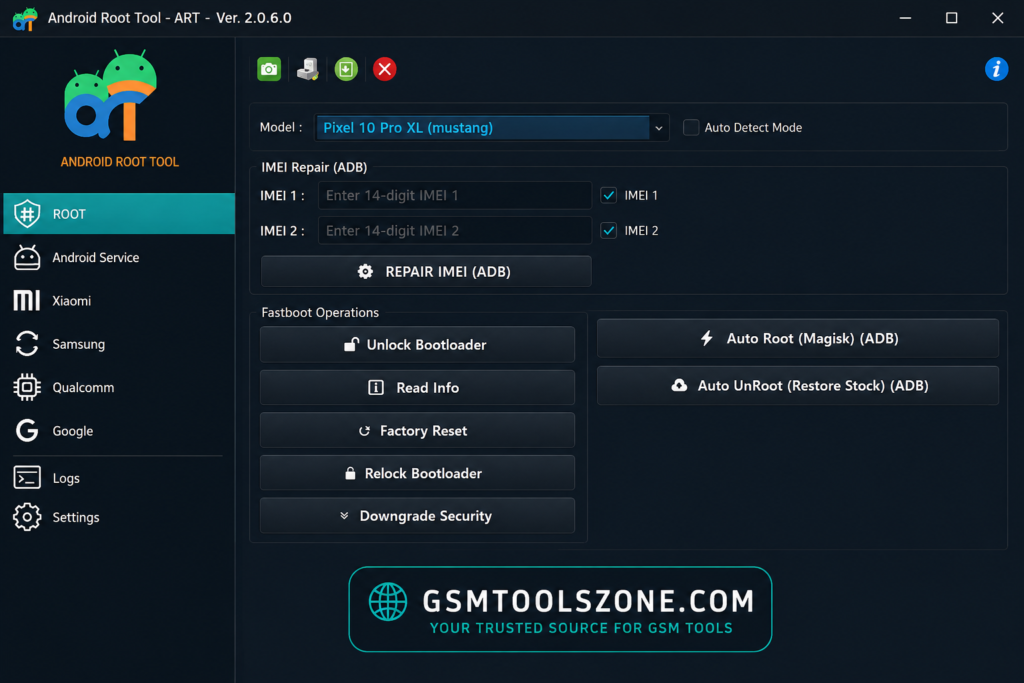
ADB GPT Manager
Manage GPT and partition-related tasks through ADB-based operations.
Android Root Access
Provides tools for gaining root access on compatible devices.
Boot Repair
Helps technicians work with certain boot and software problems.
Partition Management
Provides options for working with Android device partitions.
Firmware Support
Useful for selected firmware and software servicing tasks.
Multi-Brand Support
Works with supported devices from brands such as Samsung and Xiaomi, including MediaTek and Qualcomm platforms.
System Requirements
| Requirement | Details |
| Operating System | Windows 7, Windows 8, Windows 10, or Windows 11 |
| Processor | Intel or AMD Processor |
| RAM | 4 GB or more |
| Storage | At least 1 GB of free space |
| USB Port | Required for connecting Android devices |
How to Download Android Root Tool v6.0.5.0?
- Download the Android Root Tool zip file from the official website.
- Extract the downloaded file.
- Open the extracted folder and run the setup.
- After installation, open the Android Root Tool.
- Connect your Android phone with a USB cable.
- You are now ready to use the tool.
Setup File Download Information
- File Version: v6.0.5.0
- File Size: 33.8 MB
- Download Link👇
Conclusion
Android Root Tool is a Windows-based software. It is an advanced Android servicing tool. This tool is an Android repair tool. It’s useful for users or mobile technicians. Android Root Tool works with technologies like ADB, bootloader, firmware, and Android devices.
FAQs
Is Android Root Tool safe to use?
It can be safe when used correctly on a compatible device. Always verify the device model and create a backup before making system-level changes.
Can Android Root Tool damage a phone?
Incorrect operations can cause software problems such as boot failure or data loss. Follow the correct procedure and avoid using unsupported options.
Does rooting erase phone data?
Rooting or modifying system files can sometimes lead to data loss. It is recommended to back up important photos, contacts, documents, and other files first.
Does Android Root Tool require USB debugging?
Some ADB-based operations require USB debugging to be enabled, while other functions may use different connection methods.