Advance Turbo Flasher Tool v12.70 Download Latest Version [2026]
Older Nokia phones become difficult to use when firmware fails, the phone isn’t detected by USB, or you have forgotten a security code. Software errors and boot problems can also make firmware recovery harder. Advance Turbo Flasher Tool v12.70 (ATF), also known as Advance Turbo Flasher, provides a practical solution for supported Nokia devices. Used with the ATF Box, it helps technicians flash firmware, reinstall flash files, read device information, reset supported security codes, and troubleshoot common software problems. This tool supports selected BB5, DCT4, MeeGo, and MediaTek platforms, making it useful.
Also Use: Sony Flash Tool V0.9.36.0 Full Activated Setup Download [2026]
What is Advance Turbo Flasher Tool v12.70?
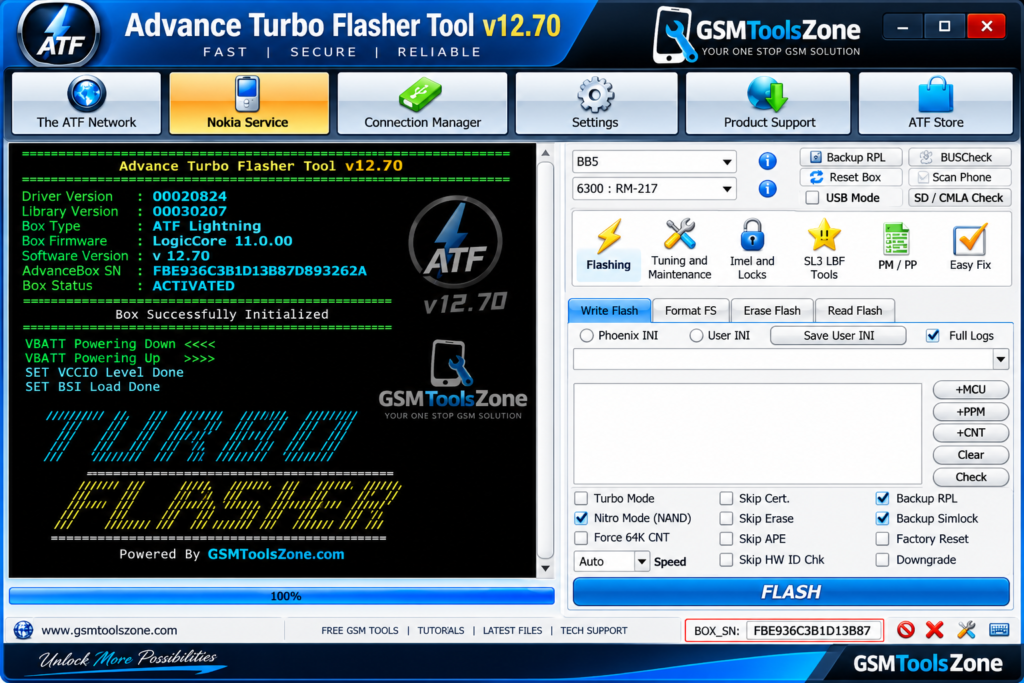
Advance Turbo Flasher Tool, also called Advanced Box Turbo Flasher, is a Nokia mobile servicing tool designed for feature phones. It works with the ATF Box and Windows software to flash firmware, reinstall flash files, read device information, reset supported security codes, and troubleshoot software failures. ATF mainly targets Nokia BB5, DCT4, MeeGo, and selected MediaTek-based devices. Unlike modern Android utilities, it is designed primarily for Nokia servicing and requires compatible ATF Box hardware for advanced operations.
Features
Nokia Firmware Flashing:
Advance Turbo Flasher Tool helps technicians flash or reinstall compatible firmware on supported Nokia phones. It can help fix software errors, boot issues, failed updates, and corrupted firmware.
Dead USB Flashing:
The tool supports USB flashing on compatible Nokia devices, including some phones that cannot start normally. This can help with software recovery and boot-related problems.
Multiple Nokia Platform Support:
Advance Turbo Flasher Tool supports different Nokia platforms, including BB5, DCT4, MeeGo, and selected MediaTek devices. Available functions depend on the phone model, firmware, and ATF Box hardware.
Device Information:
Technicians can read available information from a connected Nokia phone before starting a repair. This helps identify the device and choose the appropriate firmware or servicing option.
Flash Memory Operations:
Advance Turbo Flasher Tool provides flash memory functions for supported Nokia devices. Technicians can use available read, write, and restore options during firmware installation and software recovery.
USB and FBUS Connection:
The tool supports USB and FBUS communication on compatible Nokia models. This allows the Windows computer to communicate with the phone for flashing and other servicing tasks.
Security Code Services:
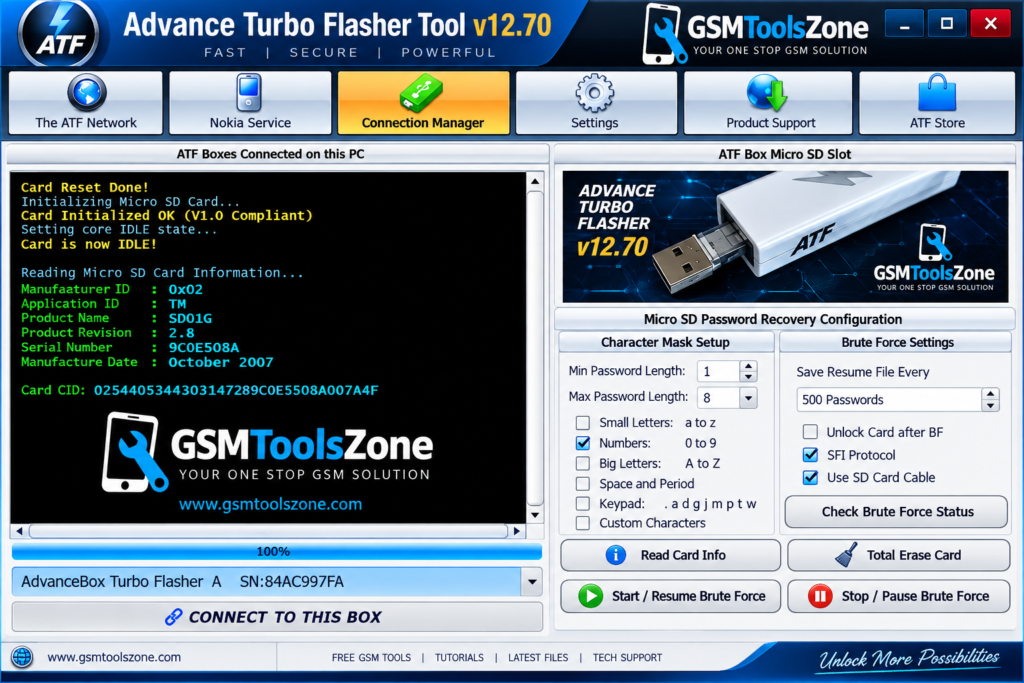
Advance Turbo Flasher Tool provides supported options for resetting certain Nokia security or user codes. The available service functions vary according to the device model and firmware version.
RPL and PM Functions:
The tool includes RPL and PM-related servicing options for supported Nokia phones. These functions can be useful for technicians performing advanced software and security-data operations.
Factory Reset and Testing:
Advance Turbo Flasher Tool offers supported reset and testing functions for compatible Nokia devices. Technicians can use these options to check the phone after completing software servicing.
Backup and Recovery:
Available backup functions can help technicians save supported service data before performing major operations. This provides an additional step for safer firmware repair and recovery.
ATF Box Hardware Support:
Advance Turbo Flasher Tool works with the ATF Box, which provides the required hardware connection for many advanced Nokia servicing operations. This makes the software suitable for professional mobile repair technicians and GSM service centers.
Pros and Cons
Pros
- Easy-to-use Windows-based interface
- Supports many older Nokia phones
- Supports BB5, DCT4, MeeGo, and selected MediaTek devices
- Useful for firmware flashing and software recovery
- Supports USB and FBUS connections
- Can read device information
- Provides supported security code services
- Works with ATF Box hardware
- Includes backup and recovery options
Cons
- Requires compatible ATF Box hardware
- Mainly focused on older Nokia devices
- Not suitable for most modern Android phones
- Features vary by phone model and firmware
- Some advanced functions may require specific hardware support
System Requirements
| Requirements | Details |
|---|---|
| Operating System | Windows 7, 8, 10, or 11 |
| RAM | 2 GB or Higher |
| Processor | Intel or AMD processor |
| Storage | At least 500 MB of free space |
| USB Port | Required for ATF Box and Nokia Device |
How to download Advance Turbo Flasher Tool v12.70?
- Download the Advance Turbo Flasher Tool v12.70 ZIP file from the official website.
- Extract the downloaded file.
- Open the extracted folder and run the setup.
- After installation, open Advance Turbo Flasher Tool v12.70.
- Connect your Android phone with a USB cable.
- You are now ready to use the tool.
Setup Download Information
- File Version: v12.70
- File Size: 368.33 MB
- Download Link👇
Conclusion
Advance Turbo Flasher Tool v12.70 is a useful choice for technicians who still work with supported Nokia feature phones. Its compatibility with the ATF Box makes it suitable for handling older Nokia software and servicing needs. Before using it, make sure the phone model, firmware, drivers, and hardware are compatible. Nokia repair work, ATF remains a practical option when the right setup is available. It has a simple interface easy to use for any user. Whether you are a beginner or an expert.
FAQs
What is Advance Turbo Flasher Tool used for?
It is mainly used for firmware flashing, software recovery, device information, and supported security code services.
Does Advance Turbo Flasher Tool support all Nokia phones?
No. ATF Tool supports specific Nokia models and platforms such as BB5, DCT4, MeeGo, and selected MediaTek devices.
Is ATF Box required for Advance Turbo Flasher Tool?
Yes, the ATF Box is required for many of the tool’s advanced servicing functions.

![FRT Tool v1.7.5 Download Latest Version Fully Activated [2026]](https://gsmtoolszone.com/wp-content/uploads/2026/08/frt-tool-v1-7-5-2026-768x576.png)