Avatar Auth Tool v1.0.5 Download Setup 100% Working [Tested]
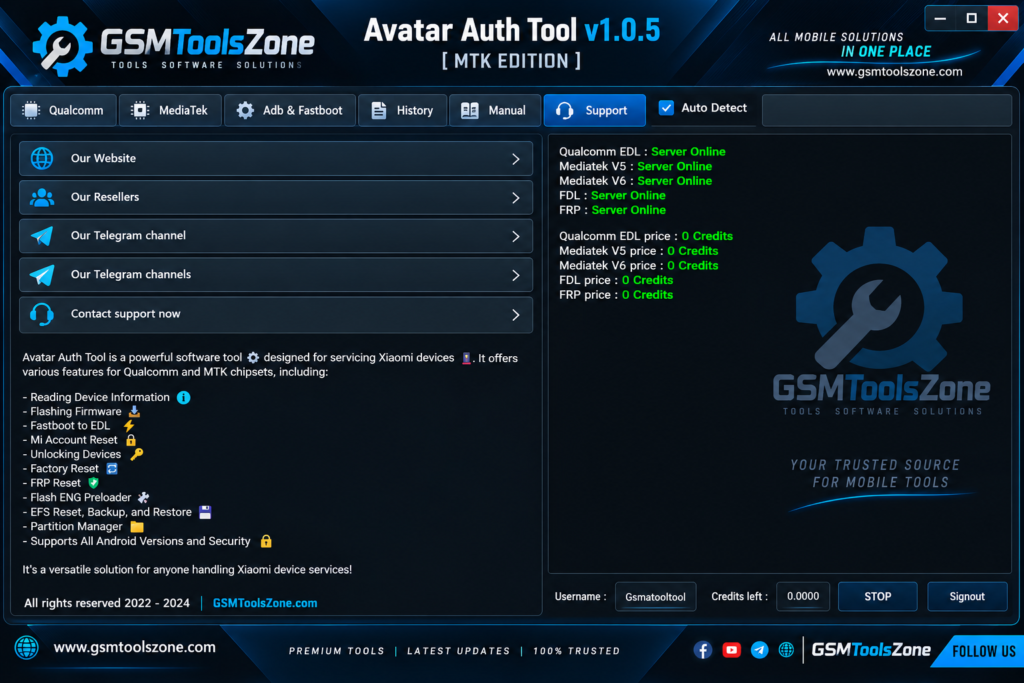
Xiaomi devices can become difficult to use when they are stuck on FRP Lock, Mi Account Lock, firmware errors, or flashing problems. Avatar Auth Tool v1.0.5 provides a practical solution for supported Qualcomm and MediaTek smartphones and tablets. Avatar Auth Tool v1.0.5 users can perform tasks such as FRP bypass, Mi Account reset, factory reset, firmware flashing, device information reading, EFS management, and partition management. It also supports ADB, Fastboot, EDL, and Mi Assistant, depending on the supported device and operation.
Also Use: Advance Turbo Flasher Tool v12.70 Download Latest Version [2026]
What is Avatar Auth Tool v1.0.5?
Avatar Auth Tool v1.0.5 is a Windows-based Android mobile servicing tool designed for supported Xiaomi smartphones. It supports Qualcomm and MediaTek chipsets and provides various functions for software and firmware servicing. Avatar Auth Tool supports ADB, Fastboot, EDL, and Mi Assistant. It has a simple, user-friendly interface that is easy to use for every user, whether you are a beginner or an expert.
Features
Firmware Flashing:
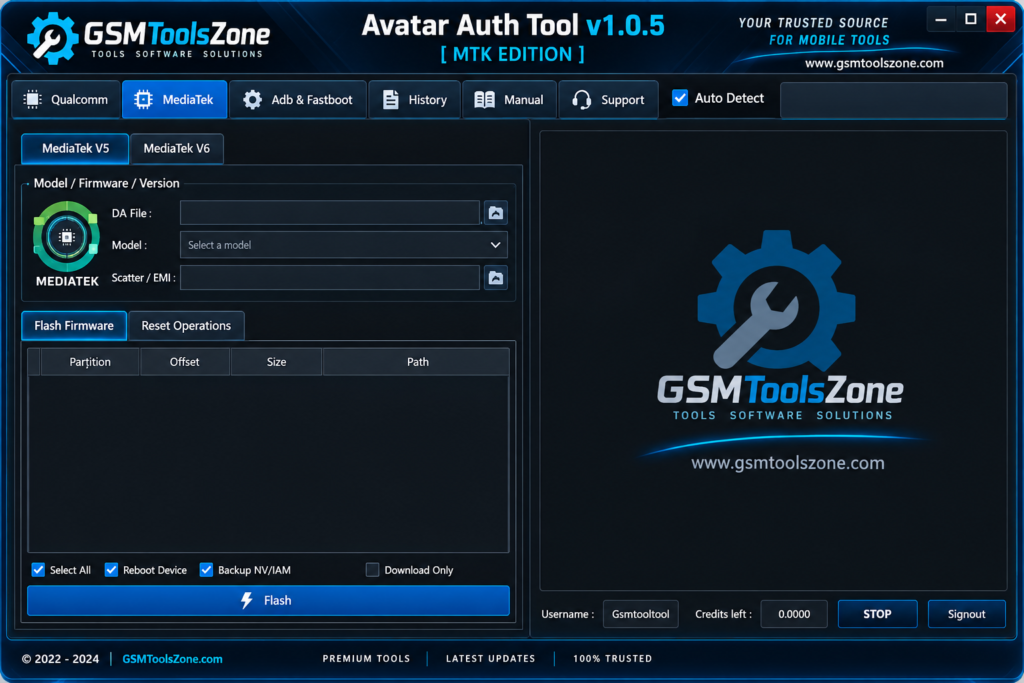
Avatar Auth Tool can flash firmware on supported Qualcomm and MediaTek devices. This can help repair software problems and install compatible firmware files.
Device Information:
The tool can read useful information from supported smartphones. You can check details such as the device model, Android version, and other available data.
FRP Removal:
Avatar Auth Tool provides FRP removal functions for supported devices. This can help with phones that are stuck on the Google verification screen.
Factory Reset:
You can perform a factory reset on supported smartphones. This removes existing user data and restores the device to its default settings.
Mi Account Reset:
The tool provides Mi Account servicing for supported Xiaomi devices. It can also handle related reset operations on compatible models.
EFS Backup and Restore:
Avatar Auth Tool includes EFS management features. Users can back up, restore, reset, or wipe EFS data when required for supported servicing tasks.
Partition Management:
The built-in partition manager allows users to work with supported device partitions. This can be useful during firmware flashing and software repair.
Fastboot to EDL:
Supported Qualcomm devices can be switched from Fastboot mode to EDL mode. This provides another way to access EDL-based servicing functions.
ADB and Fastboot:
The tool supports ADB and Fastboot modes for compatible Android devices. These modes can be used for basic device information and servicing operations.
Mi Assistant Support:
Avatar Auth Tool supports Mi Assistant Sideload mode on compatible Xiaomi devices. It can read available information such as model details, IMEI, and software version.
MediaTek Support:
The tool supports MediaTek V5 and V6 devices and works with supported files such as Scatter, XML, Download Agent, and Firehose files.
ENG Preloader:
The ENG Preloader option is available for specific MediaTek servicing requirements. It can be used to flash a compatible ENG Preloader on supported devices.
Manual Authentication:
Avatar Auth Tool provides manual authentication options for supported devices. Available modes can include EDL, MTK V6, Fastboot to EDL, and Sideload FRP.
Pros and Cons
Pros
- Simple and easy-to-use interface
- Supports Qualcomm and MediaTek devices
- Includes FRP and Mi Account servicing
- Supports firmware flashing
- Provides ADB, Fastboot, EDL, and Mi Assistant modes
- Includes EFS backup and restore options
- Offers partition management features
- Supports MediaTek V5 and V6 protocols
Cons
- Works only with supported devices
- Some features may require authentication
- Not every function works on every Xiaomi model
- Requires a Windows PC
- Incorrect firmware or operations may cause device problems
System Requirements
| Requirements | Details |
|---|---|
| Operating System | Windows 7, 8, 10, or 11 |
| RAM | 4 GB or Higher |
| Processor | Intel or AMD Processor |
| Storage | At Least 1 GB Free Space |
| USB Port | Required for Device Connection |
How to download Avatar Auth Tool v1.0.5?
- Download the Avatar Auth Tool v1.0.5 ZIP file from the official website.
- Extract the downloaded file.
- Open the extracted folder and run the setup.
- After installation, open Avatar Auth Tool v1.0.5.
- Connect your Android phone with a USB cable.
- You are now ready to use the tool.
Setup Download Information
- File Version: v1.0.5
- File Size: 26.99 MB
- Download Link👇
Conclusion
Avatar Auth Tool v1.0.5 is a useful choice for mobile technicians who need a practical Windows solution for supported Xiaomi devices. Its straightforward design makes the servicing process easier to understand, while its chipset and protocol support gives users flexibility when working on different models. It has a simple interface that is easy to use for both beginners and experts. Just download the Avatar Auth Tool, install it, and follow the steps to work on your supported device.
FAQs
Is Avatar Auth Tool free?
The availability of free features may depend on the tool version and authentication requirements. Some functions may require online authentication.
Which devices does Avatar Auth Tool support?
The tool mainly supports selected Xiaomi devices with Qualcomm and MediaTek chipsets. Support can vary by model and software version.
Can I use it for Mi Account problems?
Yes, the tool includes Mi Account servicing options for compatible Xiaomi devices.
Is Avatar Auth Tool easy to use?
Yes, it has a simple interface that can be used by both beginners and experienced mobile technicians.