
HalabTech Tool v1.1 Safe Setup Download 100% Working
Many Android phones are difficult to service when you need to remove a screen lock, fix FRP, flash firmware, or repair software issues. HalabTech Tool v1.1 provides a practical solution for Android software servicing and repair tasks. HalabTech Tool v1.1 performs functions such as firmware flashing, FRP reset, screen-lock removal, IMEI-related repair, bootloader operations, device information reading, user data formatting, and software maintenance.
Also Use: UMT Tool v13.6 Free Download Latest Version [2026]
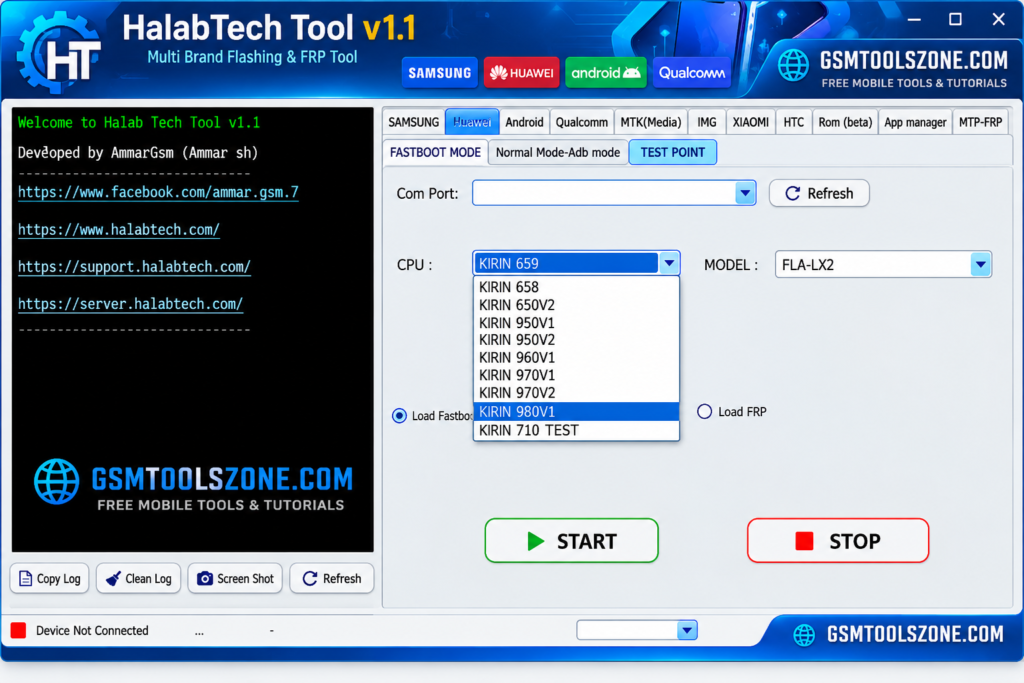
What is HalabTech Tool v1.1?
HalabTech Tool v1.1 is a professional Windows-based Android servicing tool. It is especially designed to help users and mobile technicians. It supports MediaTek (MTK) and Qualcomm. It supports popular Android brands such as Samsung, Huawei, Xiaomi, OPPO, Vivo, Tecno, and others.
Features
FRP Servicing:
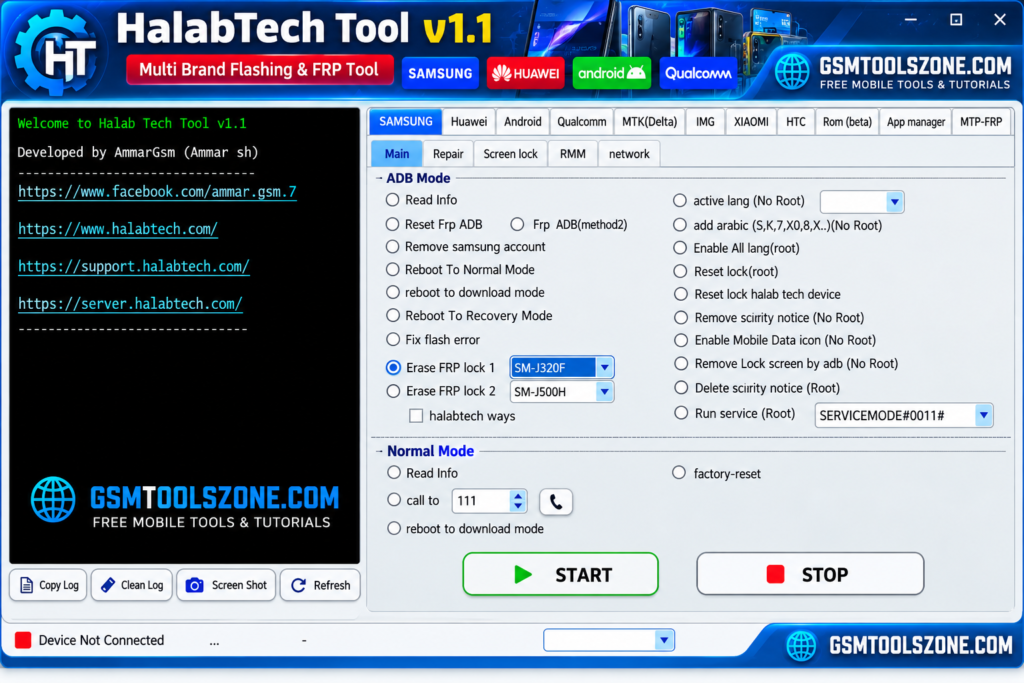
HalabTech Tool V1.1 provides supported FRP servicing functions for Android devices from brands such as Samsung, Xiaomi, Vivo, OPPO, and Realme. These functions can help technicians handle Google account verification issues during supported repair workflows.
Screen Lock Removal:
The tool includes options for servicing certain PIN, password, and pattern locks on compatible Android smartphones. This can make supported device maintenance easier for technicians.
MediaTek (MTK) Support:
HalabTech Tool V1.1 supports various MediaTek devices and provides MTK-based servicing options. Depending on the device, technicians can use supported connection methods for software repair and maintenance.
Qualcomm Device Support:
The tool also works with selected Qualcomm Snapdragon devices. It can provide device detection, information reading, and supported servicing functions through connection modes such as Fastboot and EDL.
Android Firmware Flashing:
Firmware flashing is useful when an Android phone has software errors, boot problems, or corrupted system files. HalabTech Tool can install compatible firmware on supported devices to help restore normal software operation.
IMEI Servicing:
For supported devices and authorized repair situations, the tool includes IMEI-related servicing functions. These options can assist technicians with certain network and software maintenance tasks.
Bootloader Management:
HalabTech Tool V1.1 provides supported bootloader unlock and relock functions. These options are useful for technicians working on advanced Android software servicing and device maintenance.
Auth Bypass Functions:
Selected MediaTek and other supported devices may require authentication during servicing. The tool provides Auth Bypass functions for compatible repair workflows where supported.
DIAG Enablement:
The tool includes DIAG-related functions for compatible Qualcomm devices. DIAG access can be useful for certain diagnostic, device information, and servicing operations.
Xiaomi Mi Account Servicing:
For supported Xiaomi smartphones, HalabTech Tool includes Mi Account servicing functions. Technicians can use the available options according to the device model and supported software version.
Device Information Reading:
The tool can read important information from compatible Android devices. This can help technicians identify the model, chipset, software details, and connection status before starting a repair operation.
USB Driver Support:
Proper drivers are important for communication between a Windows PC and an Android phone. HalabTech Tool workflows can work with the required MediaTek USB drivers and Qualcomm USB drivers for supported devices.
Multibrand Android Support:
HalabTech Tool V1.1 is designed for servicing multiple Android brands instead of focusing on a single manufacturer. Its supported device ecosystem includes brands such as Samsung, Xiaomi, Vivo, OPPO, Realme, Huawei, and Tecno.
Online Server Functions:
Some advanced operations may require an active internet connection or online server verification. Server-based functions can provide authentication and access to supported online servicing features.
Pros and Cons
Pros
- Supports multiple Android brands.
- Works with MediaTek and Qualcomm devices.
- Includes firmware flashing functions.
- Provides FRP and screen-lock servicing options.
- Supports bootloader-related operations.
- Includes Auth Bypass and DIAG functions.
- Offers Xiaomi Mi Account servicing options.
- Can read device information.
- Useful for mobile technicians and repair shops.
Cons
- Some features may require an online server.
- Not every function works on every device model.
- Proper USB drivers may be required.
- Advanced operations may need technical knowledge.
- Support can depend on the Android version and chipset.
System Requirements
| Requirements | Details |
|---|---|
| Operating System | Windows 7, 8, 10, or 11 |
| Processor | Intel or AMD Processor |
| RAM | 4 GB or more |
| Storage | At least 1 GB of free space |
| USB Port | Required for connecting Android devices |
| Drivers | Compatible MTK and Qualcomm drivers |
How to download Halab Tech Tool v1.1?
- Visit the official website.
- Click the Download button.
- Wait for the download link to become available.
- Download the HalabTech Tool v1.1 file to your computer.
- Extract the downloaded ZIP or RAR file using WinRAR.
- Open the extracted folder and run the tool setup or executable file.
Setup Download Information
- File Version: v1.1
- File Size: 273.66 MB
- File Password: gsmtoolszone.com
- Download Link👇
Conclusion
HalabTech Tool v1.1 is a useful choice for Android servicing and mobile repair. It is different functions to support MediaTek and Qualcomm devices, including firmware flashing, FRP servicing, device information, bootloader operations, and other maintenance tasks. It has a simple interface you can download the HalabTech Tool v1.1 and solve problems with just one click.
FAQs
What devices does HalabTech Tool v1.1 support?
It supports selected Android devices from brands such as Samsung, Xiaomi, Vivo, OPPO, Realme, Huawei, and Tecno.
Does HalabTech Tool support Qualcomm devices?
Yes, it supports selected Qualcomm devices and provides functions for supported Fastboot and EDL workflows.
Does HalabTech Tool support FRP servicing?
Yes, it includes FRP servicing functions for supported Android devices.
Does HalabTech Tool require USB drivers?
Yes, the required MTK, Qualcomm, or other device drivers may need to be installed so the phone can communicate correctly with Windows.
One Comment
Comments are closed.