
AMF Tool v1.2.5 Full Activated Setup Download [2026]
Android phones with Qualcomm Snapdragon chipsets can sometimes get stuck, locked, or working stop properly, or have software issues. AMF Tool v1.2.5 provides a simple Windows-based solution for common Android repair tasks on supported Snapdragon devices. It can help with FRP reset, Mi Account reset, EFS data management, NV data backup, and other device servicing tasks. It supports Qualcomm Snapdragon Android smartphones.
Also Use: Chigo Unlocker Tool v3.5 Setup Download 100% Working
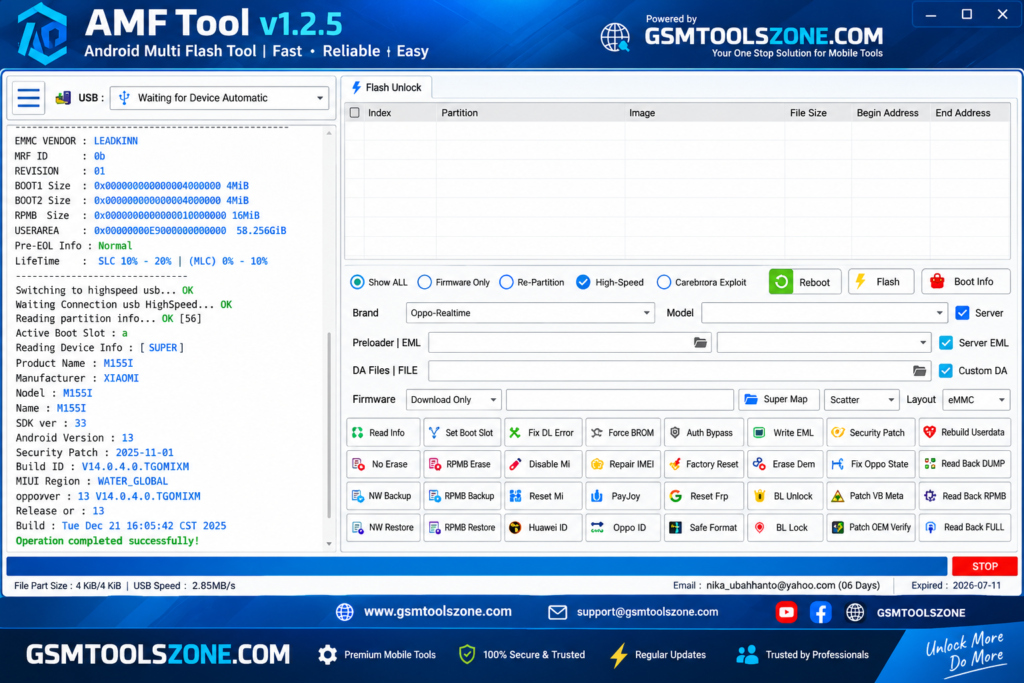
What is AMF Tool v1.2.5?
AMF Tool v1.2.5 is a Windows-based Android repair and servicing tool especially designed for supported Qualcomm Snapdragon devices. It has useful functions in one simple interface, helping mobile technicians handle common software and servicing tasks more easily. AMF Tool is compatible with different Snapdragon-powered Android smartphones.
Features
FRP Servicing:
AMF Tool provides FRP-related servicing options for supported Android devices. It can help technicians handle Google Factory Reset Protection tasks on compatible phones.
Mi Account Servicing:
The tool includes Mi Account servicing options for supported Xiaomi devices. These functions can help with supported account-related repair tasks.
EFS Management:
AMF Tool provides EFS management features for compatible devices. Technicians can use supported options to erase, restore, or manage EFS data during repair work.
NV Data Backup:
The tool can create a backup of supported NV data before performing certain repair operations. This can help technicians keep important device data available for later restoration.
Firmware Servicing:
AMF Tool includes options for different firmware and software-related servicing tasks on supported Qualcomm Snapdragon devices.
Automatic Device Detection:
The tool can detect compatible Android smartphones connected to a Windows computer, making it easier to identify the device before starting a supported operation.
Qualcomm Snapdragon Support:
AMF Tool is mainly designed for Android smartphones powered by Qualcomm Snapdragon chipsets. It provides different servicing options depending on the supported device and chipset.
Multi-Brand Support:
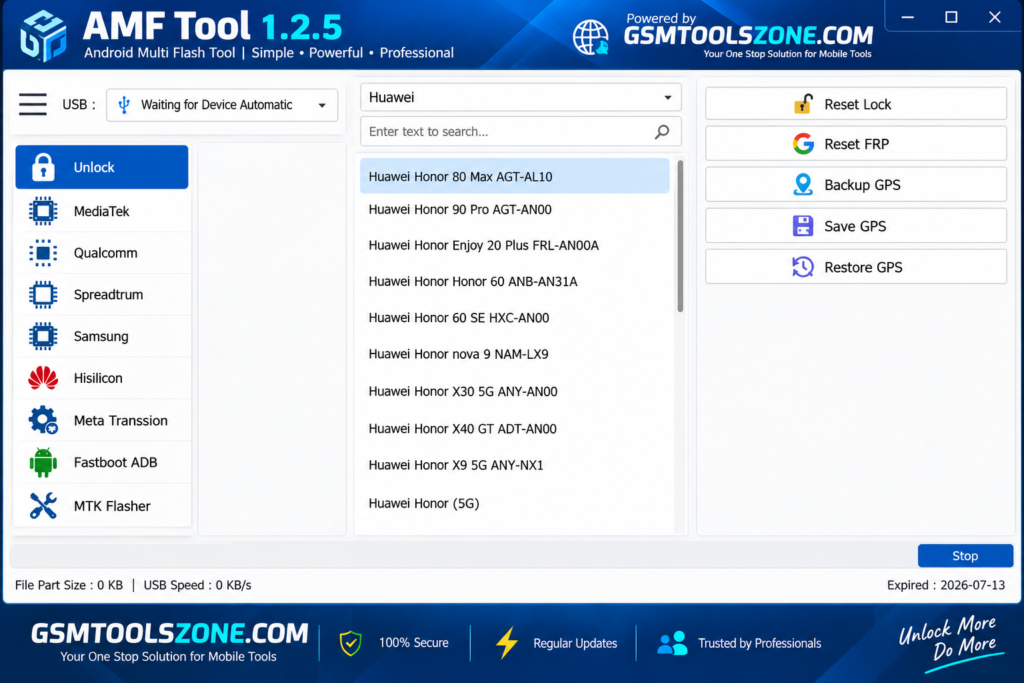
The tool works with various supported Android brands and models. Compatibility can include brands such as Xiaomi, Samsung, Vivo, OPPO, Realme, Motorola, Nokia, Huawei, Tecno, and Infinix.
Simple User Interface:
AMF Tool provides multiple repair and servicing functions in one place. Its simple interface helps technicians find the required options without dealing with a complicated setup.
Pros and Cons
Pros
- Supports many Qualcomm Snapdragon devices.
- Includes multiple repair functions in one tool.
- Supports FRP-related servicing on compatible devices.
- Provides Mi Account servicing options for supported Xiaomi devices.
- Includes EFS management features.
- Supports NV data backup on compatible devices.
- Works with multiple Android brands and models.
- Simple and easy-to-use interface.
- Supports 32-bit and 64-bit Windows systems.
Cons
- Some features may work only on supported devices.
- Qualcomm USB drivers may be required.
- Repair operations can vary depending on the device model.
- Some advanced functions may require technical knowledge.
- It is mainly focused on Windows-based computers.
System Requirements
| Requirements | Details |
|---|---|
| Operating System | Windows 7, 8, 10, or 11 |
| Processor | Intel or AMD processor |
| RAM | 4 GB or more |
| Storage | 500 MB free space |
| USB Port | Required for connecting Android devices |
How to download AMF Tool v1.2.5?
- Visit the official website to download the AMF Tool v1.2.5 setup file.
- Scroll down and find the Download button.
- Click the Download button to start downloading the tool.
- Wait until the download is complete.
- Extract the ZIP or RAR file if the tool is provided in a compressed folder.
- Open the extracted folder and run the AMF Tool v1.2.5 setup or executable file.
- If required, install the compatible Android or Qualcomm USB drivers.
Setup Download Information
- File Version: v1.2.5
- File Size: 84.18 MB
- Download Link👇
Conclusion
AMF Tool v1.2.5 is a useful Windows utility for technicians who work with supported Qualcomm Snapdragon Android devices. Its different servicing options into one place, including FRP servicing, Mi Account servicing, EFS management, NV data backup, and other software repair functions. Its simple interface and multi-brand support make common device servicing tasks easier. If you are looking for a lightweight tool for supported Snapdragon devices, you can download the latest AMF Tool v1.2.5 from GSMToolsZone and use it for your Android repair and servicing needs.
FAQs
What can AMF Tool do?
It provides different servicing functions, including FRP servicing, Mi Account servicing, EFS management, and NV data backup on supported devices.
Does AMF Tool support multiple brands?
Yes, it supports various Android brands and models, depending on the available device compatibility.
Do I need USB drivers for AMF Tool?
Yes, compatible Android or Qualcomm USB drivers may be required to properly connect and detect some devices.
Is AMF Tool easy to use?
Yes, the tool provides a simple interface with different servicing options in one place.

One Comment
Comments are closed.