
Modem Meta Tool v10.2044.0.02 Download Latest Version [2026]
Many MediaTek Android devices can develop problems with IMEI, Serial Number (SN), Bluetooth, Wi-Fi address, or modem-related settings. Modem Meta Tool v10.2044.0.02 is a Windows-based MediaTek servicing utility that helps technicians work with supported device identity and modem settings. It is used for supported IMEI and SN services, Bluetooth and Wi-Fi address management, and modem-related troubleshooting on compatible MediaTek SoC devices.
Also Use: OST Tool v6.3.7 Setup Download 100% Working
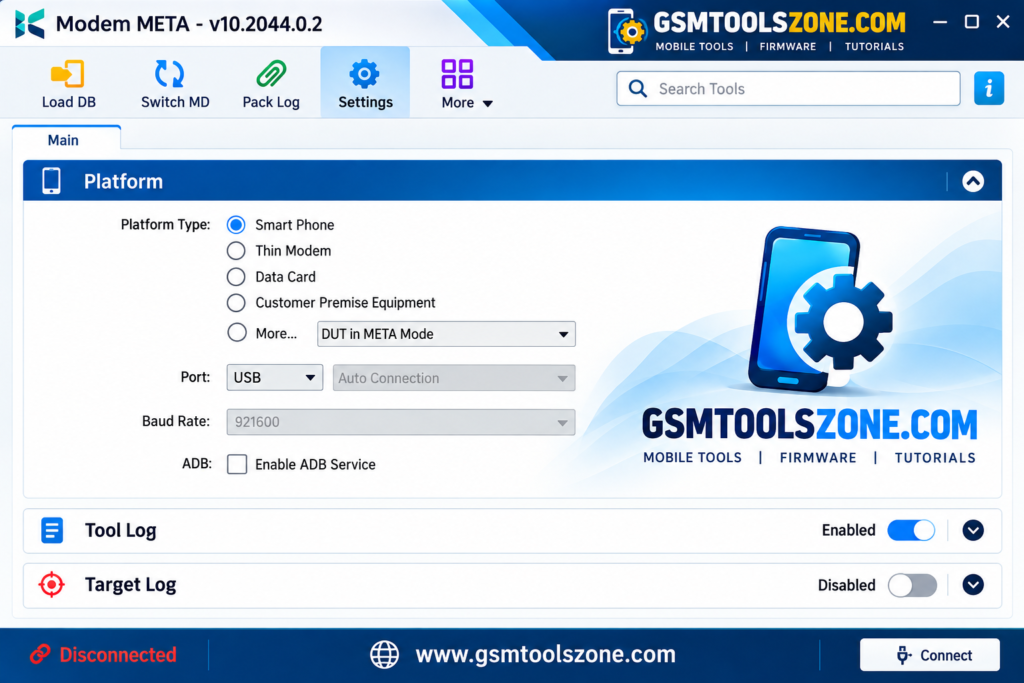
What is Modem Meta Tool v10.2044.0.02?
Modem Meta Tool v10.2044.0.02 is a Windows-based servicing tool. It is especially designed for Android smartphones and tablets that use MediaTek chipsets. It supports devices in MediaTek META mode and gives technicians a simple interface to work with device identity settings. It is easy for everyone to use, whether you are a beginner or an expert.
Features
Easy Windows Installation:
Modem Meta Tool v10.2044.0.02 is designed for Windows PCs and can be installed for servicing compatible MediaTek smartphones, tablets, and supported devices.
IMEI Writing and Repair:
Modem Meta Tool v10.2044.0.02 supports IMEI writing and related servicing operations on compatible MediaTek devices. Required files or permissions may depend on the device.
IMEI Backup and Restore:
Modem Meta Tool v10.2044.0.02 can help technicians back up and restore IMEI information on supported devices, which can be useful before performing servicing tasks.
MediaTek Chipset Support:
The tool is mainly designed for devices powered by MediaTek chipsets. Support for a specific device can depend on its chipset, firmware, and security level.
Meta Mode Support:
ModemMeta Tool v10.2044.0.02 can communicate with compatible MediaTek devices through META Mode for supported diagnostic and servicing operations.
Modem and Network Services:
It provides options for working with supported modem and network-related information, which can help technicians troubleshoot certain connectivity and modem issues.
Bluetooth and Wi-Fi Address Support:
The tool can provide supported operations for Bluetooth and Wi-Fi address information on compatible MediaTek devices.
Serial Number Support:
ModemMeta Tool v10.2044.0.02 includes support for working with Serial Number (SN) information on supported devices during servicing.
USB, UART, and IP Connectivity:
The tool may support different connection methods, including USB, UART, and IP, depending on the device and servicing setup.
Automatic Port Detection:
Automatic port selection can make device communication easier by helping the tool identify the available MediaTek connection.
Baud Rate Adjustment:
Technicians can adjust the baud rate when required to maintain proper communication between the Windows PC and the connected device.
Log Tracking:
The built-in log area displays process information and operation status, making it easier to monitor servicing activities and identify errors.
Security File Support:
ModemMeta Tool v10.2044.0.02 can work with required security or configuration files for supported operations. File requirements may vary between different MediaTek devices.
Pros and Cons
Pros
- Easy to use on Windows computers.
- Supports compatible MediaTek Android devices.
- Provides IMEI backup and restore options.
- Supports supported IMEI and SN servicing tasks.
- Works with MediaTek META Mode.
- Includes Bluetooth and Wi-Fi address servicing options.
- Supports automatic device and port detection.
- Provides logs to monitor the servicing process.
- Useful for mobile repair technicians.
Cons
- Mainly designed for MediaTek devices.
- Device support can vary by chipset and firmware.
- Some operations may require specific files or drivers.
- Requires proper MediaTek USB drivers for communication.
- Certain functions may depend on device security and META Mode support.
- Not suitable for Qualcomm or Unisoc devices.
System Requirements
| Requirements | Details |
|---|---|
| Operating System | Windows 7, 8, 10, or 11 |
| Processor | Intel or AMD processor |
| RAM | At least 4 GB |
| Storage | At least 1 GB of free space |
| USB Port: | Required for connecting supported MediaTek devices |
How to download Modem Meta Tool v10.2044.0.02?
- Visit the official website to download Modem Meta Tool v10.2044.0.02.
- Check the available version and tool details.
- Click the Download button.
- Wait for the download to complete.
- Extract the downloaded ZIP or RAR file using a suitable file extractor.
- Open the extracted folder and run the tool on your Windows computer.
- Install the required MediaTek USB drivers if your device is not detected.
- Connect your supported MediaTek device and follow the tool’s instructions.
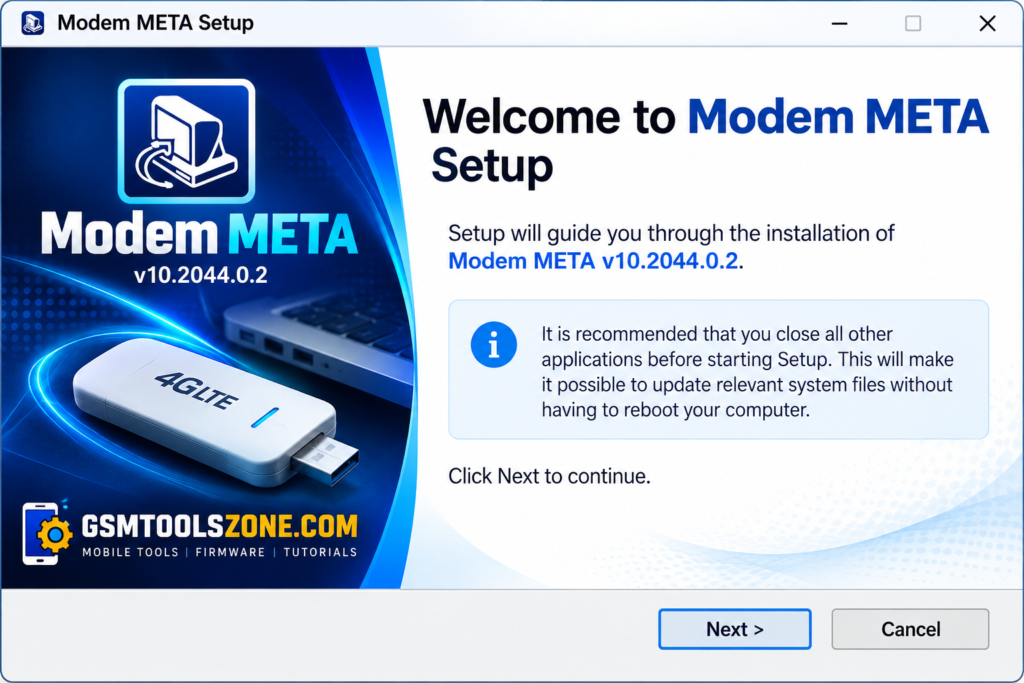
Setup Download Information
- File Version: v10.2044.0.02
- File Size: 136.15 MB
- Download Link👇
Conclusion
Modem Meta Tool v10.2044.0.02 is a useful Windows-based utility for technicians who work with supported MediaTek Android devices. It provides features for IMEI, Serial Number, Bluetooth, Wi-Fi, and modem-related servicing, along with META Mode and device connection support. Its simple interface and useful servicing options can make MediaTek device maintenance easier.
FAQs
What is ModemMeta Tool used for?
It is used for supported IMEI, SN, Bluetooth, Wi-Fi, and modem-related servicing tasks.
Does ModemMeta Tool support MediaTek devices?
Yes, ModemMeta Tool is designed for compatible devices powered by MediaTek chipsets.
Does ModemMeta Tool work with META Mode?
Yes, the tool can communicate with supported MediaTek devices through META Mode.
Do I need MediaTek USB drivers?
Yes, the correct MediaTek USB drivers may be required for proper communication between the device and a Windows PC.
One Comment
Comments are closed.