
BMB Tool v7.0 Pre-Activated Version for Windows
You are stuck on FRP lock, device restrictions, or software problems on an android difficult to repair. BMB Tool v7.0 provides a Windows-based solution for supported devices and helps mobile technicians perform common mobile servicing tasks more easily. BMB Tool v7.0 performs functions such as FRP, factory reset, safe format, bootloader unlocking, SIM unlocking, firmware flashing, partition management, and device servicing. It supports popular Android brands, including Samsung, Xiaomi, Vivo, Oppo, Realme, Nokia, Lenovo, Tecno, Wiko, Asus, LG, Huawei, and other Android devices.
Also Use: iTools v4.5.1.9 Setup Download 100% Working
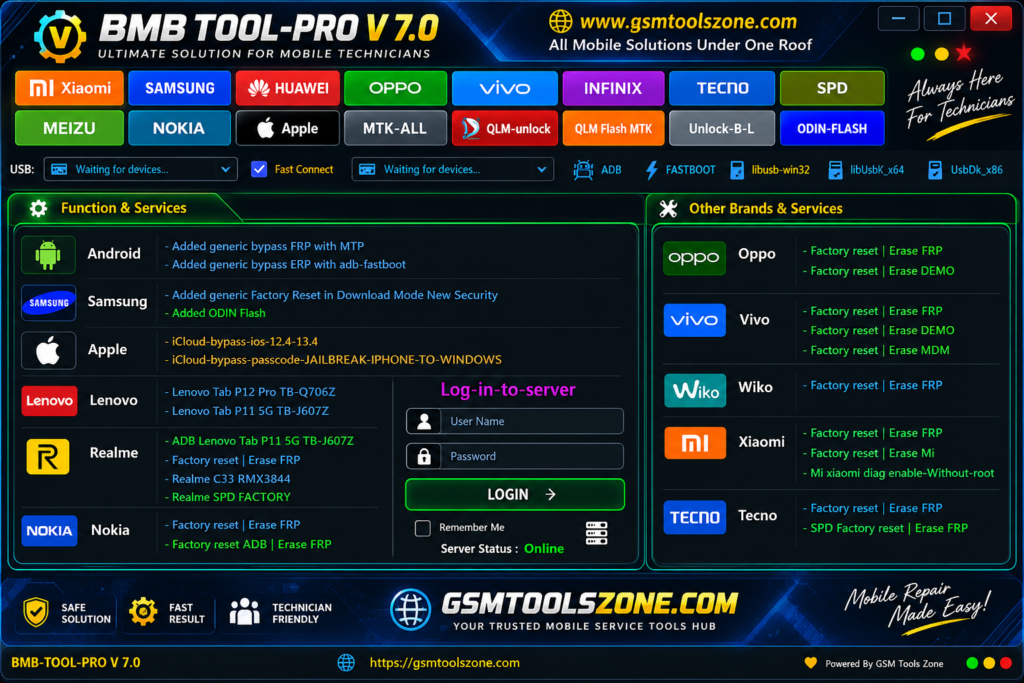
What is BMB Tool v7.0?
BMB Tool v7.0 is a Windows-based Android servicing tool made for repairing and managing supported Android smartphones. It helps users and mobile technicians to fix different software problems in one place. It also works with Qualcomm, MediaTek (MTK), and SPD devices. BMB Tool performs tasks such as FRP servicing, factory reset, firmware work, and other basic repair tasks. This tool supports brands such as Samsung, Xiaomi, Vivo, Oppo, Realme, Nokia, Tecno, and Lenovo. It has a simple interface easy to use, every one wheatthe you are a beginner or an expert mobile technician.
Features
Safe Format:
BMB Tool can format supported devices and remove unwanted data. This can help prepare the phone for a fresh setup.
FRP Service:
The tool provides FRP-related options for supported Android phones. It can help technicians handle Google verification issues during device servicing.
Bootloader Support:
BMB Tool includes options for working with the bootloader on supported devices. This can be useful for advanced Android repair and software tasks.
Vivo Service:
The tool provides different servicing options for supported Vivo smartphones. Users can perform firmware and other software-related operations.
Oppo SIM Unlock:
BMB Tool offers SIM unlocking options for selected Oppo devices. After a successful unlock, the phone can work with a different supported network SIM.
Mi Sideload Support:
The tool includes options for Xiaomi and Mi devices in sideload mode. It can help with certain software and device servicing tasks.
Samsung MTP Support:
BMB Tool can connect supported Samsung phones through MTP mode. Required USB drivers help the computer communicate with the device.
BROM Flashing:
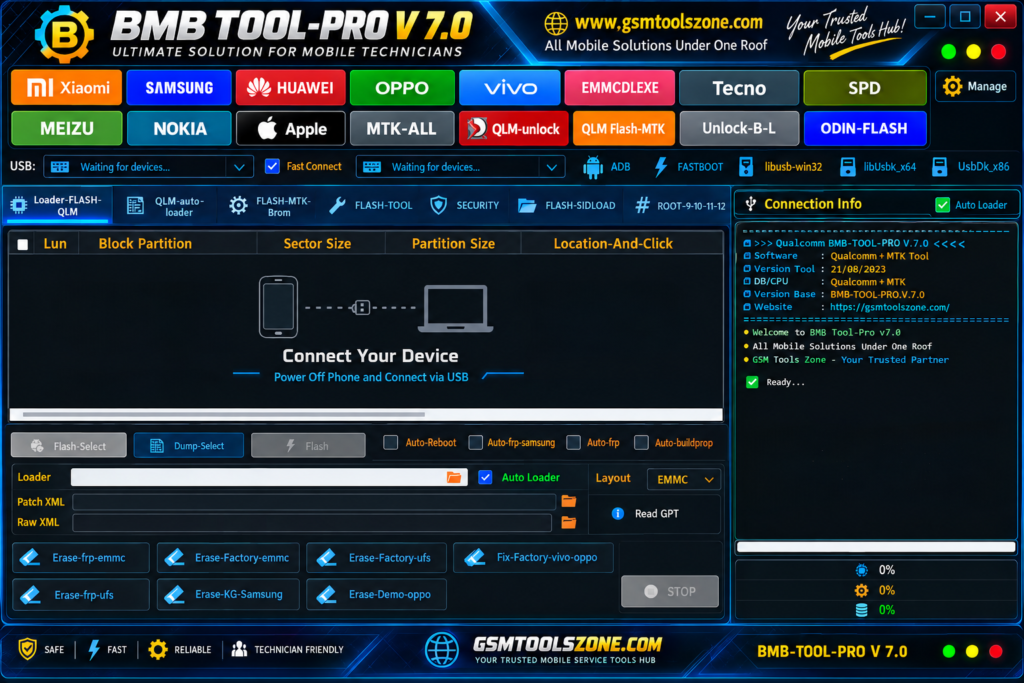
The tool supports BROM mode on selected MediaTek devices. This can be used for firmware flashing and other software repair operations.
GPT Partition Reading:
BMB Tool can read GPT partition information on supported devices. This helps technicians check the device partition structure during repair work.
ROM Backup:
The tool provides an option to create a backup of supported device firmware. A ROM backup can be useful before performing major software operations.
EDL Mode Support:
BMB Tool supports EDL mode on selected Qualcomm devices. This mode can help technicians perform firmware and recovery operations on supported phones.
Pros and Cons
Pros
- Simple and easy-to-use interface
- Supports many Android brands
- Works with selected Qualcomm, MediaTek, and SPD devices
- Includes useful FRP service options
- Supports firmware flashing
- Provides ROM backup options
- Supports MTP, BROM, and EDL modes
- Useful for mobile repair technicians
Cons
- Does not support every Android model
- Some features may need specific device modes
- Required USB drivers must be installed
- Some advanced operations need technical knowledge
- Results can vary between different device models
System Requirements
| Requirements | Details |
|---|---|
| Operating System | Windows 7, 8, 10, or 11 |
| Processor | Intel or AMD Processor |
| RAM | 4 GB or Higher |
| Storage | At Least 1 GB of free space |
| USB Port | Required for Device Connection |
How to download BMB Tool v7.0?
- Download the BMB Tool v7.0 ZIP file from the official website.
- Extract the downloaded file.
- Open the extracted folder and run the setup.
- After installation, open BMB Tool v7.0.
- Connect your Android phone with a USB cable.
- You are now ready to use the tool.
Setup Download Information
- File Version: v7.0
- File Size: 26.76 MB
- Download Link👇
Conclusion
BMB Tool v7.0 is a useful option for mobile technicians who need a simple tool for Android software servicing. Its different repair functions perform tasks and save time when working on supported devices. It supports Qualcomm and MediaTek chips on multiple devices. Whether you are a beginner or a technician, you can download the BMB Tool from our website and use it easily to fix supported devices.
FAQs
Which devices does BMB Tool support?
It supports selected devices from brands such as Samsung, Xiaomi, Vivo, Oppo, Realme, Nokia, and Tecno.
Does BMB Tool support Qualcomm and MediaTek devices?
Yes, it supports selected Qualcomm, MediaTek, and SPD devices.
Is BMB Tool easy to use?
Yes, it has a simple interface that is easy for beginners and technicians.
Do I need USB drivers for BMB Tool?
Yes, the required USB drivers should be installed so the computer can detect the phone.

![FRT Tool v1.7.5 Download Latest Version Fully Activated [2026]](https://gsmtoolszone.com/wp-content/uploads/2026/08/frt-tool-v1-7-5-2026-768x576.png)