
Prime Tool v9.0 Download for Windows Latest Version [2026]
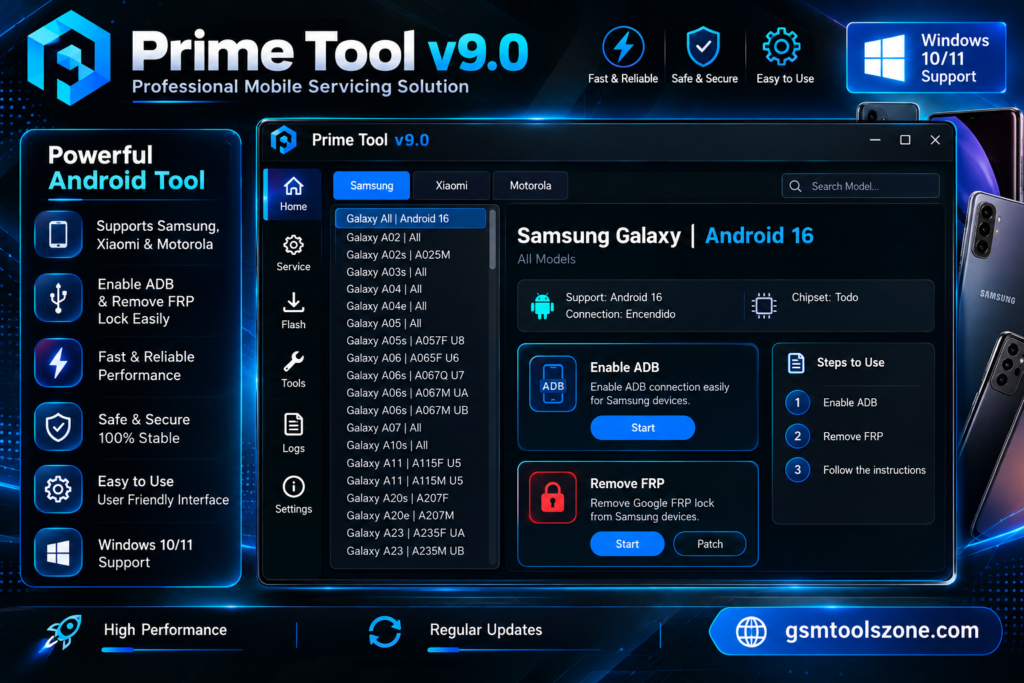
When you are facing problems with FRP lock, Google account verification, or software issues on your Android phone. Prime Tool v9.0 provides a Windows-based solution for servicing supported Android smartphones. Prime Tool v9.0 offers features for FRP-related tasks, device detection, firmware flashing, and servicing supported screen locks. It also supports MediaTek, USB drivers, and ADB.
Also Use: Tera Tool v1.0.2.7 Best Setup Download Latest Version [2026]
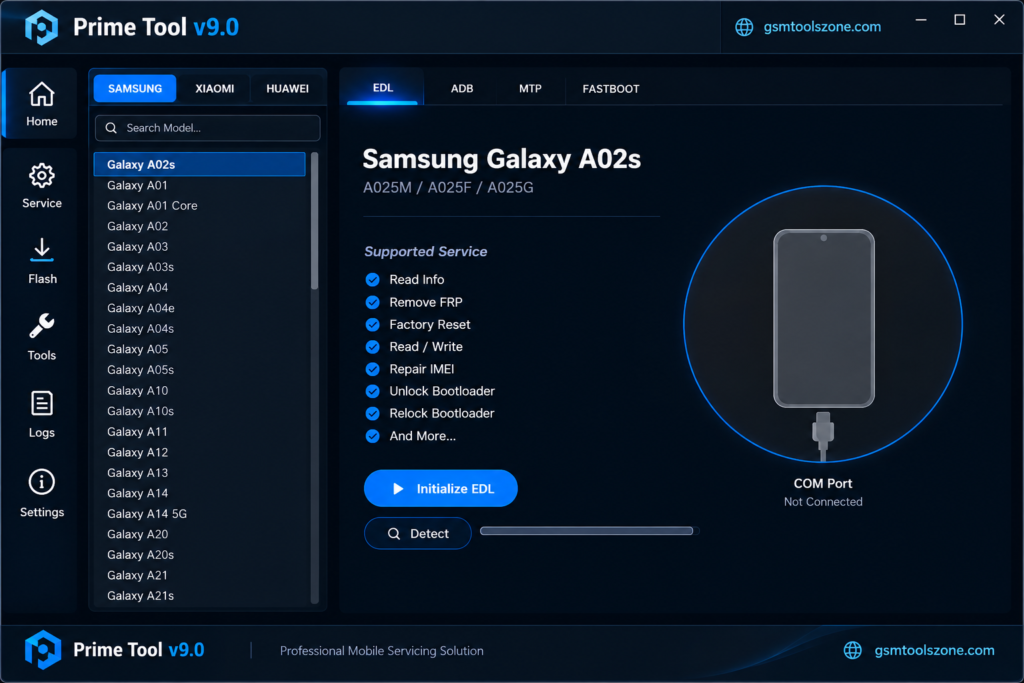
What is Prime Tool v9.0?
Prime Tool v9.0 is a professional Windows-based tool. It is designed to help mobile technicians service and maintain supported Android smartphones. It provides different options for solving problems, including FRP-related issues, firmware flashing, screen-lock servicing, and factory reset operations on supported devices. This tool works with ADB, MTP, Download Mode, and Qualcomm EDL.
Features
FRP Servicing:
Prime Tool v9.0 provides FRP-related servicing options for supported Android devices. These functions may help technicians handle Google account verification issues on compatible Samsung and other supported smartphone models.
Qualcomm Device Support:
The tool supports selected Qualcomm-based devices through compatible connection modes, including Qualcomm EDL (Emergency Download Mode). These functions can help technicians communicate with supported devices during software servicing.
MediaTek Device Support:
Prime Tool offers selected servicing options for compatible MediaTek smartphones. Depending on the device, it may use Preloader or BROM mode to establish a connection with the phone.
Firmware Flashing:
Firmware flashing can help technicians reinstall compatible software on supported smartphones. It may be useful when troubleshooting certain software errors, boot problems, or other firmware-related issues.
ADB and Fastboot Functions:
ADB and Fastboot allow the tool to communicate with compatible Android devices. These connection methods can support selected device information, maintenance, and troubleshooting operations.
Samsung Device Servicing:
Prime Tool includes servicing options for supported Samsung Galaxy devices. Available functions depend on the phone model, chipset, Android version, and security level.
Screen Lock Servicing:
The tool may provide selected screen-lock servicing functions for compatible devices. Supported operations vary by model and software version, so check device compatibility before use.
Factory Reset and Data Wipe:
Factory reset and data-wipe functions can help technicians return supported devices to their initial settings. These operations can erase personal files and user data, so always back up important information first.
USB Driver Support:
The correct USB drivers help a Windows computer recognize a connected smartphone. Prime Tool supports device connection workflows for compatible Qualcomm and MediaTek devices, depending on the installed drivers and connection mode.
Device Detection and Connection Logs:
Device detection and connection information can help technicians check whether a supported phone is communicating correctly with the computer. Available status messages and logs may also help identify connection problems during servicing.
Pros and Cons
Pros
- Simple interface that is easy to use.
- Supports selected Samsung and other Android devices.
- Provides FRP-related servicing options for compatible phones.
- Includes firmware flashing and device maintenance functions.
- Supports selected Qualcomm and MediaTek devices.
- Offers ADB and other connection modes for supported devices.
- Useful for mobile technicians and repair shops.
Cons
- Some features work only with supported device models.
- Certain functions may require specific USB drivers.
- Compatibility can vary by Android version and security level.
- Beginners may need technical knowledge to use advanced features.
- Incorrect operations may cause data loss or software problems.
- Some devices or functions may not be supported in every version.
System Requirements
| Requirements | Details |
|---|---|
| Operating System | Windows 7, 8, 10, or 11 |
| Processor | Intel or AMD Processor |
| RAM | 4 GB or more |
| Storage | At least 1 GB of free space |
| USB Connection | Working USB port and a compatible data cable |
| USB Drivers | Required drivers for supported Android devices |
How to download Prime Tool v9.0?
- Visit the official website.
- Open the download section available on this page.
- Click the Download button to get the Prime Tool v9.0 file.
- Wait for the download to finish.
- If the downloaded file is compressed, extract it using a suitable extraction tool.
- Install the required USB drivers for your supported Android device.
- Open the Prime Tool folder and run the program according to the included instructions.
Setup Download Information
- File Version: v9.0
- File Size: 7.24 MB
- File Password: gsmtoolszone.com
- Download Link👇
Conclusion
Prime Tool v9.0 is a useful Windows-based tool for mobile technicians who work with supported Android smartphones. It offers different servicing tasks, including FRP-related operations, firmware flashing, device maintenance, and selected Qualcomm and MediaTek functions. Its support for different connection modes can help technicians with common device communication and software issues. It has a simple interface. It is very easy for everyone to use, whether you are a beginner or an expert.
FAQs
Is Prime Tool v9.0 free to download?
Availability and pricing may depend on the release and its source. Check the official or trusted download source for current details.
Which devices does Prime Tool support?
It supports selected Android smartphones, depending on the model, chipset, Android version, and available functions.
Do I need USB drivers to use Prime Tool?
Yes, the appropriate USB drivers may be required so Windows can recognize your connected Android smartphone.
Is Prime Tool v9.0 safe to use?
Safety depends on the source of the download and how the tool is used. Download files from trusted sources, scan them for malware, and follow the instructions carefully.

One Comment
Comments are closed.