Huawei FRP Tool v1.0 Full Activated Setup Download [2026]
You are getting locked out of a Huawei phone after a factory reset, especially if the Google account is forgotten or the device is stuck on FRP verification. Don’t worry, Huawei FRP Tool v1.0 provides a solution for users and mobile technicians. Its help to unlock and bypass FRP and perform different repair tasks. It supports Fastboot and BROM modes. The tool also supports communication with compatible MediaTek (MTK) chipsets, making it useful for different Huawei repair Tasks.
Also Use: GSM Flasher Tool Download Latest Version [2026]
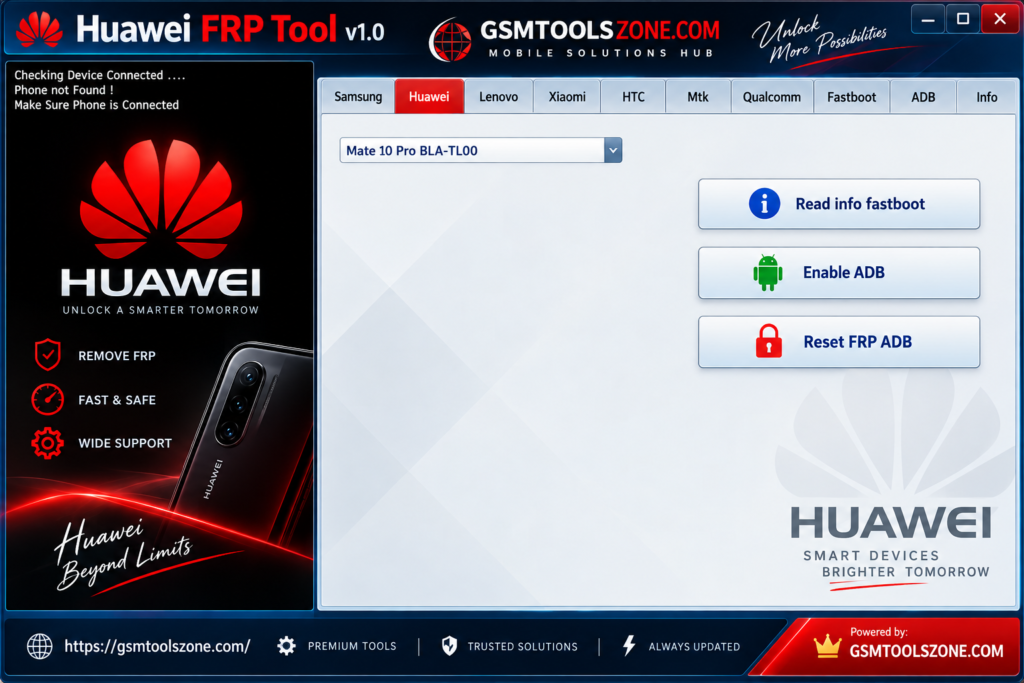
What is Huawei FRP Tool v1.0?
Huawei FRP Tool v1.0 is a software utility designed to help with supported Huawei devices that have Factory Reset Protection (FRP) or other software-related problems. It is mainly useful for mobile technicians who work on Huawei smartphones and need a simple way to perform different repair and servicing tasks. This tool works through supported Fastboot Mode and BROM Mode, depending on the device and repair task. Its simple interface makes it easier for both beginners and experienced mobile repair technicians to handle Huawei device servicing.
Features
FRP Repair:
The Huawei FRP Tool v1.0 can help with FRP-related problems on supported Huawei devices. It is useful when a phone is stuck at Google account verification after a factory reset.
Support for Different Huawei Devices:
The tool works with a range of supported Huawei models and software versions. Compatibility may vary depending on the device model, chipset, and Android version.
Fastboot and BROM Modes:
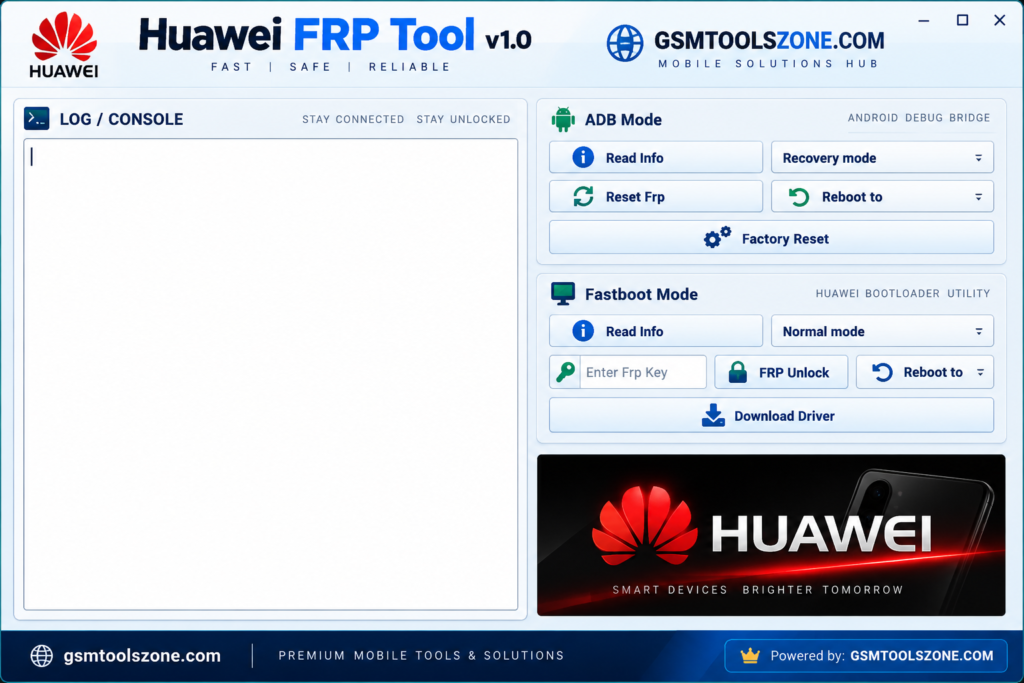
Huawei FRP Tool v1.0 supports different device communication modes, including Fastboot Mode and BROM Mode. These modes allow the tool to communicate with compatible devices for different repair operations.
MediaTek Support:
The tool can communicate with compatible Huawei phones using MediaTek (MTK) chipsets. This makes it useful for technicians working with supported MTK-based Huawei devices.
Simple User Interface:
The tool comes with a straightforward interface that keeps the main functions easy to find. This makes it convenient for both new users and experienced mobile repair technicians.
Lightweight Software:
Huawei FRP Tool v1.0 is designed to be lightweight and does not require large amounts of system resources. It can be useful for technicians who want a simple repair utility without unnecessary features.
Screen Lock Support:
On supported devices, the tool may provide options for handling certain screen lock issues, including PIN, password, and pattern locks. Available functions depend on the Huawei model and software version.
Pros and Cons
Pros
- Easy and simple interface
- Supports Fastboot and BROM modes
- Works with supported MediaTek Huawei devices
- Useful for FRP and software repair tasks
- Lightweight and easy to run
- Suitable for beginners and mobile technicians
Cons
- Does not support every Huawei model
- Some features depend on the device chipset and Android version
- USB drivers are required for proper communication
- Some repair operations may require technical knowledge
- Compatibility can vary between different Huawei devices
System Requirements
| Requirements | Details |
|---|---|
| Operating System | Windows 7, 8, 10, or 11 |
| Processor | Intel or AMD processor |
| RAM | 2 GB or more |
| Storage | At least 500 MB of free space |
| USB Port | Working USB port for device connection |
How to download Huawei FRP Tool v1.0?
- Visit the official website.
- Click on the Download button to start the download.
- Wait for the download to complete.
- Extract the downloaded ZIP file if it is compressed.
- Open the extracted folder and run the Huawei FRP Tool v1.0.
- Install the required USB drivers if your device is not detected.
Setup Download Information
- File Version: v1.0
- File Size: 57.91 MB
- Download Link👇
Conclusion
Huawei FRP Tool is function perform forget your password, pins, or pattern. The Huawei FRP Tool can be a useful option for mobile technicians dealing with supported Huawei devices. Its simple interface and different communication modes make common software repair tasks easier to handle. Before using this, check device compatibility and make sure the required USB drivers are installed.
FAQs
Which modes does Huawei FRP Tool support?
The tool supports Fastboot Mode and BROM Mode on compatible devices.
Does Huawei FRP Tool support MediaTek devices?
Yes, the tool supports compatible MediaTek (MTK) Huawei devices and can use BROM mode for device communication.
Is Huawei FRP Tool easy to use?
Yes. It has a simple interface, making it suitable for both beginners and experienced mobile repair technicians.
Do I need USB drivers?
Yes, the required USB drivers should be installed so your computer can properly communicate with the Huawei device.