
RC Dark Tool v1.5.3 Download Latest Version [2026]
Android phone servicing is difficult when you need to perform FRP Lock, IMEI repair, OEM information, or software-related problems with different tools. RC Dark Tool v1.5.3 provides a simple Windows-based solution for Android servicing tasks in one place. It works with ADB and Fastboot. RC Dark Tool supports popular Android brands such as Samsung, Xiaomi, OPPO, Vivo, Realme, and Huawei. RC DARK Tool v1.5.3 includes useful functions for device information, diagnostics, app management, OEM operations, and other routine servicing tasks.
Also Use: iRemove Tool – Easy Setup Download & iCloud Bypass 2026
What is RC Dark Tool v1.5.3?
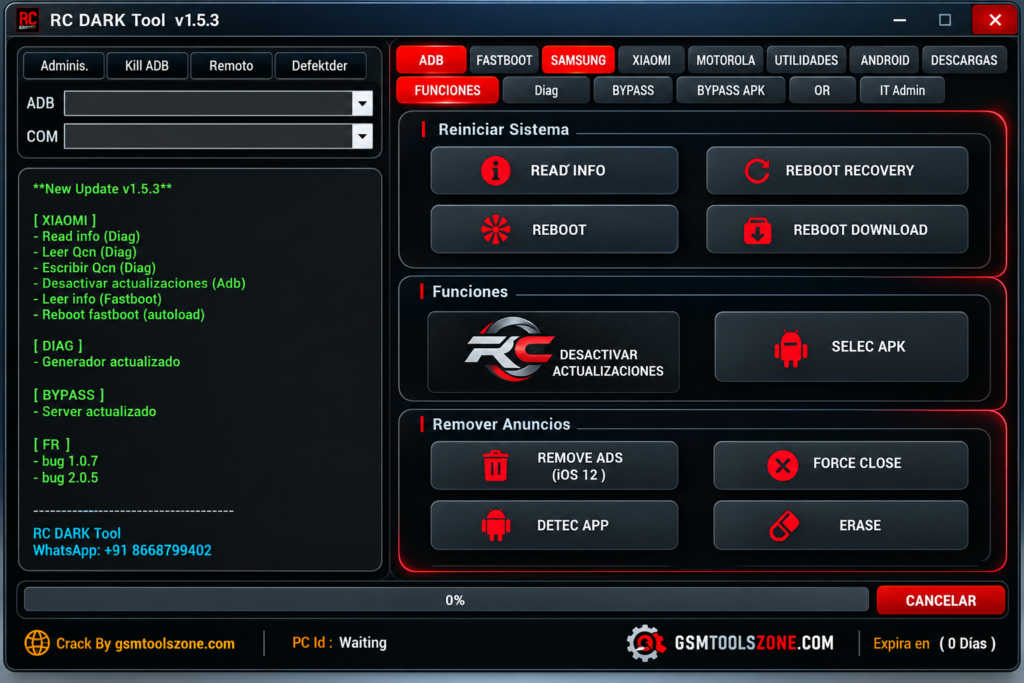
RC Dark Tool v1.5.3 is a Windows-based Android servicing tool. It helps users manage and check Android smartphones from one simple interface. It supports ADB and Fastboot modes, allowing technicians to connect devices and access different servicing functions. RC Dark Tool v1.5.3 is useful for mobile technicians, repair shops, and Android servicing users who need a lightweight utility for supported devices and servicing tasks.
Features
Device Information:
RC DARK Tool v1.5.3 can read useful details from a connected Android phone, including the device model, Android version, build number, serial number, security patch, battery level, and other available information.
ADB Mode:
The ADB section provides useful options for supported devices. Users can check phone information, reboot the device, enter Recovery or Download Mode, and install APK files when required.
OTA Update Control:
The tool includes an option to disable automatic OTA updates on supported devices. This can help users keep the current software version after completing servicing work.
Magisk Support:
RC DARK Tool provides Magisk installation support for compatible devices and supported versions. This gives users a simpler way to manage the available Magisk installation process.
System Ads Removal:
On supported Android phones, the tool can help remove certain system advertisements. This may provide a cleaner interface and reduce unwanted ads on the device.
Fastboot Tools:
The Fastboot section offers functions for compatible devices, such as reading the device serial number, rebooting the phone, and accessing supported servicing options.
Samsung Support:
RC DARK Tool includes dedicated options for Samsung Galaxy devices. Users can read device information and access Download Mode functions for supported Samsung phones.
Xiaomi Support:
The Xiaomi section provides useful ADB and Fastboot options, including reboot functions, DIAG mode support, bootloader-related options, and data backup features for compatible devices.
App Manager:
The built-in App Manager allows users to view installed applications and manage selected user or system apps. Supported options may include disabling or uninstalling applications.
OEM Info Editor:
The OEM Info section provides editing options for supported device information. It can be useful for compatible devices that require OEM-related servicing during repair work.
IMEI Generator:
RC DARK Tool includes an IMEI generation function for testing purposes. Users can enter the required starting digits and generate supported test IMEI values for compatible use cases.
File Download Support:
The tool can provide access to supported firmware and servicing files based on the selected device brand and model. A progress indicator helps users monitor the download process.
Pros and Cons
Pros
- Simple and easy-to-use interface
- Supports ADB and Fastboot modes
- Provides useful device information
- Supports Samsung and Xiaomi devices
- Includes multiple Android servicing functions
- Comes with a built-in App Manager
- Supports supported OEM information functions
- Provides firmware and file download options
- Lightweight Windows utility
Cons
- Some functions work only on supported devices
- Certain features may require specific device modes
- Not every Android brand and model is fully supported
- Some servicing options may depend on the device software version
- Advanced users may still need other professional tools
System Requirements
| Requirements | Details |
|---|---|
| Operating System | Windows 7, 8, 10, or 11 |
| Processor | Intel or AMD Processor |
| RAM | 4 GB or more |
| Storage | At least 1 GB of free space |
| USB Port | Required for connecting Android devices |
| USB Drivers | Required drivers for the connected device |
How to download RC Dark Tool v1.5.3?
- Visit the official website to download the RC Dark Tool v1.5.3.
- Check the available version and tool details.
- Click the Download button.
- Wait for the download to complete.
- Extract the downloaded ZIP or RAR file using a suitable file extractor.
- Open the extracted folder and run the tool on your Windows computer.
- Install the required MediaTek USB drivers if the tool doesn’t detect your device.
- Connect your supported MediaTek device and follow the tool’s instructions.
Conclusion
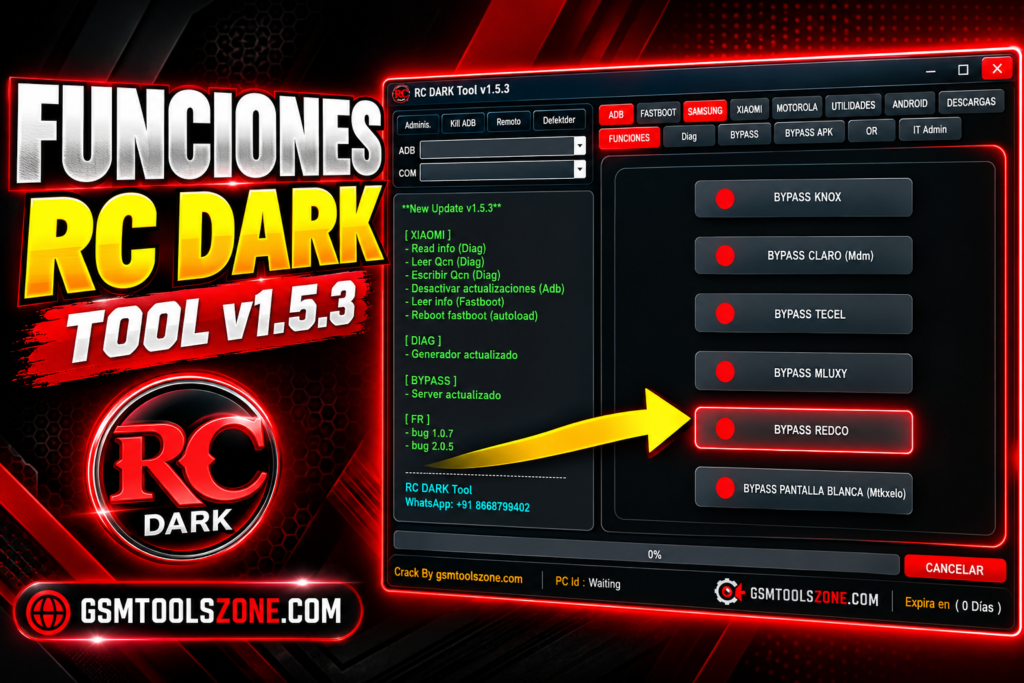
RC Dark Tool v1.5.3 is a practical Windows solution for users who work with Android smartphones. It is different servicing options such as ADB, Fastboot, device information, Samsung, Xiaomi, App Manager, and OEM functions into one application. It has a simple interface, whether you are a beginner or an expert. You can download and perform task solve problem with just one click.
FAQs
Which devices does RC Dark Tool support?
It supports selected Android devices from brands such as Samsung, Xiaomi, OPPO, Vivo, Realme, and Huawei.
Does RC Dark Tool support ADB mode?
Yes, it provides several ADB functions for compatible Android devices.
Is RC Dark Tool free to use?
The availability and licensing can depend on the particular version and distribution source.
Is an internet connection required?
Some functions, especially downloading required files, may need an active internet connection.
One Comment
Comments are closed.