
MDM Fix Tool v1.1.0.2 – Easy & Safe Setup Download [2026]
If your Android phone is stuck with MDM restrictions, FRP lock, Samsung KG lock, or other device problems, the MDM Fix Tool v1.1.0.2 helps with various mobile servicing tasks. MDM Fix Tool v1.1.0.2 supports several popular Android platforms and chipsets, including Samsung, Xiaomi, Qualcomm, and MediaTek devices. This tool performs tasks such as MDM servicing, FRP-related operations, ADB commands, firmware flashing, DIAG functions, and other software maintenance processes.
Also Use: RC Dark Tool v1.5.3 Download Latest Version [2026]
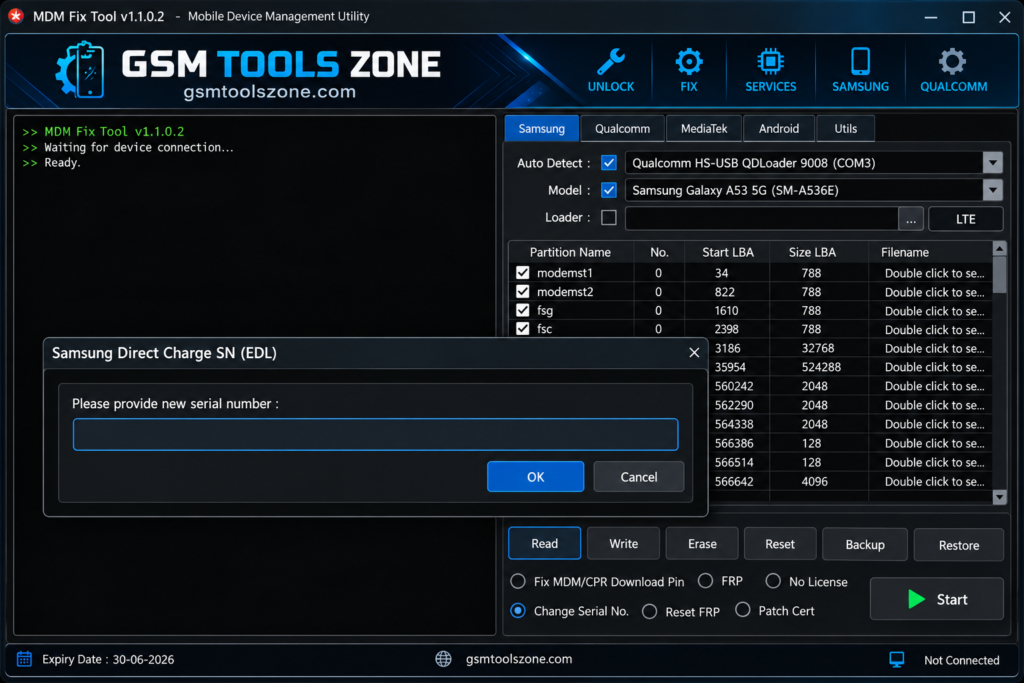
What is MDM Fix Tool v1.1.0.2?
MDM Fix Tool v1.1.0.2 is a Windows-based Android servicing tool. It helps mobile technicians and users handle various software and device management issues. It supports supported smartphones via ADB, MTP, Fastboot, and EDL, and offers a range of functions. MDM Fix Tool v1.1.0.2 supports Samsung, Xiaomi, Qualcomm, and MediaTek devices.
Features
Samsung KG Servicing:
MDM Fix Tool provides selected Samsung Knox Guard (KG) servicing options for compatible devices. It can help technicians work with supported KG-related restrictions and device management issues.
MDM Servicing:
The tool includes functions for handling supported Mobile Device Management (MDM) restrictions. It can be useful when working with Android devices managed by an organization or administrator.
IT Admin Operations:
MDM Fix Tool supports selected IT Admin servicing operations. This can help technicians handle compatible Android smartphones with organization-level management restrictions.
FRP Servicing:
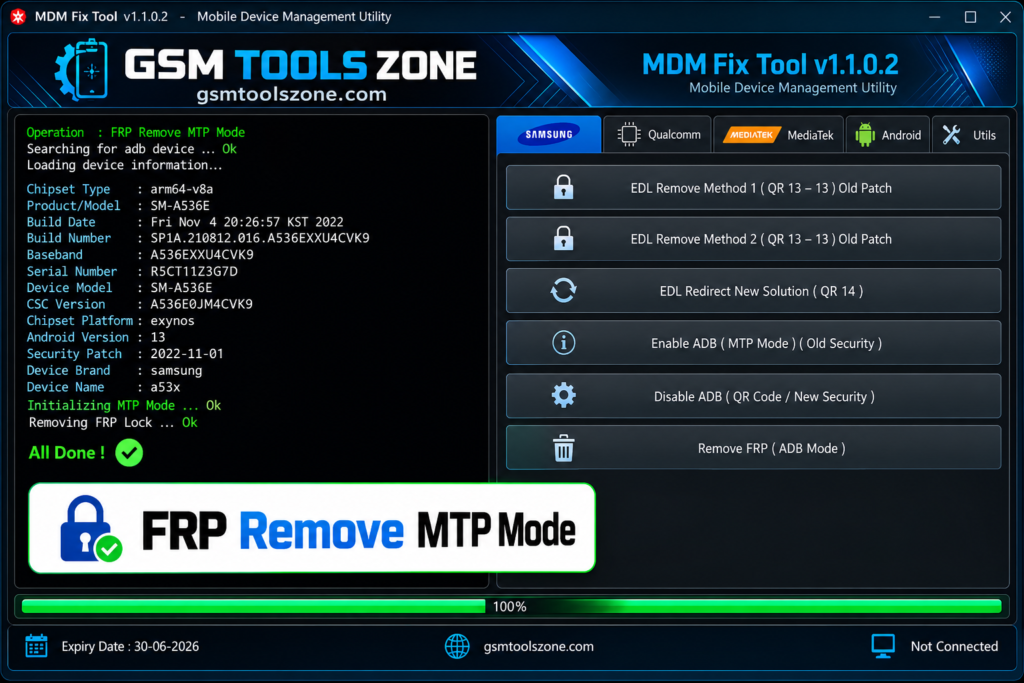
The tool provides supported FRP-related operations for compatible Android devices. These functions can be useful during device servicing when a phone has a Google account protection issue.
ADB and MTP Support:
MDM Fix Tool v1.1.0.2 supports ADB and MTP communication modes on compatible smartphones. These modes allow the computer to communicate with the Android device for supported servicing operations.
EDL and 9008 Support:
For supported Qualcomm devices, the tool provides EDL and 9008 connectivity options. These modes can be useful for firmware-related servicing and selected device repair tasks.
DIAG Functions:
The tool includes DIAG-related functions for compatible devices. Technicians can use supported diagnostic operations for device maintenance and software servicing.
Xiaomi Servicing:
MDM Fix Tool offers selected servicing functions for compatible Xiaomi smartphones. Depending on the model and security level, available options may include FRP, Mi Account, and other software-related operations.
Device Information:
The tool can read basic information from a connected smartphone. It can help identify details such as the device model, connection status, and other available system information.
Simple User Interface:
MDM Fix Tool comes with a straightforward interface that makes its available functions easier to understand. Both beginners and mobile technicians can navigate the tool without dealing with an overly complicated dashboard.
Lightweight Design:
The software is designed to be lightweight and easy to run on a Windows computer. Its simple design helps keep the interface responsive while performing supported Android servicing tasks.
Multi-Chipset Support:
The tool works with selected devices using popular platforms such as Qualcomm and MediaTek, along with supported Samsung and Xiaomi smartphones. Available functions depend on the device model and security version.
Pros and Cons
Pros
- Supports different Android servicing operations
- Works with selected Samsung and Xiaomi devices
- Supports ADB and MTP connection modes
- Includes EDL and 9008 support for compatible Qualcomm devices
- Provides Samsung KG and IT Admin servicing options
- Includes FRP and DIAG-related functions
- Simple and easy-to-use interface
- Lightweight Windows-based software
Cons
- Not every device model is supported
- Available functions can vary by device and security version
- Some operations require the correct USB drivers
- Qualcomm EDL operations may require additional device knowledge
- Beginners should check compatibility before using advanced functions
System Requirements
| Requirements | Details |
|---|---|
| Operating System | Windows 7, 8, 10, or 11 |
| Processor | Intel or AMD Processor |
| RAM | 4 GB or more |
| Storage | At least 1 GB of free space |
| USB Port | Required for connecting Android devices |
| USB Drivers | Required drivers for the connected device |
How to download MDM Fix Tool v1.1.0.2?
- Download the MDM Fix Tool v1.1.0.2 setup file from the link below OR the official website.
- Extract the downloaded file
- Open the extracted folder and run the setup
- After installation, open the MDM Fix Tool v1.1.0.2
- Connect your Android phone with a USB cable
- You are now ready to use the tool
Setup Download Information
- File Version: v1.1.0.2
- File Size: 180.41 MB
- File Password: gsmtoolszone.com
- Download Link👇
Conclusion
MDM Fix Tool is a useful Windows-based solution for Android software servicing and device management tasks. It combines several functions for compatible Samsung, Xiaomi, Qualcomm, and MediaTek devices, making it useful for mobile technicians and users. This tool supports different connection methods, including ADB, MTP, Fastboot, EDL, and 9008, along with selected FRP, Samsung Knox Guard (KG), IT Admin, DIAG, and firmware-related operations. It has a simple interface and is easy for everyone to use, whether you are a beginner or an expert.
FAQs
Does MDM Fix Tool support Samsung KG?
Yes, it includes selected Samsung Knox Guard (KG) servicing functions for compatible Samsung devices.
Does MDM Fix Tool support FRP operations?
Yes, the tool provides supported FRP-related servicing functions for compatible Android smartphones.
Does the tool require USB drivers?
Yes. The correct USB and device drivers may be required for Windows to properly detect the connected Android phone.
Is MDM Fix Tool free?
The availability and licensing can depend on the specific version of the tool. Check the download information before installation.

One Comment
Comments are closed.