
Octoplus Samsung Tool v5.1.2.1 Download Best Latest Version [2026]
Samsung devices can sometimes develop software errors, FRP locks, network problems, MDM restrictions, screen-lock issues, or firmware-related faults that make normal device servicing difficult. Octoplus Samsung Tool v5.1.2.1 provides a practical Windows-based solution for technicians who need to manage different Samsung repair and maintenance tasks from one interface. Octoplus Samsung Tool v5.1.2.1 provides functions for firmware flashing, FRP servicing, screen-lock operations, CSC management, EFS-related functions, MDM servicing, network repair, and device information.
Also Use: UMT SPD Tool v1.9 Download Powerful & Tested Setup
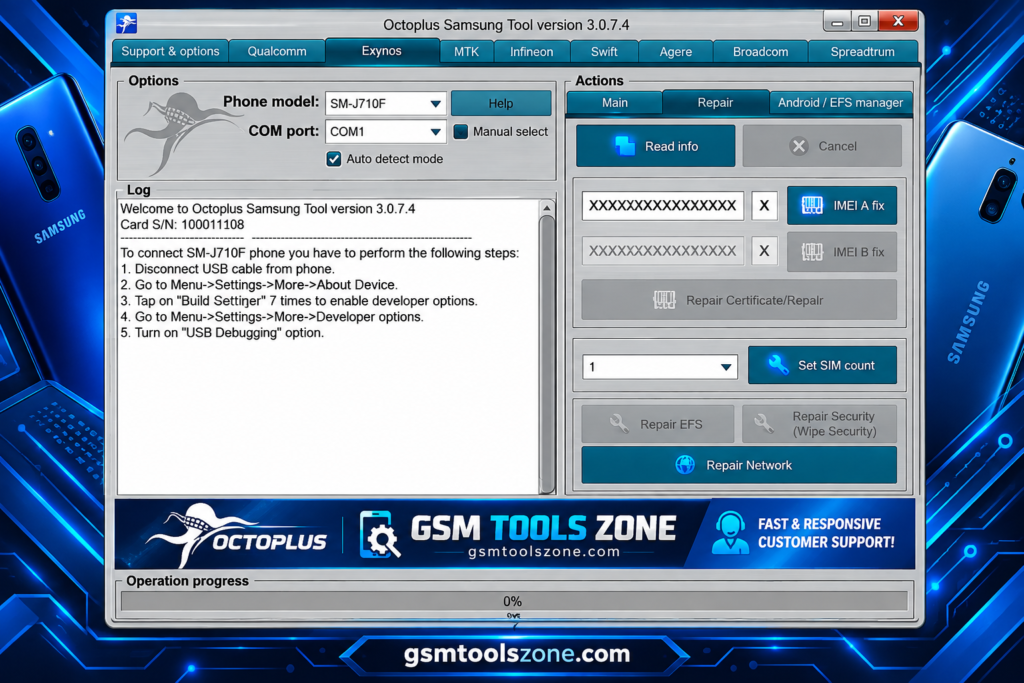
What is Octoplus Samsung Tool v5.1.2.1?
Octoplus Samsung Tool v5.1.2.1 is a Windows-based software servicing application developed for supported Samsung Android devices. This tool supports Samsung devices using Exynos, MediaTek, Qualcomm, and Spreadtrum chipsets. Octoplus Samsung Tool v5.1.2.1 is mainly useful for Samsung software maintenance and repair work.
Features
Samsung Firmware Flashing:
Octoplus Samsung Tool v5.1.2.1 can flash supported Samsung firmware on compatible devices. This can help technicians install or restore the required software when supported firmware files are available.
Exynos Device Support:
The tool supports selected Samsung Exynos devices for different servicing operations. Available functions may include firmware work, device information, FRP servicing, CSC operations, and other supported tasks.
MediaTek Support:
For compatible Samsung MediaTek devices, Octoplus Samsung Tool provides several software servicing functions. Depending on the model, technicians can access firmware, FRP, MDM, CSC, and other supported operations.
Qualcomm Servicing:
The Qualcomm section supports selected Samsung devices for software maintenance. It can provide functions such as firmware servicing, FRP, MDM, CSC, network-related operations, and device information.
Spreadtrum Support:
Octoplus Samsung Tool also works with selected Spreadtrum Samsung devices. Supported functions can include firmware operations, FRP servicing, MDM, CSC changes, and other Android servicing tasks.
FRP Servicing:
The tool includes FRP servicing for supported Samsung models. This feature can help technicians handle Factory Reset Protection-related servicing when the device and software version are supported.
MDM Servicing:
Supported Samsung devices can be checked and serviced for MDM-related restrictions. The available options depend on the device model, chipset, and software version.
CSC Management:
Octoplus Samsung Tool provides CSC-related functions for compatible Samsung devices. These options can be useful during software configuration and regional firmware servicing.
EFS and NVM Functions:
The tool provides supported EFS, NVM, and security-related operations. These functions are useful for technicians working with device configuration and repair data on compatible models.
IMEI and Network Repair:
Selected Samsung devices may support IMEI and network-related repair functions. Availability depends on the specific model, chipset, firmware, and supported servicing method.
EDL and EUB Mode Support:
Octoplus Samsung Tool includes special servicing options for compatible Qualcomm EDL and Samsung EUB mode devices. These modes can provide additional access for supported firmware and repair operations.
Device Information:
The software can read available Samsung device information, helping technicians identify the model, chipset, software details, and other supported information before starting a servicing operation.
Android Servicing:
The tool brings different Android servicing functions into one Windows interface. Supported operations may include ADB, Download Mode, Recovery Mode, factory reset, and other device maintenance tasks.
Pros and Cons
Pros
- Supports many Samsung device models
- Works with Exynos, MediaTek, Qualcomm, and Spreadtrum devices
- Includes firmware flashing functions
- Provides FRP and MDM servicing options
- Offers EFS, NVM, and CSC-related functions
- Includes network and repair features
- Provides device information tools
- Supports selected EDL and EUB modes
- Useful for mobile technicians and repair shops
Cons
- Not every Samsung model is supported
- Some features depend on the chipset and firmware version
- Advanced functions may require technical knowledge
- Certain operations need compatible drivers or loaders
- Feature availability can vary between device models
System Requirements
| Requirements | Details |
|---|---|
| Operating System | Windows 7, 8, 10, or 11 |
| Processor | Intel or AMD Processor |
| RAM | 4 GB or above |
| Storage | At least 1 GB of free space |
| USB Port | Required for connecting Samsung devices |
How to download Octoplus Samsung Tool v5.1.2.1?
- Visit the official website to download Octoplus Samsung Tool v5.1.2.1.
- Check the available version and tool details.
- Click the Download button.
- Wait for the download to complete.
- Extract the downloaded ZIP or RAR file using a suitable file extractor.
- Open the extracted folder and run the tool on your Windows computer.
- Install the required MediaTek USB drivers if the tool doesn’t detect your device.
- Connect your supported MediaTek device and follow the tool’s instructions.
Setup Download Information
- File Version: v5.1.2.1
- File Size: 389.43 MB
- File Password: gsmtoolszone.com
- Download Link👇
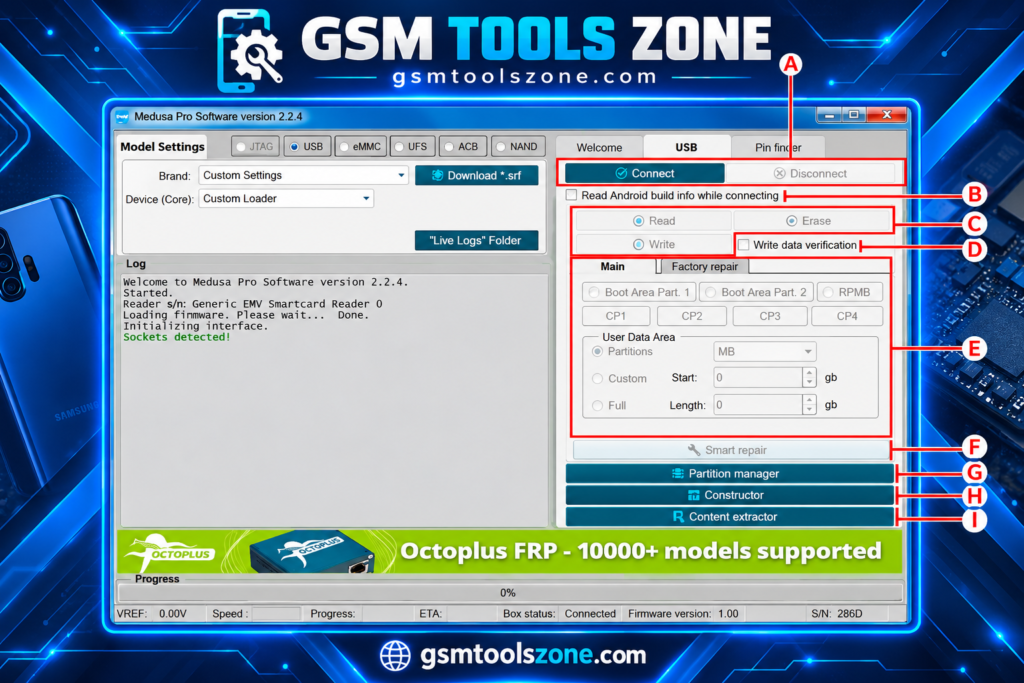
Conclusion
Octoplus Samsung Tool v5.1.2.1 is a useful Windows solution for Samsung software servicing and maintenance. This tool helps with supported Samsung models, but its available operations depend on the device, chipset, firmware version, and supported drivers. It has a simple interface that is easy to use for everyone, whether you are a beginner or an expert.
FAQs
Can it be used for MDM servicing?
Yes, the tool provides MDM-related functions for compatible Samsung devices.
Why is my Samsung device not detected?
Check the USB cable, Windows drivers, USB port, and device connection mode. Make sure the required drivers are installed correctly.
Does every Samsung device support all features?
No. Available functions can vary depending on the Samsung model, chipset, firmware version, and supported operation.
One Comment
Comments are closed.