
UMT SPD Tool v1.9 Download Powerful & Tested Setup
Many technicians struggle when regular MTK or Qualcomm servicing tools fail to detect a Unisoc or Spreadtrum (SPD) Android phone. UMT SPD Tool v1.9 is designed for Android servicing. It supports useful operations such as firmware flashing, FRP servicing, Factory Reset, Diag Mode, IMEI and Serial Number (SN) repair, NVRAM backup and restore, bootloader operations, ADB, Fastboot, and user data management.
Also Use: Miracle Advanced Android Tool v1.35 Full Activated Setup Download [2026]
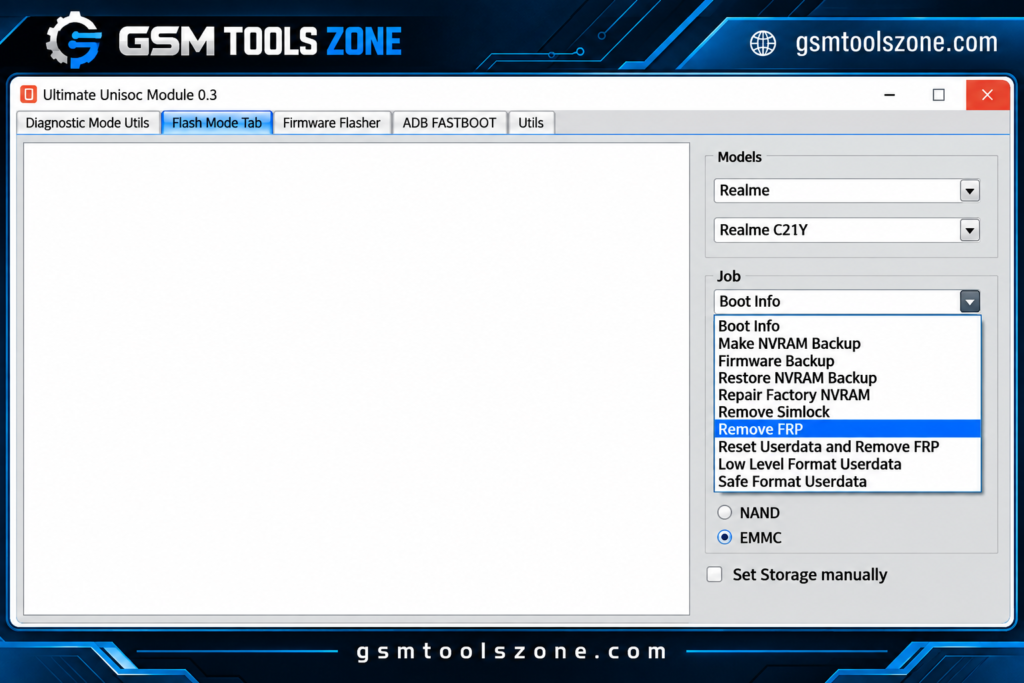
How to download UMT SPD Tool v1.9?
UMT SPD Tool v1.9 is a Windows-based Android servicing application designed for smartphones powered by Unisoc (Spreadtrum) chipsets. It gives mobile technicians useful options to work with supported devices through Diag Mode, Flash Mode, ADB, and Fastboot connections. UMT SPD Tool is a simple interface is easy to use.
Features
Diag Mode:
UMT SPD Tool supports Diag Mode for compatible Unisoc devices. It can help technicians read device information, perform supported servicing operations, and manage certain backup functions.
Flash Mode:
Flash Mode allows the tool to communicate with supported Unisoc phones for firmware and software servicing. It can be used for supported userdata, bootloader, FRP, and other repair operations.
Unisoc Firmware Flashing:
The tool supports flashing compatible Unisoc/Spreadtrum firmware, including supported PAC and XML files. Technicians can select the required firmware and loader according to the device.
IMEI and Serial Number:
UMT SPD Tool provides supported options for reading and servicing IMEI, Serial Number (SN), Bluetooth, and Wi-Fi information. These functions can be useful during authorized device repair.
FRP Servicing:
The tool includes FRP servicing options for compatible Unisoc smartphones. This can help technicians handle Factory Reset Protection during legitimate device maintenance.
NVRAM Backup and Restore:
UMT SPD Tool can provide NVRAM backup and restore functions on supported devices. A backup can help preserve important device data before performing major software operations.
SIM Lock Operations:
The tool provides SIM-related servicing options for supported phones. Depending on the device, technicians may be able to read SIM lock information and perform supported network-lock operations.
Bootloader Management:
UMT SPD Tool includes bootloader unlock and relock functions for compatible devices. These options can be useful during certain firmware installation and software repair tasks.
ADB and Fastboot:
The tool supports ADB and Fastboot connections for compatible Android devices. Technicians can use these modes for device information, reboot operations, partition-related tasks, and other supported commands.
Custom Loader Support:
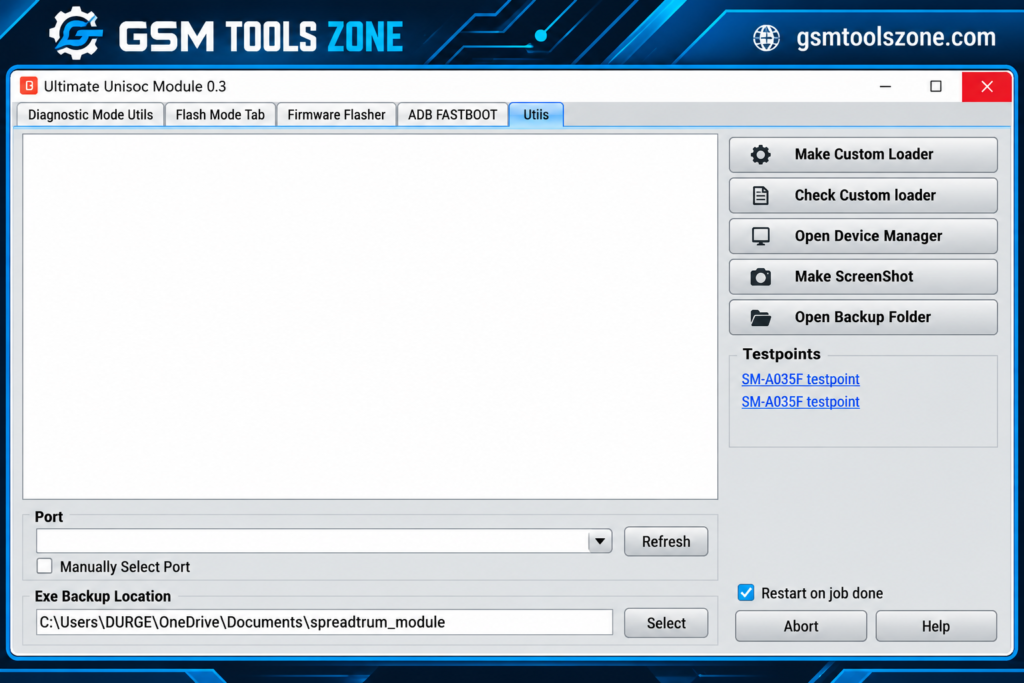
If the default loader does not work with a supported device, UMT SPD Tool allows users to select a compatible loader manually. It can also provide custom loader options from supported PAC firmware.
Backup and Device Utilities:
The application includes useful backup and device management utilities for supported phones. Technicians can also check connected devices and use Windows Device Manager to troubleshoot drivers and connection issues.
Pros and Cons
Pros
- Supports Unisoc and Spreadtrum devices
- Provides Diag Mode and Flash Mode
- Supports compatible PAC and XML firmware
- Includes FRP and Factory Reset functions
- Offers NVRAM backup and restore
- Supports ADB and Fastboot
- Provides bootloader management options
- Includes IMEI and Serial Number servicing
- Supports custom loader selection
- Useful for beginners and mobile technicians
Cons
- Some features work only on supported devices
- Correct firmware and loader are required for flashing
- Certain operations may require specific device modes
- Wrong firmware or settings can cause software problems
- Advanced functions may require technical knowledge
System Requirements
| Requirements | Details |
|---|---|
| Operating System | Windows 7, 8, 10, or 11 |
| Processor | Intel or AMD Processor |
| RAM | 4 GB or above |
| Storage | At least 1 GB free space |
| USB Port | USB 2.0 or USB 3.0 |
How to download UMT SPD Tool v1.9?
- Visit the official website.
- Click on the Download button to start the download.
- Wait for the download to complete.
- Extract the downloaded ZIP file if it is compressed.
- Open the extracted folder and run the UMT SPD Tool v1.9.
- Install the required USB drivers if your device is not detected.
Setup Download Information
- File Version: v1.9
- File Size: 119.72 MB
- File Password: gsmtoolszone.com
- Download Link👇
Conclusion
UMT SPD Tool v1.9 is a useful Windows Android servicing tool for technicians who work with compatible Unisoc and Spreadtrum Android phones. Its different servicing options make common software repair and maintenance tasks easier from a single interface. You can download this tool and solve your problems with just one click.
FAQs
Can UMT SPD Tool remove FRP?
It provides FRP servicing options for supported Unisoc devices.
Can I use UMT SPD Tool for NVRAM backup?
Yes, supported devices may provide NVRAM backup and restore options.
Do I need Unisoc USB drivers?
Yes, the correct USB drivers may be required so Windows can properly detect the connected device.
Is UMT SPD Tool suitable for beginners?
The interface is designed to provide different servicing options in one place, but advanced operations should be performed carefully and with proper technical knowledge.

One Comment
Comments are closed.