Android Multi Tool v1.3.5.7 Download Activated [Tested Version]
Many Android users face problems like being stuck on the logo, forgotten screen, failed firmware flashing, and Google account verification. Android multi tool allows users to remove forgotten screens, perform firmware flashing, FRP, factory reset, and manage device ADB, Fastboot, and EDL modes. It supports many Android brands. Simple interface, easy to use for users or mobile technicians.
Also Use: TFT Unlock Tool V6.2 Full Activated Version For All Mobile
What is Android Multi Tool?
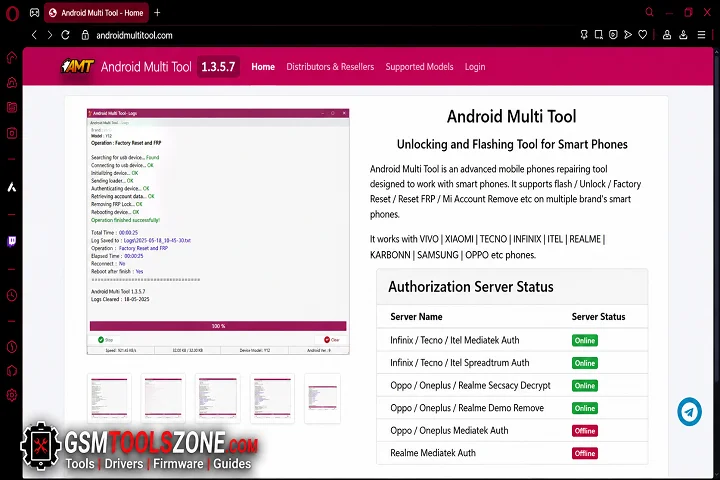
Android Multi Tool 1.3.5.7 (AMT) is a Windows-based Android repair software. Android Multi Tool performs many tasks and solves problems. Android Multi Tool commonly uses Auth Bypass, Mi Cloud reset, QCN read/write, KG Lock management, ADB enable, partition management, and Fastboot to EDL on supported devices. Android Multi Tool supports many Android brands like Samsung, Xiaomi, Vivo, OPPO, Realme, and OnePlus, as well as devices powered by Qualcomm, MediaTek (MTK), and Spreadtrum (SPD) chipsets.
Features
One-Click Screen Lock Removal:
Remove PIN, Pattern, and Password locks from supported Android devices. The tool offers a quick way to regain access when you forget your screen lock.
FRP Bypass:
Bypass Google FRP (Factory Reset Protection) on supported devices after a factory reset. This helps you access your phone when you cannot verify your Google Account.
Flash Stock Firmware:
Install or update stock firmware to fix software problems, remove boot issues, or upgrade and downgrade the Android OS.
Bootloader Management:
Unlock or relock the Android Bootloader on supported devices. This feature is useful for rooting, installing custom recovery, or restoring the device to its original state.
IMEI Repair:
Repair IMEI-related issues on supported models to help restore proper network connectivity after software repair.
Auth Bypass & Fastboot to EDL:
Supports Auth Bypass and Fastboot to EDL Mode for compatible Qualcomm devices, making advanced flashing and repair tasks easier.
Mi Cloud & KG Lock Management:
Manage Xiaomi Mi Cloud and Samsung KG Lock on supported models for supported servicing operations.
Read Device Information:
View important device details such as Android version, Build Number, hardware information, and software status before starting a repair.
Reboot Options:
Restart your device directly into Recovery Mode, Fastboot Mode, or perform a normal reboot with a single click.
System Requirements
To run Titan Tool v7.0.0 on your pc before installing, make sure your PC meets these system requirements:
| Requirement | Specification |
|---|---|
| Operating System | Intel or AMD processor |
| Processor | Intel or AMD Dual-Core or higher |
| RAM | 2 GB or more |
| Storage | At least 500 MB |
| USB Drivers | Installed Android USB Drivers |
How To Download, Install & Use Android Multi Tool v1.3.5.7?
- Download the Android Multi Tool setup file from the link below or the official website.
- Extract the downloaded zip file.
- Open the extracted folder and run the setup.
- After installation, open the Android Multi Tool.
- Connect your Android phone with a USB cable.
- You are now ready to use the tool.
File Download Information
- File Version & Size: | 65.08 MB || V1.3.5.7 |
- File type: compressed / Zip & RAR (Use 7-Zip or WINRAR to unzip the file)
- Support OS: All Windows (32-64 Bit)
- Virus Status: 100% Safe. Scanned By Avast Antivirus
- 🗝Your File Password: gsmtoollab.com
- Download Link👇
Summary
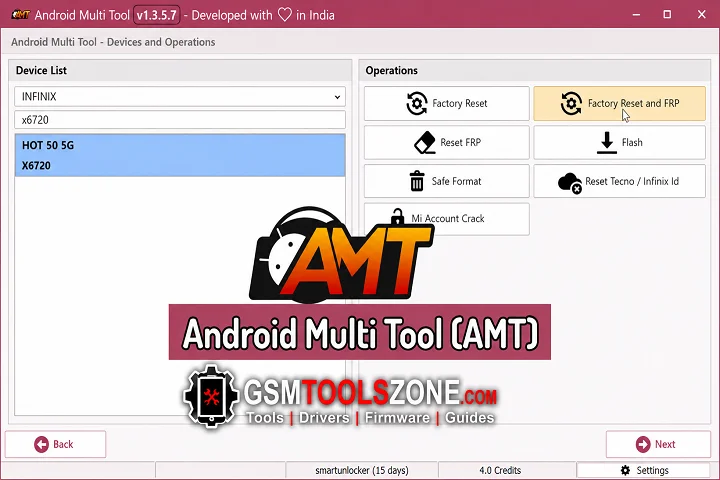
Android Multi Tool is a Windows-based Android repair tool for users and mobile technicians, making it easy to repair and manage devices in one place. It supports Android brands like Samsung, Xiaomi, Vivo, OPPO, Realme, OnePlus, Qualcomm, MediaTek (MTK), and Spreadtrum (SPD) chipsets. If you are looking for a simple tool, Android Multi Tool is the right choice.
FAQ’s
An Android Multi Tool work without an internet connection?
Some basic functions may work offline, but features that require activation servers or online authorization need an active internet connection.
Which operating system is required for Android Multi Tool?
Android Multi Tool is designed for Windows computers and works on Windows 7, Windows 8, Windows 10, and Windows 11 systems.
Can Android Multi Tool repair software-related phone problems?
Yes, it can help with different Android servicing tasks related to software issues on supported devices, including system management and device recovery operations.
Is it necessary to install USB drivers before using AMT?
Yes, installing the correct ADB, Qualcomm, MediaTek (MTK), or Spreadtrum (SPD) USB drivers helps the computer properly detect the Android device.
Is Android Multi Tool safe to use?
Android Multi Tool is generally safe when downloaded from a trusted source and used correctly.