TMT Pro Tool v3.0.0.7 Pre-Activated Version for Windows
Android smartphones and tablets can be difficult to service when you face FRP locks, AUTH errors, bootloader issues, boot loops, or software corruption. TMT Pro Tool v3.0.0.7 offers a practical solution by combining several Android servicing functions into one Windows-based tool. TMT Pro Tool v3.0.0.7 supports MediaTek (MTK) Android devices, including compatible Samsung smartphones and tablets. It provides useful functions for FRP servicing, MediaTek AUTH handling, MiCloud servicing, Factory Reset, bootloader management, NVRAM/NVDATA backup and restore, partition backup, DM-Verity repair, and device detection.
Also Use: TF AIO Tool v1 Download Latest Version [2026]
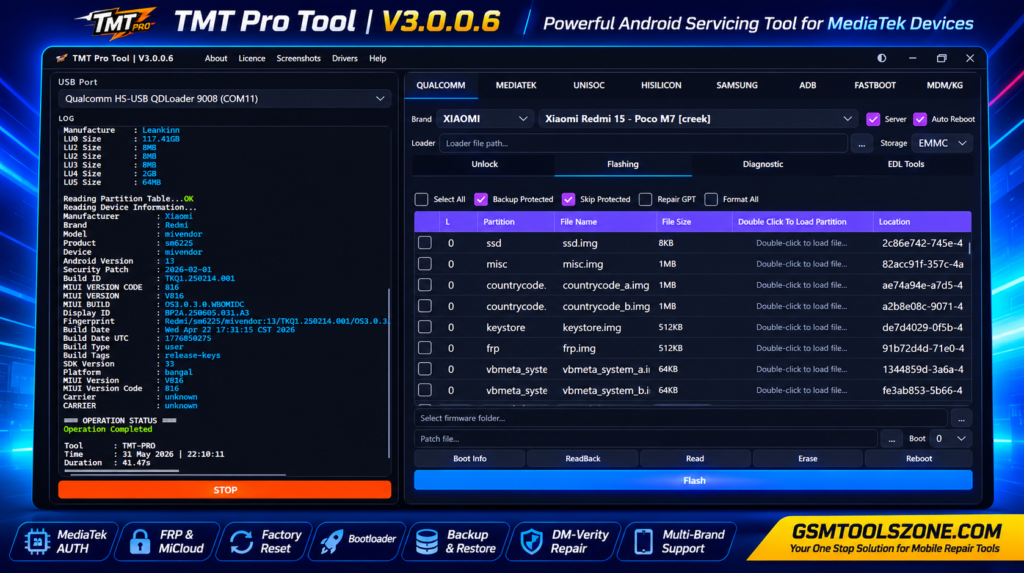
What is TMT Pro Tool v3.0.0.7?
TMT Pro Tool v3.0.0.7 is professional window base android repair and servicing software. It helps users and mobile technicians solve software and servicing tasks such as FRP servicing, MediaTek AUTH handling, Factory Reset, bootloader management, NVRAM/NVDATA backup and restore, partition backup, and DM-Verity repair. It has a simple interface, whether you are a beginner or an expert.
Features
MediaTek AUTH Support:
TMT Pro Tool provides Disable AUTH options for supported MediaTek (MTK) devices, helping technicians connect and service compatible phones.
FRP & MiCloud Servicing:
The tool includes FRP and MiCloud servicing options for supported Android and Xiaomi devices.
Factory Reset & Format:
TMT Pro Tool supports Factory Reset and Userdata Format functions to help resolve common software and lock-related problems.
Bootloader Management:
It provides Unlock Bootloader and Relock Bootloader options for compatible MediaTek smartphones.
DM-Verity Repair:
The tool can help fix certain DM-Verity-related software and boot problems on supported devices.
Partition Backup & Restore:
Technicians can back up supported partitions such as Boot, Preloader, NVRAM, and NVDATA and restore them when required.
Boot Partition Writing:
TMT Pro Tool supports Boot partition writing for compatible root and unroot operations, depending on the device and firmware.
Multi-Brand Support:
The tool supports compatible Android devices from brands including Samsung, Xiaomi, Redmi, OPPO, Vivo, Realme, Tecno, and Infinix.
Device Detection:
The Scan Port function helps detect connected MediaTek devices, making it easier to identify a phone before servicing.
MediaTek Driver Support:
It includes MediaTek USB driver installation options to help Windows detect compatible MTK devices correctly.
Simple Interface:
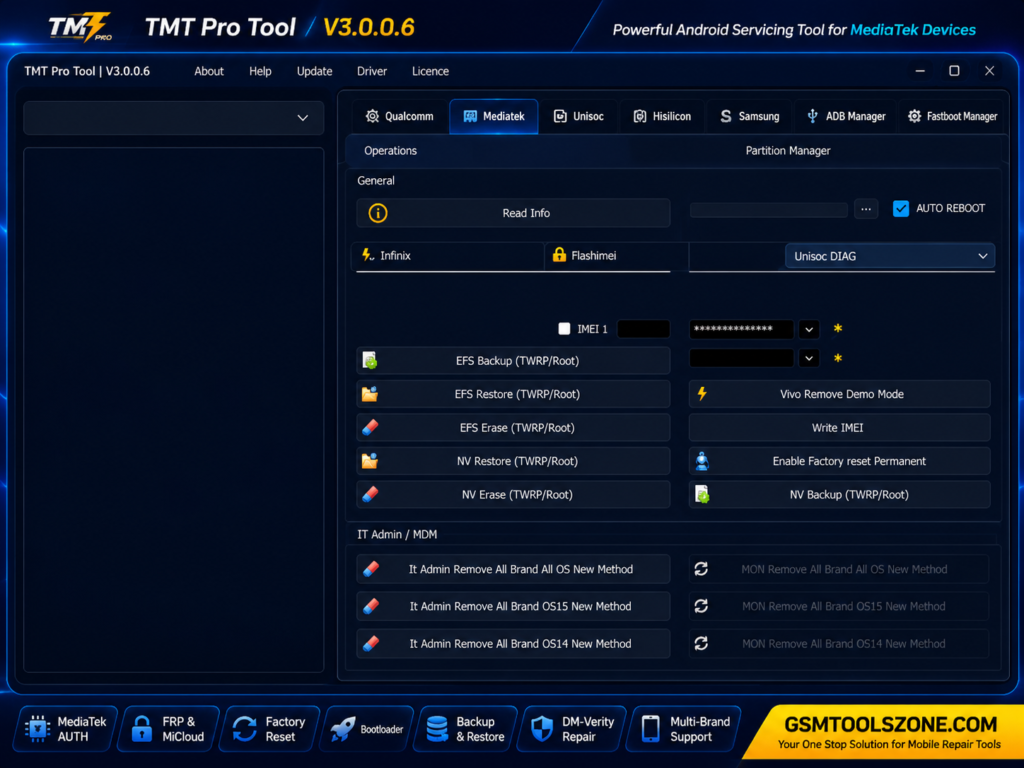
TMT Pro Tool provides useful controls such as Start, Stop, System Information, and Device Manager in an easy-to-use interface.
Pros and Cons
Pros
- Easy to use
- Supports MediaTek devices
- FRP & MiCloud support
- AUTH handling available
- Bootloader options
- Backup & restore support
- Simple interface
Cons
- Mainly focused on MediaTek devices
- Support varies by mode
- Some features need specific firmware
- Windows PC is required
System Requirements
| Requirement | Details |
|---|---|
| Operating System | Windows 7, 8, 10, or 11 |
| Processor | Intel or AMD Dual-Core processor or higher |
| RAM | 4 GB or more |
| Storage | At least 500 MB of free space |
| USB Drivers | MediaTek USB Drivers installed |
| USB Port | Working USB 2.0/3.0 port |
How to download TMT Pro Tool v3.0.0.7?
- Download the TMT Pro Tool v3.0.0.7 setup file from the official website.
- If the file is compressed, extract the downloaded ZIP/RAR file to a new folder.
- Open the extracted folder and run the TMT Pro Tool v3.0.0.7 setup or executable file.
- Follow the installation instructions and wait for the setup to finish.
- Launch TMT Pro Tool v3.0.0.7 from your desktop or installation folder.
- Install the required Android USB drivers if your device is not detected.
- Connect your Android smartphone to the computer using a suitable USB cable.
- Select the required servicing function and follow the instructions shown by the tool.
Setup Download Information
- File Version: v3.0.07
- File Size: 108.38 MB
- Download Link👇
Conclusion
TMT Pro Tool v3.0.0.7 is a useful choice for users and mobile technicians who need a simple Windows solution for Android servicing. Its focus on compatible MTK devices makes it practical for different software-related tasks. Before using the tool, always check device compatibility and keep the required drivers installed. Overall, TMT Pro Tool v3.0.0.7 can be a helpful addition to a technician’s Android servicing tasks.
FAQs
Which devices does TMT Pro Tool support?
It mainly supports compatible MediaTek (MTK) Android smartphones and tablets. Support can vary by model and firmware.
Do I need MediaTek USB Drivers?
Yes, installing the correct MediaTek USB Drivers can help Windows detect the connected device properly.
Is TMT Pro Tool safe to use?
Use the tool only from a trusted source and make sure you have permission to service the device. Always back up important data before performing major operations.