DFT Pro Tool Download Latest Version Fully Activated [2026]
You are facing many problems, such as a forgotten password, FRP lock, firmware error, boot issue, or device restriction, which can make the phone hard to use and difficult for mobile technicians to repair. DFT Pro Tool is the best solution. DFT Pro Tool provides practical solutions for many Android problems. It helps users and mobile technicians. DFT Pro Tool is easy to use. It has a user-friendly interface. It supports Qualcomm Snapdragon and MediaTek Android devices.
Also Use: KS Tool V4.6 Download Latest Version Fully Activated [2026]
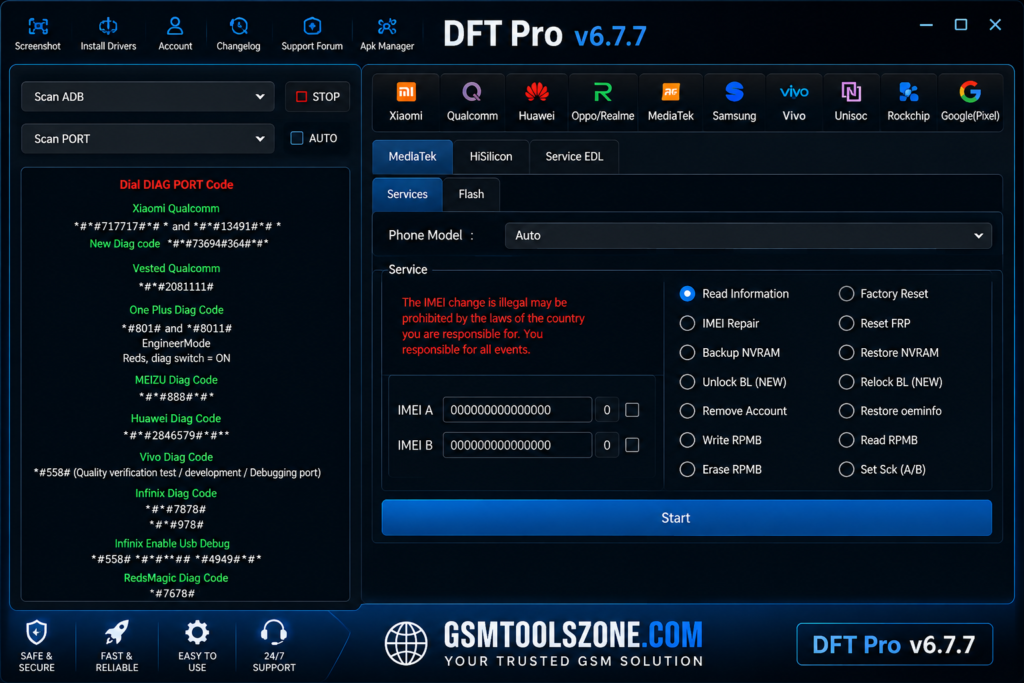
What is DFT Pro Tool?
DFT Pro Tool is a window base android reaping and servicing software. There are many problems, solve like FRP, Factory Reset, Flash Firmware, Repair IMEI, Unlock Pattern/Password/Pin lock, RPMB, EFS, Unlock Mi Cloud, and Auth Bypass. Regular updates can also add support for newer devices and improve existing functions.
Features
Firmware Flashing
DFT Pro supports firmware flashing on compatible Android devices. It can help technicians restore system software, fix software errors, and install supported firmware versions.
Screen Lock Servicing
The tool provides servicing options for supported PIN, password, and pattern lock issues. Available functions depend on the device model and Android security level.
FRP Servicing
Factory Reset Protection (FRP) can prevent access to an Android device after a factory reset. DFT Pro provides FRP servicing functions for supported Samsung, Xiaomi, Oppo, Vivo, Huawei, and other devices.
Qualcomm & MediaTek Support
DFT Pro works with Android smartphones powered by popular Qualcomm Snapdragon and MediaTek chipsets, giving technicians broader device compatibility.
Multi-Brand Support
The tool supports various Android brands, including Samsung, Xiaomi, Redmi, Huawei, Oppo, Vivo, and other compatible models. Support can vary by software version and device model.
ADB & Fastboot Support
ADB (Android Debug Bridge) and Fastboot functions help technicians communicate with compatible Android devices from a Windows PC for different software servicing operations.
Bootloader Operations
DFT Pro includes bootloader-related functions for supported devices. These operations can be useful for technicians working with firmware, recovery, and other Android software tasks.
Dead Boot Repair
Some Android devices may fail to start because of serious software or boot-related problems. DFT Pro provides dead boot servicing for selected supported chipsets and models.
Partition & Software Repair
The tool can provide partition-related servicing on compatible devices. This can help technicians troubleshoot certain software and storage-partition problems.
IMEI & Device Servicing
DFT Pro includes device servicing functions related to IMEI on supported hardware. Technicians should use these features only for lawful repair and restoration of a device’s original identity.
Simple User Interface
DFT Pro provides a straightforward interface that helps users find different repair and servicing options without dealing with complicated menus.
Regular Device Support
Software updates can improve device detection, add support for newer Android models, and enhance existing repair functions. Always check the latest supported models before starting a repair.
What’s New in DFT PRO Tool v7.0.0?
- Improved support for newer Android smartphones and tablets.
- Better Qualcomm Snapdragon and MediaTek device detection.
- Updated Samsung, Xiaomi, Redmi, Oppo, Vivo, and Huawei device support.
- Improved FRP servicing for supported Android models.
- Enhanced firmware flashing and software repair functions.
- Better connection stability through ADB and Fastboot modes.
- Improved support for bootloader and boot-related operations.
- Faster device detection and a smoother repair workflow.
- Updated user interface with easier navigation.
- General bug fixes and performance improvements.
System Requirements
| Requirement | Details |
| Operating System | Windows 7, 8, 10, or 11 |
| Processor | Intel or AMD Dual-Core or better |
| RAM | 4 GB minimum |
| Storage | At least 1 GB free space |
| USB Port | USB 2.0 or USB 3.0 |
How to Download DFT Pro Tool?
- Download the DFT Pro Tool ZIP file from the official website.
- Extract the downloaded file.
- Open the extracted folder and run the setup.
- After installation, open DFT Pro Tool.
- Connect your Android phone with a USB cable.
- You are now ready to use the tool.
Setup File Download Information
- File Version: v6.7.6
- File Size: 59.22 MB
- Download Link👇
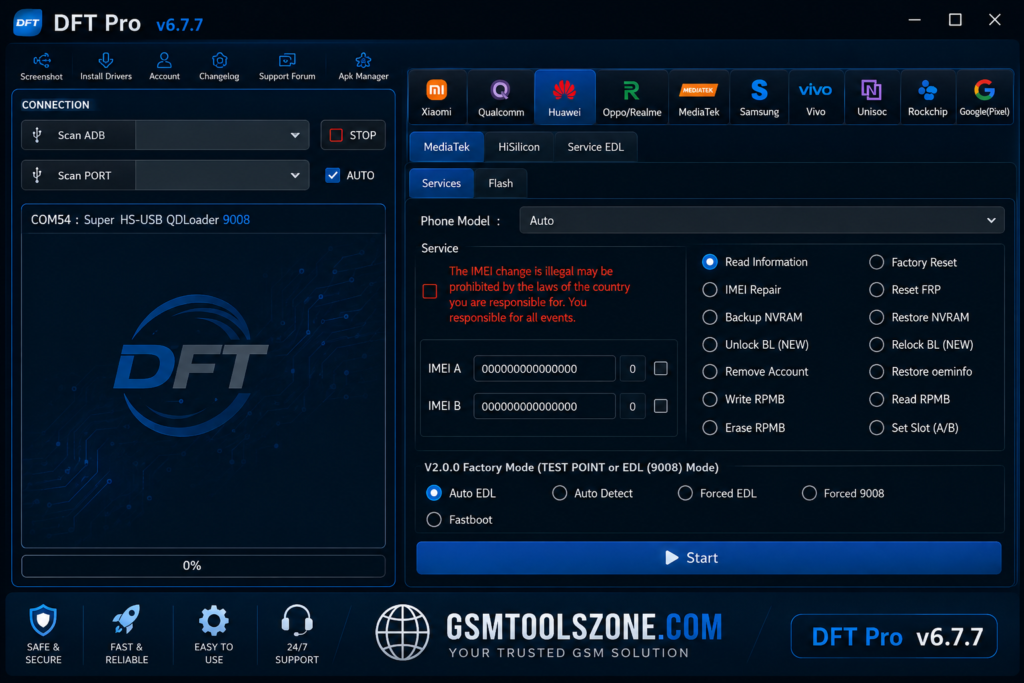
Conclusion
DFT Pro Tool is a useful Android servicing software for mobile technicians to solve different problems in one place. Its support for Qualcomm and MediaTek devices makes it suitable for a wide range of compatible Android smartphones. It has a simple interface, and multiple servicing options can help beginners and professionals. Its available functions can vary by device model, chipset, Android version, and DFT Pro version. Always check device compatibility before performing any repair operation.
FAQs
Is DFT Pro Tool free to use?
DFT Pro may require a license or account for certain functions. Availability can depend on the version and service provided by the developer.
Does DFT Pro Tool require an internet connection?
Some functions may require an active internet connection, account verification, or online server access, while other operations may work without continuous internet access.
Can beginners use DFT Pro Tool?
Yes, beginners can learn the basic workflow, but advanced repair operations should be performed carefully because incorrect settings or procedures can cause software problems.
Can DFT Pro work without USB drivers?
Compatible USB drivers are normally required for Windows to communicate correctly with Android devices. The required driver can vary depending on the device and chipset.