
Android Utility Tool V200.01.0001 Free Download for Android Repair
Are you facing FRP lock, boot loop issues, or firmware errors on your Android phone? These problems can make your device difficult to use, Android Utility Tool V200.01.0001 is a professinal window base software. It offers features such as firmware flashing, factory reset, Google FRP servicing, boot repair, and general Android maintenance. It supports Samsung, Huawei, Xiaomi, MediaTek, Qualcomm, and UniSoC devices.
Also Use: Asus Flash Tool v3.2.10 Free Download to Flash Firmware [2026]
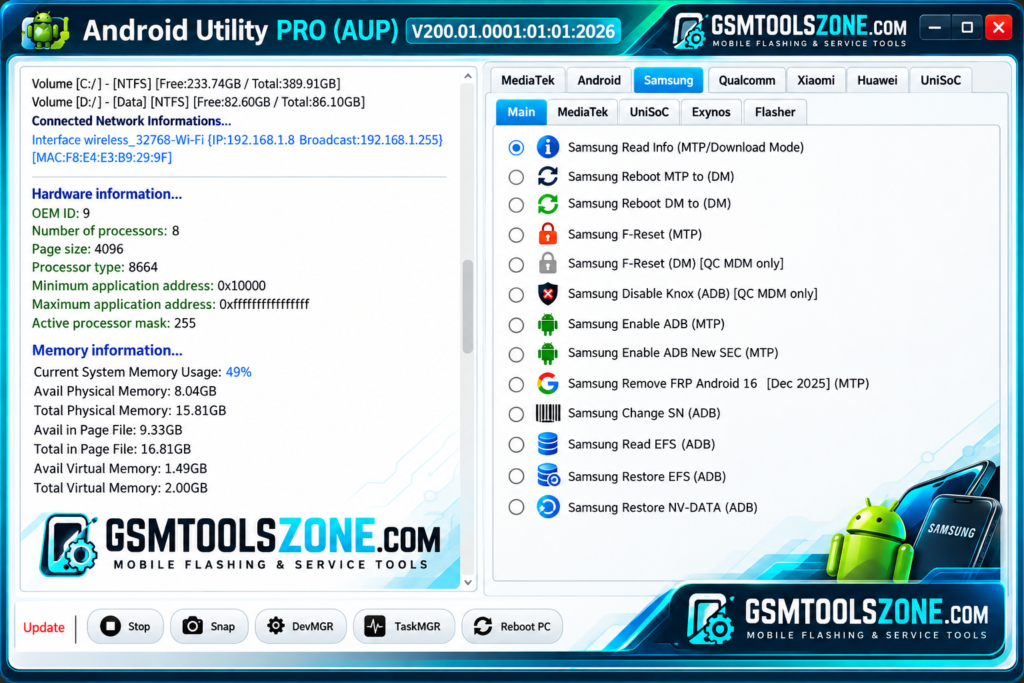
What is Android Utility Tool V200.01.0001?
Android Utility Tool V200.01.0001 is a professional Windows-based tool. It is designed to help technicians to repair Android mobile phone. This tool offers features such as firmware flashing, factory reset, Google FRP servicing, boot repair, and fixing common software problems. It supports MediaTek, Qualcomm, and UniSoC devices. It supports Android phones such as Samsung, Huawei, and Xiaomi smartphones. It is a user-friendly interface.
Features
FRP Servicing:
Android Utility Tool provides FRP servicing features for supported Android devices. These functions can help with Google account verification issues after a factory reset, depending on the device model and security version.
Firmware Flashing:
The tool supports firmware flashing on compatible devices. It can help technicians install supported firmware to resolve certain software problems or restore a device.
Factory Reset:
The factory reset feature helps reset supported Android devices to their default settings. Make sure to back up important data before performing a reset, as it may erase stored information.
Boot Repair:
Android Utility Tool offers boot-related repair functions for supported devices. These options may help troubleshoot some boot loop issues and phones that cannot start properly.
System Issue Fixes:
The tool can help technicians troubleshoot certain Android software problems, including system errors and startup issues. Available repair options depend on the connected device.
Multi-Brand Support:
Android Utility Tool supports selected devices from brands such as Samsung, Huawei, and Xiaomi. Its MediaTek, Qualcomm, and UniSoC support depends on the device and available functions.
Qualcomm Device Support:
The tool includes selected servicing options for compatible Qualcomm-powered devices. Supported operations may vary according to the model and connection mode.
UniSoC Device Support:
Android Utility Tool also offers selected functions for compatible UniSoC devices. These functions may help with firmware servicing and other supported maintenance tasks.
Device Information:
The tool can read certain details from connected Android devices when supported. This information helps technicians identify the device before choosing a suitable servicing option.
MediaTek META Mode:
The tool includes META mode operations for selected MediaTek devices. Available functions depend on the phone model, connection mode, and tool version.
Pros and Cons
Pros
- Easy-to-use interface.
- Supports selected Android devices.
- Includes firmware flashing features.
- Offers FRP servicing options.
- Helps troubleshoot some boot and software issues.
- Supports compatible MediaTek, Qualcomm, and UniSoC devices.
Cons
- Not all features work on every device.
- Some operations require specific drivers.
- Certain functions depend on the Android security version.
- Incorrect firmware flashing can damage the device.
- Some operations may require an internet connection.
System Requirements
| Requirements | Details |
|---|---|
| Operating System | Windows 7, 8, 10, or 11 |
| Processor | Intel or AMD Processor |
| RAM | 4 GB or more |
| Storage | At least 1 GB of free space |
| USB Connection: | USB cable to connect an Android device |
| USB Drivers | Required drivers for the supported device |
How to download Android Utility Tool V200.01.0001?
- Visit the official website to find the available Android Utility Tool V200.01.0001 version.
- Select the version you want to download.
- Click the download button and wait for the file to finish downloading.
- Extract the downloaded ZIP or RAR file using a suitable extraction program.
- Read the included instructions before running the tool.
- Install the required USB drivers for your Android device, if needed.
Setup Download Information
- File Version: V200.01.0001
- File Size: 255.28 MB
- File Password: gsmtoolszone.com
- Download Link👇
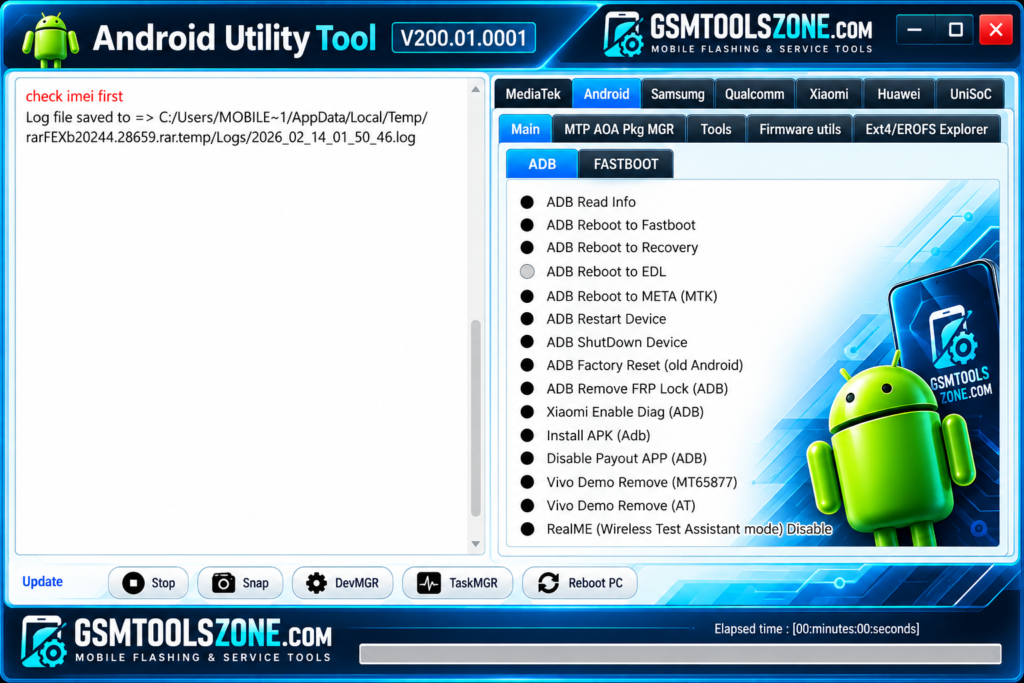
Conclusion
Android Utility Tool V200.01.0001 is a useful option for users and mobile technicians who need to manage and repair supported Android devices. This tool is very helpful for users and technicians. It is useful function for repair android phone. It has a simple interface, so this tool is very easy and smooth to use, whether you are a beginner or an expert. Before using this tool, check your device requirements.
FAQs
Is Android Utility Tool free to use?
Availability and pricing depend on the version and its source. Check the official source for the latest details.
Which devices does Android Utility Tool support?
It supports selected devices from brands such as Samsung, Huawei, and Xiaomi, along with compatible MediaTek, Qualcomm, and UniSoC devices.
Can I use Android Utility Tool offline?
Some functions may work without an internet connection, while others may require internet access.
Is Android Utility Tool safe to use?
Use a trusted download source and scan the files before opening them. Always back up important data before performing servicing operations.


One Comment
Comments are closed.