
FRT Tool v1.7.5 Safe Setup Download 100% Working
If your Android phone is stuck on an FRP lock, boot loop, pattern lock, or firmware problem, repairing the device is difficult without the right tool. FRT Tool v1.7.5 provides a simple solution for many Android servicing tasks. It is especially designed to help mobile technicians and advanced users work with MediaTek (MTK) and Qualcomm Snapdragon devices. This tool is very useful for tasks such as FRP reset, factory reset, device formatting, firmware flashing, and reading device information.
Also Use: SamFw FRP Tool v6.0.1 Best Download Guide [2026]
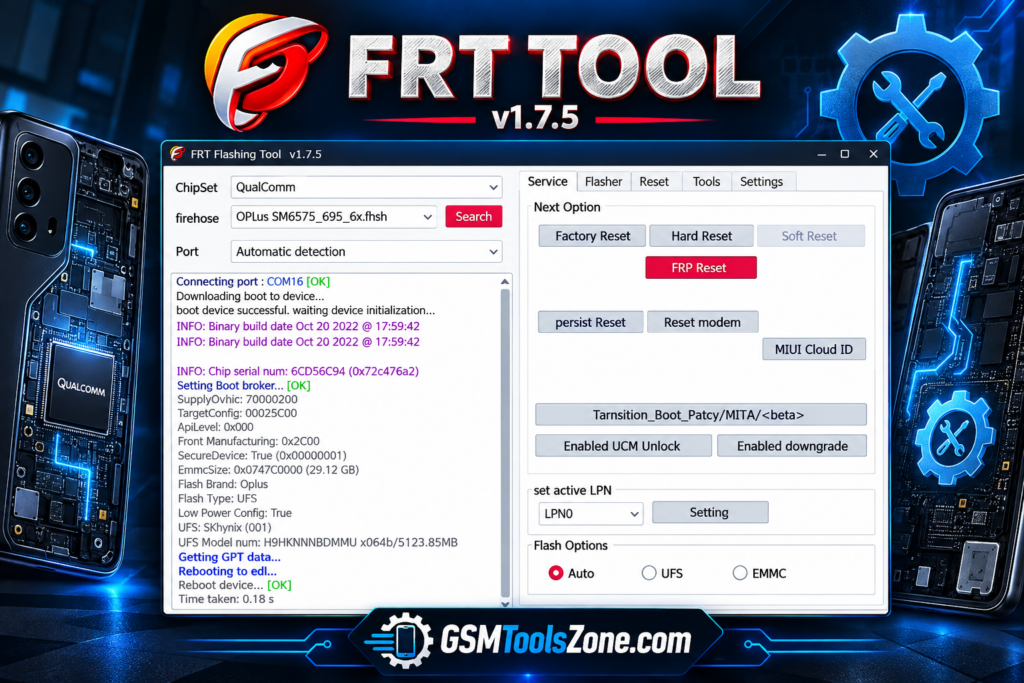
What is FRT Tool v1.7.5?
FRT Tool v1.7.5 is a Windows-based Android servicing tool used for software repair. It is mainly useful for mobile technicians who need to perform different repair tasks on supported smartphones. FRT Tool v1.7.5 works with ADB (Android Debug Bridge) and Fastboot.
Features
FRP Reset:
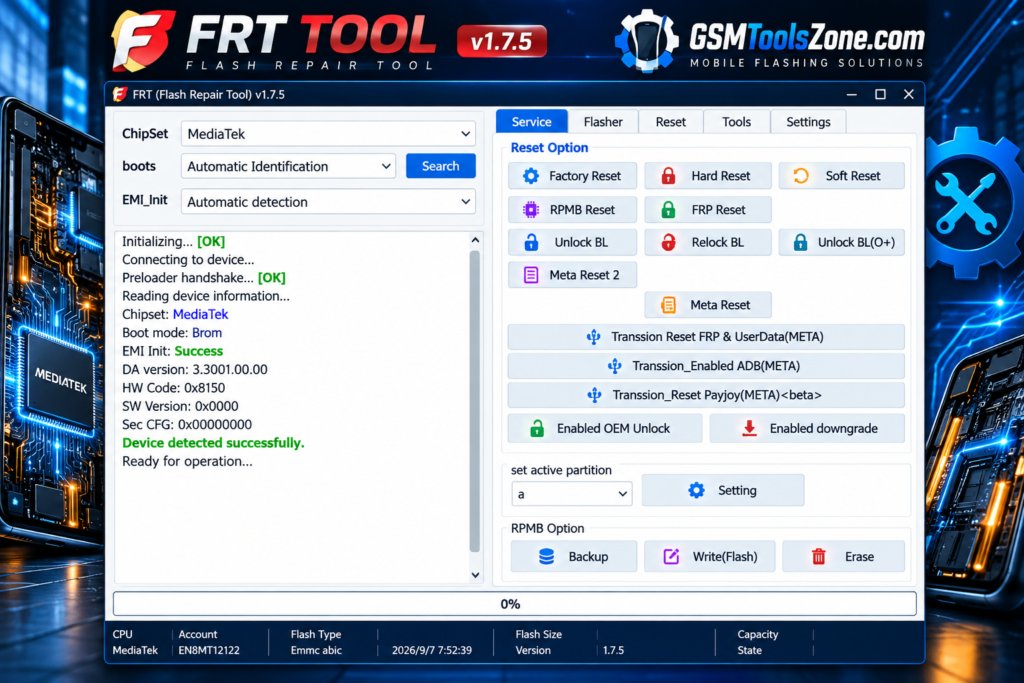
FRT Tool v1.7.5 provides an FRP reset option for supported Android devices. It can help technicians handle Factory Reset Protection problems during mobile servicing.
Factory and Hard Reset:
The tool allows users to perform factory reset and hard reset operations on compatible devices. These options can help with certain software problems, but a reset may remove stored user data.
Firmware Flashing:
FRT Tool v1.7.5 supports firmware flashing on selected MediaTek and Qualcomm smartphones. This can be useful when a device has software errors, boot problems, or needs a supported firmware installation.
MTK Crypto Key Reading:
For compatible MediaTek devices, the tool includes an MTK Read Crypto Key function. This provides an additional option for technicians working on supported MTK device configurations.
OFP Firmware Extraction:
FRT Tool can extract supported OFP firmware packages for Qualcomm and MediaTek devices. This can make firmware files easier to access during certain repair and servicing tasks.
RPMB Management:
The tool includes selected RPMB operations for compatible devices. Technicians can use available options for supported RPMB backup, writing, or erasing tasks when required.
Super Image Support:
FRT Tool provides options for handling super images and multiple Android partitions. This can be helpful when working with firmware packages that use a combined partition structure.
ADB and Fastboot:
The software supports common Android servicing modes such as ADB and Fastboot. These modes allow technicians to communicate with compatible devices and perform supported maintenance operations.
Qualcomm and MediaTek Support:
FRT Tool is designed to work with selected Qualcomm Snapdragon and MediaTek devices. Its chipset-based functions give technicians more options when servicing compatible Android phones.
Multiple Brand Support:
The tool can support multiple Android brands, depending on device compatibility. Supported models may include brands such as Xiaomi, Samsung, Oppo, and Tecno.
IMEI and Network Servicing:
FRT Tool includes selected functions for IMEI and network-related servicing on compatible devices. These options help technicians investigate specific baseband or network software issues.
Simple and Lightweight Interface:
The software comes with a straightforward interface that makes its available functions easier to find and use. Its lightweight design can also help it run smoothly on supported Windows computers.
Pros and Cons
Pros
- Easy-to-use interface
- Supports MediaTek and Qualcomm devices
- Includes FRP and reset functions
- Supports firmware-related tasks
- Provides ADB and Fastboot functions
- Includes RPMB and OFP options
- Lightweight and fast to run
Cons
- Works only with supported devices
- Some features require specific chipset support
- Advanced functions may need technical knowledge
- Incorrect operations can cause software issues
- Windows PC is required
System Requirements
| Requirements | Details |
|---|---|
| Operating System | Windows 7, 8, 10, or 11 |
| Processor | Intel or AMD Processor |
| RAM | 4 GB or more |
| Storage | At least 1 GB of free space |
| USB Port | Required for connecting Android devices |
| Drivers | Compatible Android/MediaTek/Qualcomm drivers may be required |
How to download FRT Tool v1.7.5?
- Visit the official website to download FRT Tool v1.7.5.
- Check the available version and tool details.
- Click the Download button.
- Wait for the download to complete.
- Extract the downloaded ZIP or RAR file using a suitable file extractor.
- Open the extracted folder and run the tool on your Windows computer.
- Install the required MediaTek USB drivers if the tool doesn’t detect your device.
- Connect your supported MediaTek device and follow the tool’s instructions.
Setup Download Information
- File Version: v1.7.5
- File Size: 159.29 MB
- File Password: gsmtoolszone.com
- Download Link👇
Conclusion
FRT Tool v1.7.5 is a useful Windows Software for Android mobile servicing and repair. It has several important functions, making it easier for technicians to work with supported devices. Its support for MediaTek and Qualcomm platforms adds flexibility for different Android smartphones. It has a user-friendly interface whether you are a beginner or an expert.
FAQs
What does FRT Tool do?
It provides functions such as FRP reset, factory reset, hard reset, firmware flashing, device information reading, and other servicing options.
Does FRT Tool support MediaTek devices?
Yes, FRT Tool supports selected MediaTek (MTK) devices and provides various MTK-related servicing functions.
Does FRT Tool support Fastboot and ADB?
Yes, FRT Tool includes ADB and Fastboot functions for compatible Android devices.
Is FRT Tool suitable for beginners?
Its interface is simple, but some advanced repair functions require basic knowledge of Android servicing.

One Comment
Comments are closed.