
Canon Service Tool V6.310 Download Setup 100% Working [Tested]
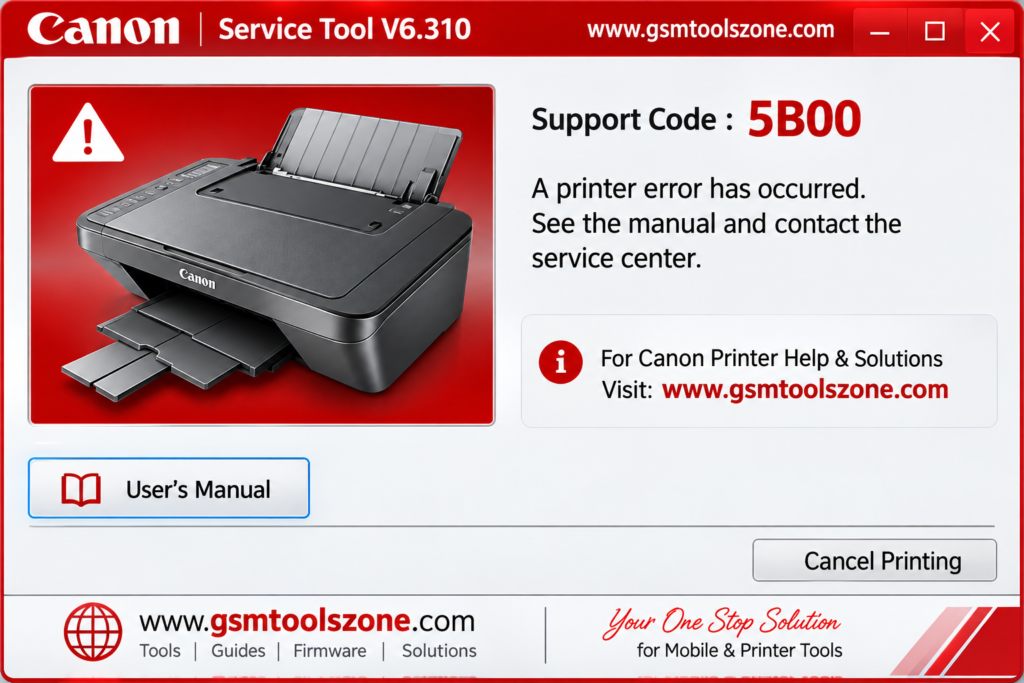
Canon printer users may face errors such as 5B00, P07, E07, or E08 when the waste ink counter reaches its limit. Canon Service Tool V6.310 provides a practical solution for supported Canon printers. It is designed for printer servicing and maintenance, including waste ink counter reset, ink absorber reset, service adjustments, and other service functions. This tool can help users restore supported Canon printers after certain service errors and maintenance issues.
Also Use: Extra Tool V1.4.5 Setup Download For Windows (Latest)
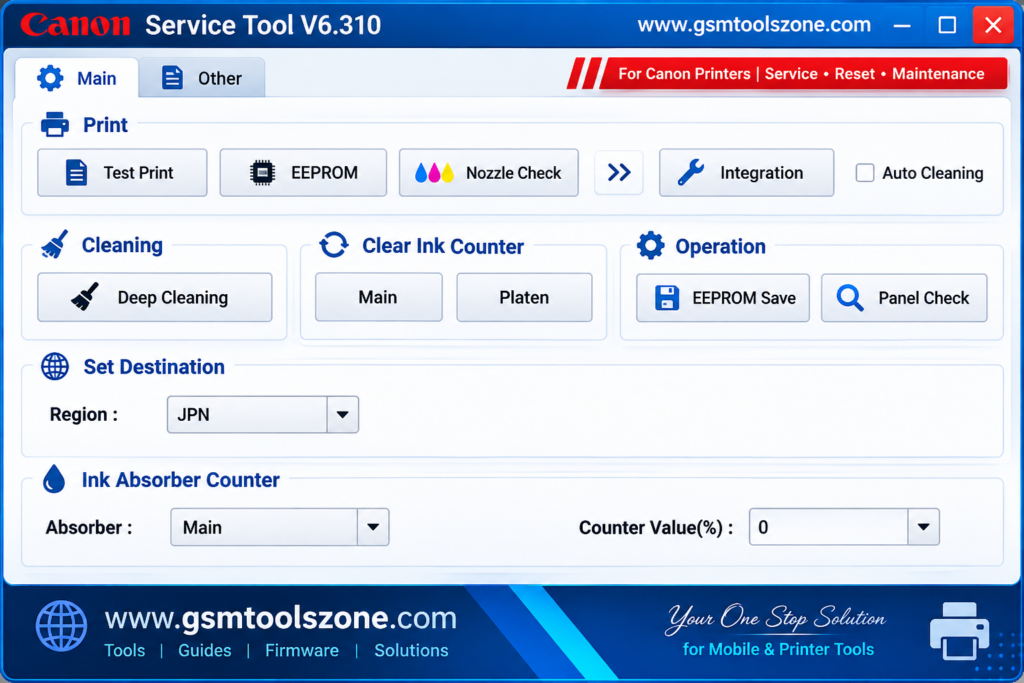
What is Canon Service Tool V6.310?
Canon Service Tool V6.310 is a Windows-based utility used for servicing and resetting supported Canon printers. It can be useful when a printer shows service errors related to the waste ink counter or ink absorber. Canon Service Tool V6.310 provides different service and reset options depending on the Canon printer model and software version. For example, versions such as Canon Service Tool V3400 and V6.310 may include functions for resetting the waste ink counter and performing other printer maintenance tasks.
Features
Waste Ink Counter Reset:
Reset the waste ink counter when it reaches its limit. This can be useful after cleaning or replacing the ink absorber.
Test Print:
Print a test page to check the printer’s basic printing performance and identify possible issues.
Nozzle Check:
Check the print head and nozzle pattern to find problems such as missing lines, blocked nozzles, or poor ink output.
EEPROM Information:
View important printer data stored in EEPROM, including error information, ROM details, and counter values.
EEPROM Save:
Save the available EEPROM information to your computer as a backup for future service work.
Auto Cleaning:
Run an automatic print head cleaning process when the printer has light, missing, or uneven printing.
Deep Cleaning:
Perform a deeper print head cleaning for supported Canon printers when normal cleaning does not resolve printing problems.
Clear EEPROM:
Clear or reset supported EEPROM settings when required during compatible printer servicing.
Clear Serial Number:
Change or reset the printer serial number when this function is supported by the printer and Service Tool version.
Set Destination:
Change the printer destination setting for supported regions, such as the USA, Europe, Japan, and Australia.
LF/Eject Correction:
Adjust paper feeding and paper ejection settings to help resolve certain paper-feed or printing alignment issues.
Panel Check:
Test the printer’s buttons and LCD panel to make sure the control panel responds correctly.
CD-R Correction:
Adjust the X and Y printing position for supported CD or disc printing functions.
Ink Absorber Counter:
Manage the main ink absorber counter on compatible Canon printers. The counter can be reset after the absorber has been properly serviced or replaced.
Pros and Cons
Pros
- Easy to use for basic printer servicing.
- Helps reset the waste ink counter.
- Supports different printer service functions.
- Includes print head cleaning options.
- Provides EEPROM information and backup options.
- Useful for compatible Canon printer models.
- Can help with several common service and maintenance tasks.
Cons
- Works only with supported Canon printer models.
- Different versions may support different functions.
- Some functions require proper printer servicing knowledge.
- Incorrect settings may affect printer operation.
- It is mainly designed for Windows computers.
System Requirements
| Requirements | Details |
|---|---|
| Operating System | Windows 7, 8, 10, or 11 |
| Processor | Intel or AMD processor |
| RAM | 2 GB or more |
| Storage | At least 100 MB of free space |
| Printer | Supported Canon printer model |
How to download Canon Service Tool V6.310?
- Visit the official website.
- Click on the Download button to start the download.
- Wait for the download to complete.
- Extract the downloaded ZIP file if it is compressed.
- Open the extracted folder and run the Canon Service Tool V6.310.
- Install the required USB drivers if your device is not detected.
Setup Download Information
- File Version: V6.310
- File Size: 436.59 KB
- Download Link👇
Conclusion
Canon Service Tool V6.310 helps service and maintain supported Canon printers. It helps with tasks such as resetting the waste ink counter, resetting the ink absorber counter, cleaning the print head, checking nozzles, viewing EEPROM information, and other service functions. Its simple interface also makes basic printer servicing easier for users and technicians. Whether you are a beginner or an expert.
FAQs
What is Canon Service Tool V6.310 used for?
It can be used for tasks such as waste ink counter reset, print head cleaning, nozzle checking, and other printer service functions.
Does Canon Service Tool support all Canon printers?
No. Support depends on the printer model and the Service Tool version you are using.
What is Canon Service Tool V3400?
Canon Service Tool V3400 is one version of the Canon printer service utility that provides different maintenance and reset functions for supported models.


One Comment
Comments are closed.