OMH MTK Toolkit Tool v1.0 Free Download by OMH Min Htet
When a MediaTek smartphone is FRP-locked, has a forgotten screen PIN or pattern, or faces other software issues, it can be difficult to fix without the right servicing tool. OMH MTK Toolkit Tool V1.0 is a Windows-based mobile servicing software designed for supported MediaTek (MTK) devices. It offers features such as FRP removal, screen lock removal, user lock reset, data formatting, data wiping, and Mi Cloud bypass for compatible devices. This tool helps mobile technicians and advanced users perform selected device servicing tasks through a Windows computer.
Also Use: eMMC DL Tool V5.2.0 Free Download for Qualcomm Devices [2027]
What is OMH MTK Toolkit Tool V1.0?
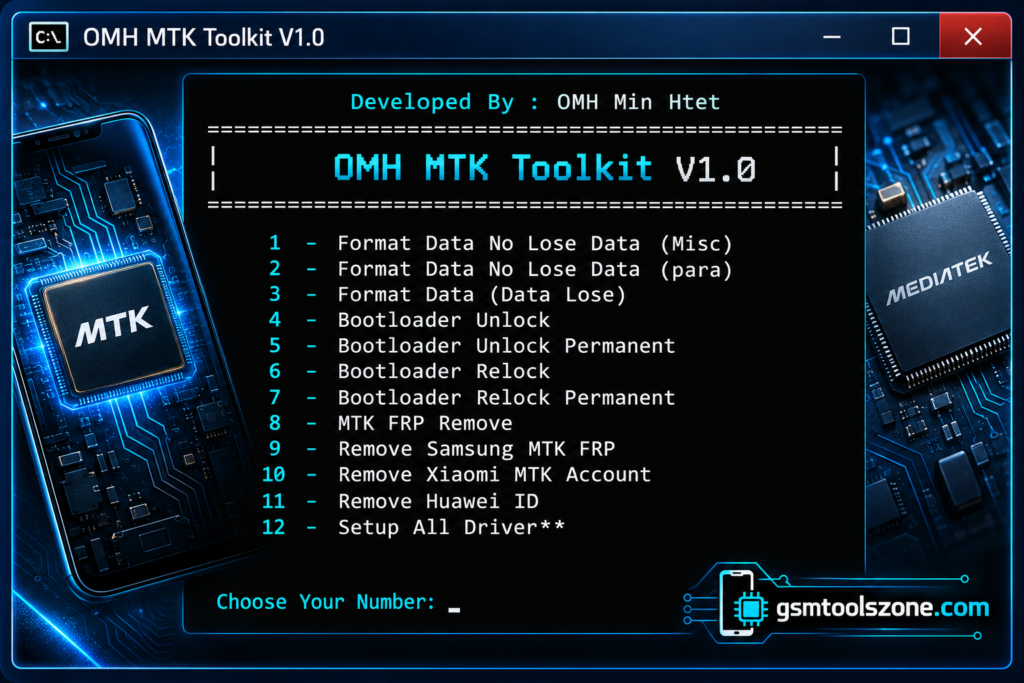
OMH MTK Toolkit Tool v1.0 is a Windows-based mobile servicing tool designed for supported MediaTek (MTK) Android smartphones. It offers options for handling device locks and software issues. Its features include FRP removal, screen PIN or pattern reset, user lock removal, and data formatting. The tool may also support selected flashing and bootloader-related operations, depending on the device. It is intended for mobile technicians and users who need to troubleshoot compatible MTK devices.
Features
Format Data Without Losing Data:
Provides Misc and Para formatting options designed to preserve user data on supported devices. Results may vary by model.
Format Data with Data Loss:
Formats supported devices and may erase stored user files and settings. Back up your data first.
Bootloader Unlock:
Offers bootloader unlocking options for compatible MediaTek devices.
Permanent Bootloader Unlock:
Provides an advertised permanent unlock option for selected supported models.
Bootloader Relock:
Allows users to relock the bootloader on compatible devices.
Permanent Bootloader Relock:
Includes an additional relocking option for supported devices.
MTK FRP Removal:
Provides Factory Reset Protection (FRP) servicing for supported MediaTek smartphones.
Samsung MTK FRP Removal:
Offers FRP-related servicing for compatible Samsung devices powered by MediaTek chipsets.
Xiaomi MTK Account Removal:
Includes an account-related servicing option for selected Xiaomi MTK devices.
Huawei ID Removal:
Provides an advertised Huawei ID servicing option for supported devices.
User Lock Removal:
Helps technicians handle selected screen-lock issues on compatible smartphones.
BROM Mode Support:
Supports advertised servicing operations through BootROM mode on compatible MediaTek chipsets.
Preloader Mode Support:
Provides connection and servicing options through Preloader mode on supported devices.
Authentication Bypass:
Includes an advertised authentication-bypass option for certain compatible devices.
Driver Installation:
Helps install the required USB drivers so a Windows computer can communicate with a connected smartphone.
Pros and Cons
Pros
- Supports selected MediaTek Android devices.
- Offers multiple mobile servicing features in one tool.
- Includes FRP and screen-lock servicing options.
- Provides data formatting and bootloader options.
- Supports BROM and Preloader modes on compatible devices.
- Includes driver installation support.
- Works on a Windows computer.
Cons
- Supports only compatible devices and chipsets.
- Some features may not work on newer security patches.
- Incorrect operations may cause data loss or device issues.
- Some functions may require technical knowledge.
- Device compatibility and results may vary.
System Requirements
| Requirements | Details |
|---|---|
| Operating System | Windows 7, 8, 10, or 11 |
| Processor | Intel or AMD |
| RAM | 4 GB or more |
| Storage | 1 GB free space |
| USB Connection | Required |
| USB Drivers | Required MediaTek USB drivers |
| Device Support | Compatible MediaTek (MTK) Android devices |
How to download OMH MTK Toolkit Tool V1.0?
- Visit the official website to check the available OMH MTK Toolkit Tool v1.0 version.
- Download the OMH MTK Toolkit Tool v1.0 file from a trusted source.
- Extract the ZIP or RAR file if required.
- Install the necessary MediaTek USB drivers on your Windows computer.
- Open the extracted folder and run the tool as administrator if needed.
- Connect your supported MediaTek device using a USB cable.
- Select the required function and follow the on-screen instructions.
Setup Download Information
- File Version: v1.0
- File Size: 76.91 MB
- File Password: gsmtoolszone.com
- Download Link👇
Conclusion
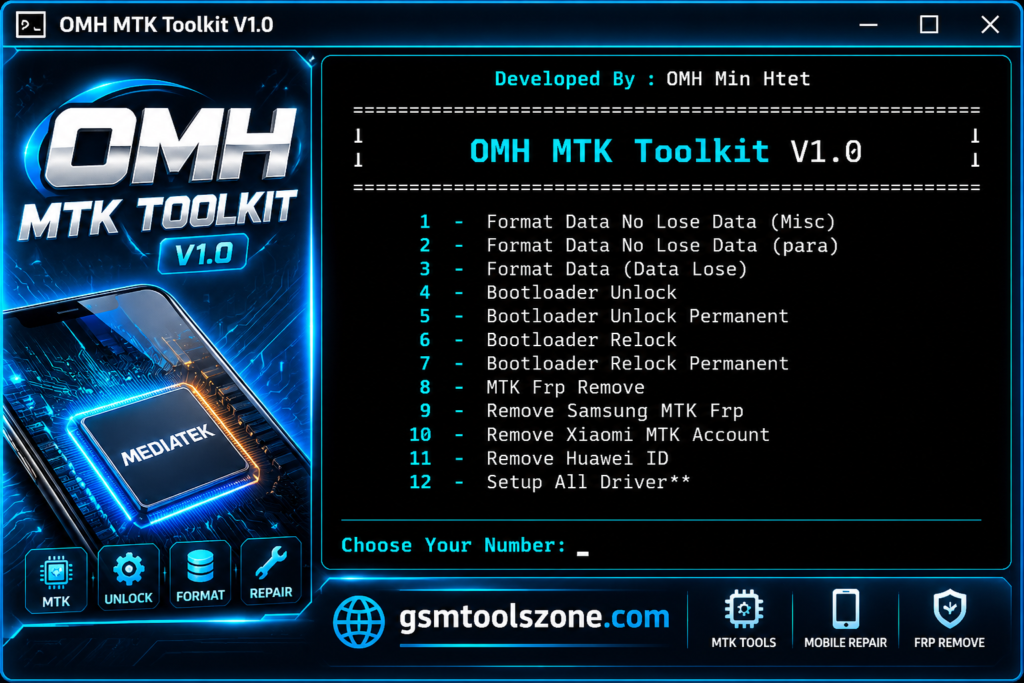
OMH MTK Toolkit Tool v1.0 is a Windows-based tool for servicing supported MediaTek Android devices. OMH MTK Toolkit Tool v1.0 offers features such as FRP removal, screen lock servicing, data formatting, bootloader management, and BROM and Preloader mode support. This tool may help mobile technicians handle different software-related problems on compatible smartphones. This interface is very easy you can download it and just solve your problem.
FAQs
Is OMH MTK Toolkit Tool v1.0 free to download?
The tool is listed as a free download by some third-party websites. Check the download source and usage conditions before installing it.
Which devices does OMH MTK Toolkit Tool support?
It is designed for compatible MediaTek-powered Android devices. Support depends on the phone model, chipset, firmware, and security level.
Can OMH MTK Toolkit Tool remove a screen PIN or pattern?
The tool offers screen-lock servicing options for selected supported devices. Results may vary depending on the phone’s security settings.
Does formatting with the OMH MTK Toolkit Tool delete data?
Yes, some formatting options erase personal files and device data. Back up important files before using any formatting function.
Is OMH MTK Toolkit Tool safe to use?
Its safety depends on the download source and the operation performed. Download files from trusted sources, scan them with antivirus software, and use the tool only on devices you own or are authorized to service.
One Comment
Comments are closed.