Xsoft FRP Unlock Tool Full Activated Version 2027 Download
When your Android phone gets stuck on FRP protection, Google Account verification, or a forgotten screen lock, accessing your device becomes difficult. Xsoft FRP Unlock Tool is a Windows-based mobile servicing tool designed to help technicians handle these issues on supported Samsung and other Android devices. Xsoft FRP Unlock Tool supports FRP servicing, screen lock and pattern removal, gesture lock reading, security file writing, and Wi-Fi troubleshooting.
Also Use: OMH MTK Toolkit Tool v1.0 Free Download by OMH Min Htet
What is Xsoft FRP Unlock Tool?
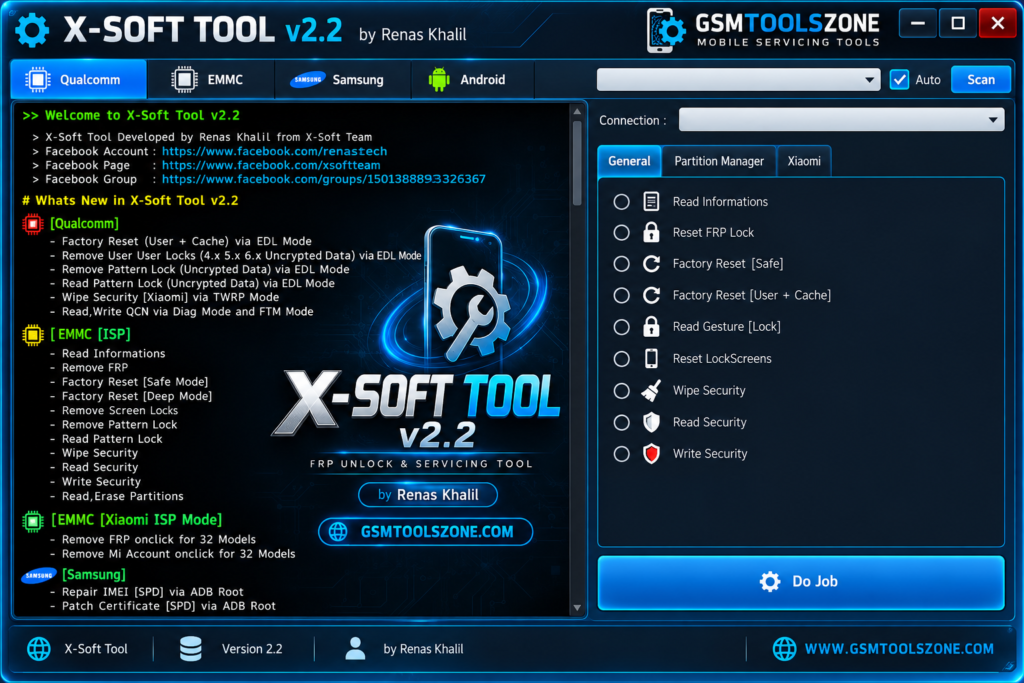
Xsoft FRP Unlock Tool is a Windows-based mobile servicing application used to troubleshoot software-related problems on supported Android devices. It helps mobile technicians perform FRP-related operations, handle screen locks, and use selected device servicing functions. The tool supports connection modes such as EDL, Download Mode, ADB, and Fastboot, depending on the device and available features. It also includes selected functions for Qualcomm devices, eMMC ISP operations, Xiaomi ISP servicing, and Samsung devices.
Features
FRP Servicing:
The tool provides FRP-related functions for supported Android devices. Available options depend on the phone model, Android version, and security patch.
Screen Lock Support:
Xsoft FRP Unlock Tool includes selected screen lock and pattern lock servicing functions for compatible devices. Check device support before using these features.
Qualcomm EDL Support:
The tool supports selected servicing operations on compatible Qualcomm-powered Android devices through Emergency Download (EDL) mode.
Multiple Connection Modes:
It supports different connection methods, including EDL, ADB, Fastboot, and Samsung Download Mode, depending on the device and the operation.
eMMC ISP Operations:
The tool offers selected eMMC ISP functions for compatible hardware, helping technicians access storage information and perform supported partition-related tasks.
Xiaomi ISP Servicing:
It includes selected ISP servicing functions for compatible Xiaomi devices. Supported operations depend on the device model and hardware configuration.
Security File Operations:
The tool provides security file reading or writing functions for supported devices, which can assist technicians with certain mobile software servicing tasks.
Wi-Fi Troubleshooting:
Xsoft FRP Unlock Tool includes advertised Wi-Fi-related repair functions for compatible devices experiencing certain connectivity problems.
USB Driver Support:
The tool connects Android devices to a Windows PC through USB. Installing the correct USB drivers helps the computer recognize the phone in the required mode.
Windows-Based Interface:
The tool runs on Windows and brings supported mobile servicing functions into one application, making it useful for technicians working with compatible Android devices.
Pros and Cons
Pros
- Supports FRP-related servicing on compatible Android devices.
- Offers selected screen lock and pattern lock functions.
- Supports multiple connection modes, including EDL, ADB, and Fastboot.
- Includes selected Qualcomm EDL and eMMC ISP operations.
- Provides additional functions for compatible Samsung and Xiaomi devices.
- Helps technicians troubleshoot certain software-related issues.
Cons
- Some features may not work on every Android device.
- Newer security patches may limit available functions.
- Correct USB drivers are required for device detection.
- Some operations require technical knowledge and experience.
- Compatibility may vary by device model and Android version.
System Requirements
| Requirements | Details |
|---|---|
| Operating System | Windows 7, 8, 10, or 11 |
| Processor | Intel or AMD |
| RAM | 4 GB or more |
| Storage | 1 GB free space |
| USB Connection | USB cable and working USB port |
| USB Drivers | Compatible Android device drivers |
How to download Xsoft FRP Unlock Tool?
- Visit a trusted source to download the Xsoft FRP Unlock Tool.
- Download the available version to your Windows PC.
- Extract the ZIP or RAR file using a file extraction program, if required.
- Open the extracted folder and look for the setup file or tool executable.
- Install the required USB drivers so your computer can recognize compatible Android devices.
- Run the tool and connect your phone using a USB cable in the required connection mode.
- Check device compatibility before starting any servicing operation.
Conclusion
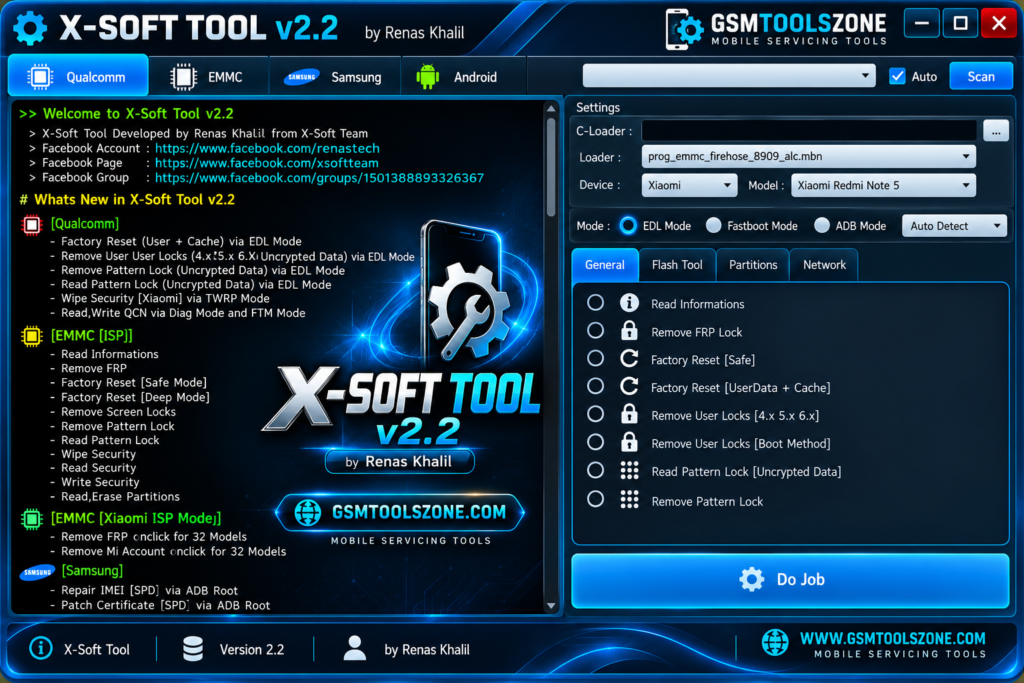
Xsoft FRP Unlock Tool is a Windows-based tool for mobile technicians who need to handle FRP-related issues and other software problems on supported Android devices. Xsoft FRP Unlock Tool offers features such as screen lock servicing, Qualcomm EDL support, and eMMC ISP operations. Xsoft FRP Unlock Tool has a simple interface, is easy to use everyone can download and perform FRP in just a few clicks.
FAQs
Is Xsoft FRP Unlock Tool free to download?
Availability and pricing may depend on the version and download source. Check the source’s terms before downloading or using the tool.
Can Xsoft FRP Unlock Tool remove FRP?
The tool offers FRP-related servicing functions for supported devices. Success depends on device compatibility and its security configuration.
Is Xsoft FRP Unlock Tool safe to use?
Safety depends on the download source and the files provided. Some third-party reports raise concerns about older XSoft versions, so scan files with security software and avoid downloads that ask you to disable antivirus protection.
Do I need USB drivers to use Xsoft FRP Unlock Tool?
Yes, you generally need compatible USB drivers for Windows to recognize the connected Android device in the required mode.


One Comment
Comments are closed.