
Easy Multi Tool v1.2.0 Pre-Activated Version for Windows
Mobile technicians and users face different problems such as FRP locks, factory reset problems, Mi Cloud restrictions, firmware errors, and device servicing issues across different Android brands. Easy Multo Tool v1.2.0 provides a solution in one place. It supports famous Android mobile brands, including Samsung and Xiaomi, with a straightforward workflow and multi-chipset support.
Also Use: TFM Tool Pro Download Latest Version [2026]
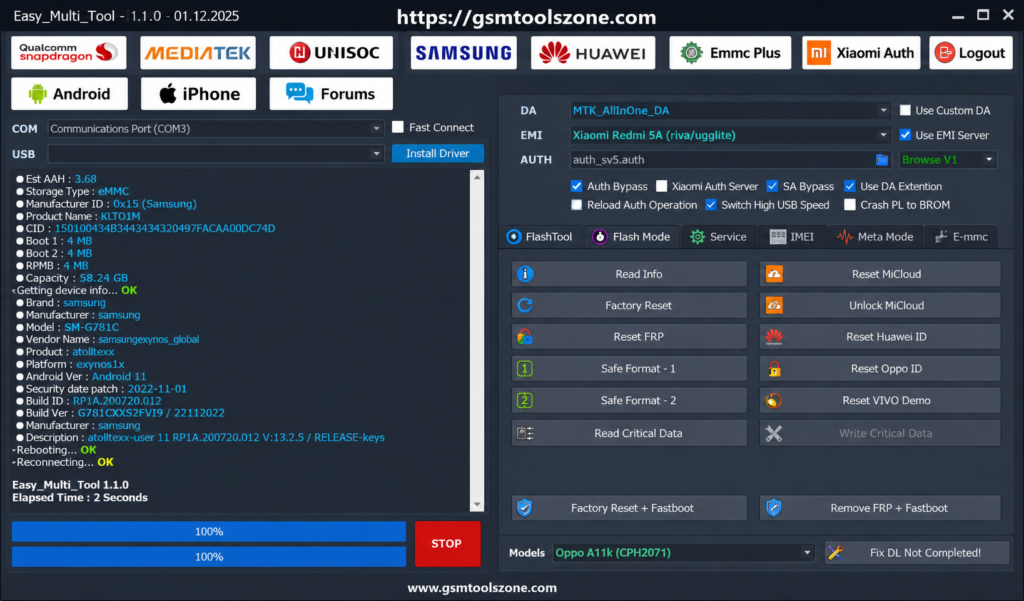
What is Easy Multi Tool v1.2.0?
Easy Multi Tool v1.2.0 is a window base android mobile repair software. It helps users and mobile technicians to repair different Android software issues. It supports devices with Qualcomm, MediaTek, and Unisoc chipsets. It offers helpful functions: FRP removal, Factory Reset, Mi Cloud unlocking, flashing, and device unlocking. It is user friendly interface. It is easy to use whether you are a beginner or an expert.
Features
Factory Reset:
Reset supported Android devices and remove user data to restore them to a clean state.
FRP Removal:
Helps remove Factory Reset Protection (FRP) restrictions from compatible Android devices.
Firmware Flashing:
Flash supported firmware files to repair software problems, update device software, or restore the operating system.
Bootloader Unlock:
Provides bootloader unlocking support for compatible devices when required for advanced repair and servicing tasks.
Network & IMEI Repair:
Helps technicians handle supported network-related servicing tasks, including IMEI repair on compatible devices.
Fast Device Detection:
Detects connected Android devices quickly and helps maintain stable communication between the phone and Windows PC.
Screen Lock Removal:
Supports the removal of certain screen locks, including PIN, pattern, and password restrictions on compatible devices.
MDM & KG Services:
Provides support for selected Mobile Device Management (MDM) and Samsung Knox Guard (KG) servicing operations on compatible devices.
Mi Account Services:
Supports Xiaomi devices with Mi Account-related servicing and unlocking functions where supported.
Multi-Brand Support:
Works with popular Android brands such as Samsung, Xiaomi, Vivo, Oppo, and other supported devices.
Pros and Cons
Pros
- Supports Qualcomm, MediaTek, and Unisoc devices.
- Includes FRP removal and Factory Reset functions.
- Supports firmware flashing on compatible devices.
- Works with popular brands like Samsung and Xiaomi.
- Provides multiple repair functions in one tool.
- Simple and easy-to-use workflow.
- Useful for mobile technicians and repair shops.
- Helps reduce the need for multiple servicing tools.
Cons
- Not every function works on every device model.
- Some advanced operations may require specific drivers.
- Device support can vary by chipset and Android version.
- Firmware flashing requires the correct firmware file.
- Some operations may need technical knowledge.
- New device models may require future tool updates.
System Requirements
| Requirement | Details |
|---|---|
| Operating System | Windows 7, Windows 8, Windows 10, or Windows 11 |
| Processor | Intel or AMD Dual-Core processor or higher |
| RAM | 4 GB minimum, 8 GB recommended |
| Storage | At least 500 MB of free disk space |
| USB Port | Working USB 2.0 or USB 3.0 port |
How to download Easy Multi Tool v1.2.0?
- Download the Easy Multi Tool v1.2.0 setup file from the official website.
- If the file is compressed, extract the downloaded ZIP/RAR file to a new folder.
- Open the extracted folder and run the Easy Multi Tool v1.2.0 setup or executable file.
- Follow the installation instructions and wait for the setup to finish.
- Launch Easy Multi Tool v1.2.0 from your desktop or installation folder.
- Install the required Android USB drivers if your device is not detected.
- Connect your Android smartphone to the computer using a suitable USB cable.
- Select the required servicing function and follow the instructions shown by the tool.
Setup Download Information
- File Version: v1.2.0
- File Size: 22.58 MB
- Download Link👇
Conclusion
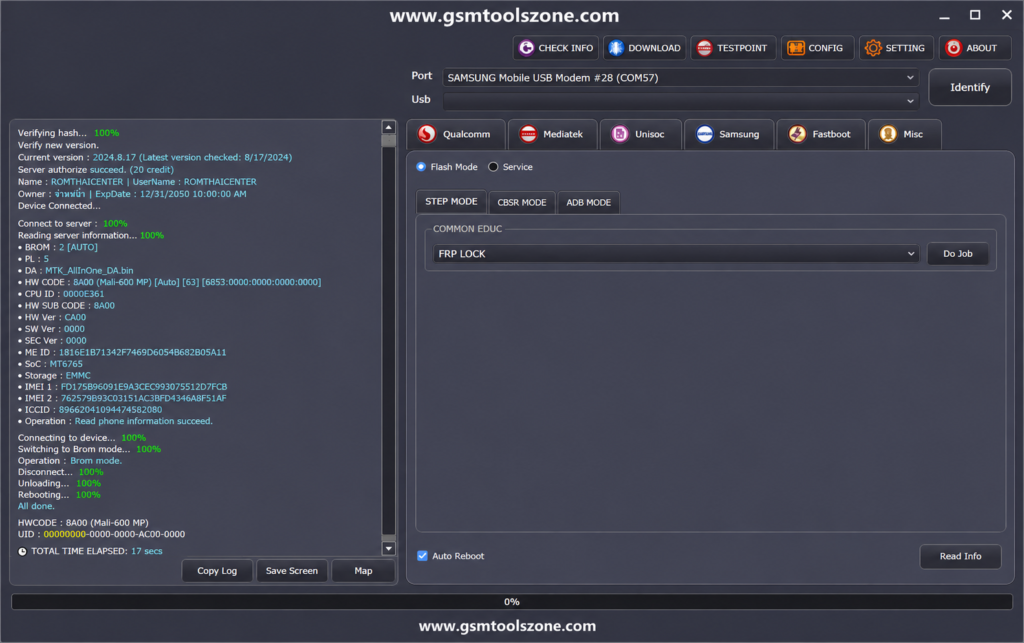
Easy Multi Tool v1.2.0 is a good choice for Android software servicing when technicians need a straightforward Windows-based solution. Its support for different chipsets and popular brands such as Samsung, Xiaomi, Vivo, Oppo, and other compatible smartphone models. It helps with tasks such as FRP removal, firmware flashing, factory reset, and device maintenance. It is a user-friendly interface. It is easy to use.
FAQs
Which chipsets does Easy Multi Tool support?
It supports compatible Qualcomm, MediaTek, and Unisoc devices.
Is Easy Multi Tool easy to use?
Yes, it has a simple workflow suitable for both beginners and mobile technicians.
Does Easy Multi Tool require USB drivers?
Yes, the correct Android USB drivers may be required for proper device detection.
Does Easy Multi Tool support MDM and KG?
Yes. Easy Multi Tool supports selected MDM (Mobile Device Management) and Samsung KG (Knox Guard) servicing operations on compatible devices. Availability can vary depending on the device model, chipset, Android version, and security level.
One Comment