Titan Tool v7.0.0 Download Windows Setup For All Mobile
Many Android users and mobile repair technicians struggle with problems like FRP Lock, Screen Lock, Boot Loop, IMEI errors, MDM Lock, and firmware issues, which can make device repair difficult and time-consuming. Titan Tool provides an efficient solution by offering advanced Android servicing features in one Windows-based software. It supports Samsung models, Qualcomm, MediaTek (MTK), Spreadtrum (SPD/UNISOC), and TECNO devices, helping technicians perform repair and maintenance tasks faster and more easily.
For more tools, visit: gsmtoolszone.com
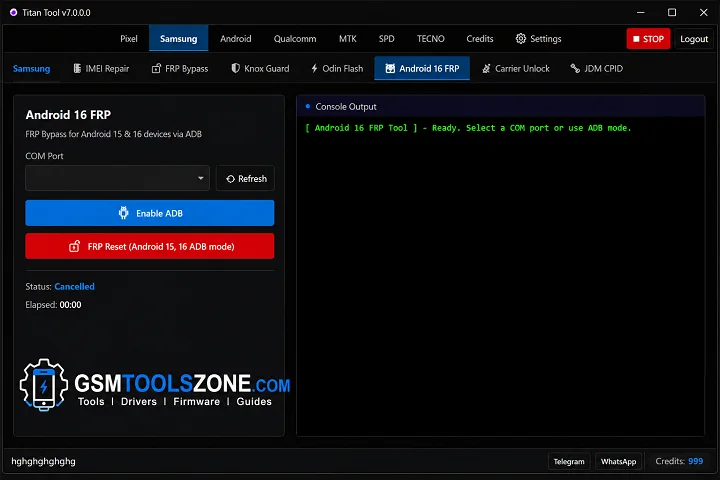
What is Titan Tool?
Titan Tool 7.0.0 is an advanced Android servicing utility developed for Windows users, mobile technicians, and repair professionals. It provides a complete platform for handling different smartphone maintenance tasks, including flashing, software repair, and device troubleshooting.
Features
- FRP Bypass: Remove Google FRP Lock from supported Android devices quickly after a factory reset.
- Firmware Flashing: Flash stock firmware to fix software problems, boot loops, and system errors.
- IMEI Repair: Repair IMEI on supported Android devices to restore network functionality.
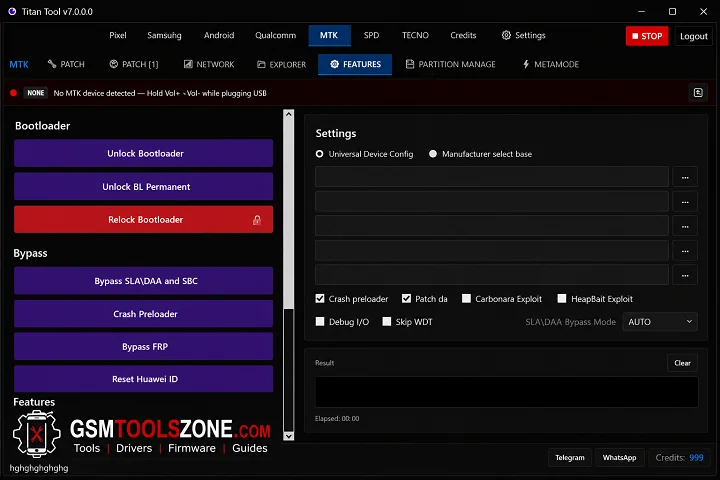
- Bootloader Unlock: Unlock the bootloader to perform advanced Android repair and flashing tasks.
- Screen Lock Removal: Remove PIN, Password, Pattern, and Screen Lock from supported devices.
- MDM Removal: Remove MDM (Mobile Device Management) restrictions from compatible Android devices.
- ADB & Fastboot Support: Perform Android servicing through ADB (Android Debug Bridge) and Fastboot mode.
- Multi-Brand Compatibility: Supports popular Android brands, including Samsung, Xiaomi, Redmi, OPPO, Vivo, Realme, TECNO, and Infinix.
- Qualcomm, MediaTek & UNISOC Support: Compatible with Qualcomm, MediaTek (MTK), and UNISOC (SPD) chipsets for repair and flashing.
- Easy to Use: A simple and user-friendly interface makes Titan Tool suitable for both beginners and professional mobile technicians.
System Requirements
To run Titan Tool v7.0.0 on your pc before installing, make sure your PC meets these system requirements:
| Requirement | Specification |
|---|---|
| Operating System | Windows 7, 8, 10, or 11 (32-bit & 64-bit) |
| Processor | Intel or AMD Dual-Core or higher |
| RAM | 4 GB or more (8 GB recommended) |
| Storage | At least 500 MB of free disk space |
| USB Drivers | Android USB and Qualcomm drivers installed |
How To Download, Install & Use Titan Tool v7.0.0?
- Download the latest Titan Tool setup file from the link below or the official website.
- Extract the downloaded ZIP file using WinRAR or 7-Zip.
- Open the extracted folder and run the Setup or Installer file as Administrator.
- Follow the on-screen instructions to complete the installation.
- Install the required Android USB Drivers if they are not already installed.
- Restart your computer after the installation is complete.
- Launch Titan Tool and connect your Android device using a USB cable.
- Enable USB Debugging on your Android device when using ADB features.
Setup Download Information
- File Version: v7.0.0
- File Size: 120.32 MB
- File Password: gsmtoollab.com
- Download Link👇
Summary
The Titan tool helps perform FRP Bypass, Firmware Flashing, IMEI Repair, Bootloader Unlock, and other Android repair tasks. Titan Tool supports Samsung, Qualcomm, MediaTek (MTK), UNISOC (SPD), and other supported Android devices. Its simple interface and reliable performance. Titan Tool is a good choice for Android flashing, unlocking, and software repair.
FAQ’s
What devices can I repair with Titan Tool?
Titan Tool supports many Android devices powered by Qualcomm, MediaTek (MTK), and UNISOC (SPD) chipsets. It is compatible with brands like Samsung, Xiaomi, OPPO, Vivo, TECNO, and Infinix.
Does Titan Tool require Android USB Drivers?
Yes. You should install the correct Android USB Drivers before connecting your device. This helps Titan Tool detect your phone properly.
Can Titan Tool fix boot loop problems?
Yes. Titan Tool can help fix boot loop issues by flashing stock firmware or performing other supported Android repair operations.
Why is Titan Tool not detecting my phone?
If Titan Tool cannot detect your device, check the USB cable, install the correct Android USB Drivers, enable USB Debugging, and make sure your phone is in the correct ADB or Fastboot mode.
Does Titan Tool support the latest Android devices?
Titan Tool regularly adds support for new Android models and chipsets. Device compatibility depends on the version of the tool you are using.