TFT MTK Module Tool v7.0.0 Free Download for MediaTek FRP & Firmware Flashing (2027)
Facing firmware errors, boot problems, or software issues on MediaTek Android devices can make mobile repairs difficult. TFT MTK Module Tool v7.0.0 offers a practical solution for technicians who need to service supported MediaTek smartphones and tablets. TFT MTK Module Tool v7.0.0 supports scatter firmware flashing, FRP removal, screen lock removal, Mi Account-related operations, and Vivo Demo Mode removal on compatible devices. This tool also provides bootloader unlocking, device diagnostics, and supported read/write functions through USB, MTP, and USB VCOM modes.
Also Use: KG Killer Tool v3.8.0 Download for Samsung KG Lock, MDM & FRP [2027]
What is TFT MTK Module Tool v7.0.0?
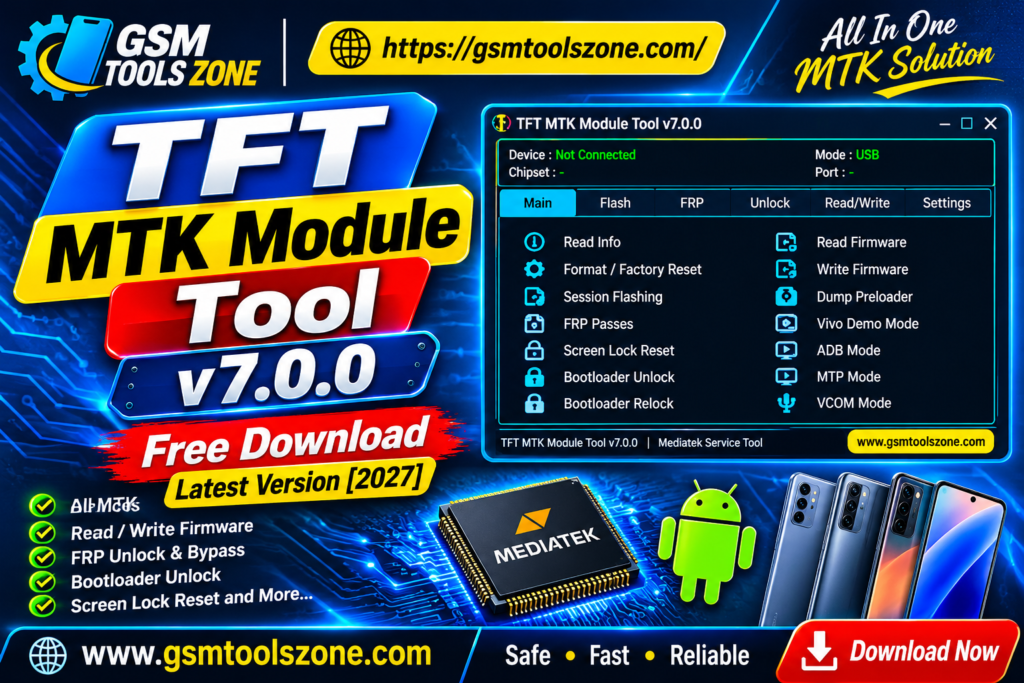
TFT MTK Module Tool v7.0.0 is a Windows-based mobile servicing tool developed for MediaTek-powered Android smartphones and tablets. It helps mobile technicians perform different software-related operations, including scatter firmware flashing, FRP removal, screen lock reset, device formatting, and bootloader unlocking. TFT MTK Module Tool v7.0.0 also provides supported Mi Account operations, Auth protection bypass, and device maintenance features. It works through USB connections and offers different servicing modes for compatible devices.
Features
Scatter Firmware Flashing:
Flash scatter-based stock firmware on supported MediaTek devices to fix firmware errors, boot problems, and other software issues.
FRP Removal:
Perform supported Google FRP servicing operations on compatible MediaTek smartphones and tablets.
Screen Lock Reset:
Reset supported pattern, PIN, and password locks during authorized device servicing.
Factory Reset:
Restore compatible devices to their default settings to resolve certain software-related problems.
Bootloader Unlock & Relock:
Unlock or relock the bootloader on supported MediaTek devices directly through the tool.
Auth Bypass:
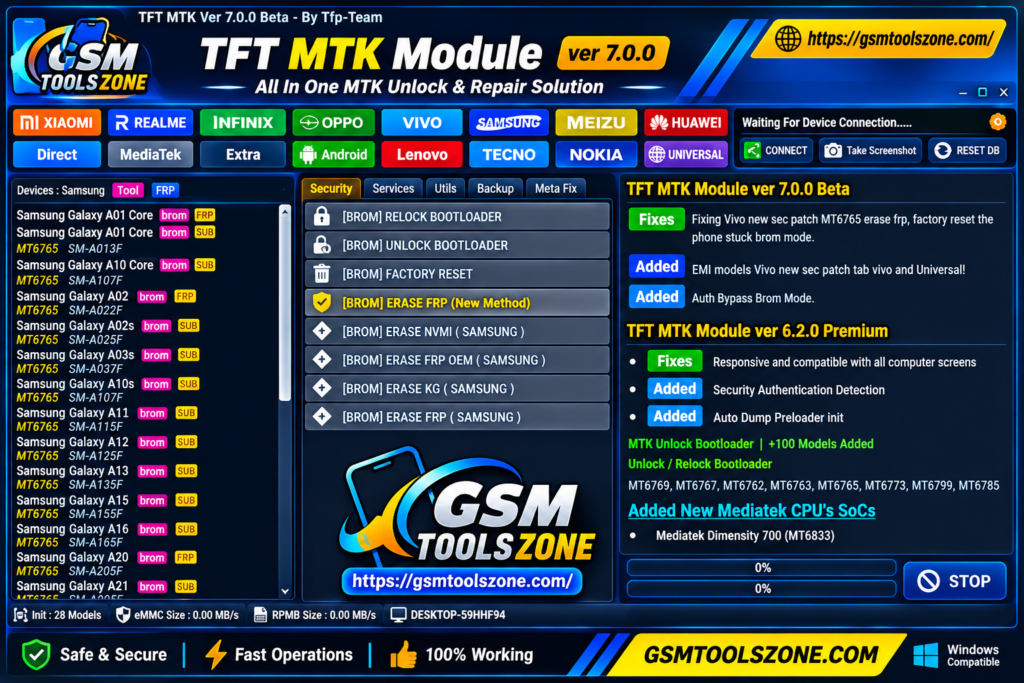
Support Auth Bypass operations for compatible MTK devices in BROM mode.
Mi Account Services:
Perform supported Mi Account operations, including MiCloud erase and reset, on compatible Xiaomi devices.
Vivo Demo Mode Removal:
Remove demo mode from supported Vivo smartphones for authorized retail device servicing.
Firmware Read & Write:
Read and write supported firmware data and device partitions for backup and software maintenance purposes.
NVRAM Backup & Restore:
Create and restore NVRAM backups on compatible devices to help protect important device information.
Device Information:
Read basic information from connected MediaTek devices to identify them before starting servicing operations.
Multiple Connection Modes:
Supports USB, MTP, and MediaTek USB VCOM connection modes for different device servicing operations.
Save Format:
Formats supported devices while preserving selected data where the device and operation allow it.
Pros and Cons
Pros
- Supports scatter firmware flashing on compatible MediaTek devices.
- Provides FRP and screen lock servicing options.
- Includes bootloader unlock and relock functions.
- Supports Mi Account and Vivo Demo Mode operations.
- Offers firmware read and write functions.
- Supports NVRAM backup and restore.
- Provides USB, MTP, and VCOM connection modes.
- Combines multiple MTK servicing features in one interface.
Cons
- Only supports compatible MediaTek devices.
- Some features may not work on every device model.
- Requires proper USB drivers for device detection.
- Incorrect firmware flashing can cause software problems.
- Some operations require specific device modes and technical knowledge.
- Feature availability may vary between tool versions.
System Requirements
| Requirement | Details |
| Operating System | Windows 7, 8, 10, or 11 |
| RAM | 4 GB |
| Processor | Intel or AMD |
| Storage | 1 GB Free Space |
| USB Drivers | Compatible Android USB Drivers |
| USB Connection | Working USB port |
How to download TFT MTK Module Tool v7.0.0?
- Visit a trusted source to download the latest version of TFT MTK Module Tool v7.0.0.
- Find the TFT MTK Module Tool download section and click the download button.
- Wait for the download to finish and locate the ZIP or RAR file on your computer.
- Extract the downloaded file using WinRAR or 7-Zip.
- Open the extracted folder and look for the tool’s executable file.
- Install the required MediaTek USB VCOM drivers on your Windows PC.
Setup Download Information
- File Version: v7.0.0
- File Size: 71.11 MB
- File Password: ❌None
- Download Link👇
Conclusion
TFT MTK Module Tool v7.0.0 is a useful choice for mobile technicians who work with MediaTek-powered Android smartphones and tablets. It combines several servicing features, including scatter firmware flashing, FRP removal, screen lock reset, bootloader operations, Mi Account services, and firmware read/write functions in one application. TFT MTK Module Tool v7.0.0 support for different USB connection modes also makes device servicing more convenient. If you regularly repair supported MTK devices, TFT MTK Module Tool can help you handle common firmware and software-related tasks more easily.
FAQs
Which devices are supported by TFT MTK Module Tool?
It supports selected MediaTek-powered Android smartphones and tablets. Device compatibility depends on the model, chipset, and tool version.
Can TFT MTK Module Tool remove FRP locks?
Yes, the tool includes FRP servicing options for supported MediaTek devices. Available operations may vary depending on the device and Android version.
Can I flash firmware using TFT MTK Module Tool?
Yes, it supports scatter-based firmware flashing on compatible MediaTek devices. Always use the correct firmware for your device model.
Does TFT MTK Module Tool support Samsung devices?
It may support selected Samsung devices powered by MediaTek chipsets. Not every Samsung model is compatible with the tool.
Is TFT MTK Module Tool free to download?
The availability of free features depends on the version and its developer. Check the download source for the latest pricing and access details.
One Comment
Comments are closed.