FRP Hijacker Tool Full Activated Version 2027
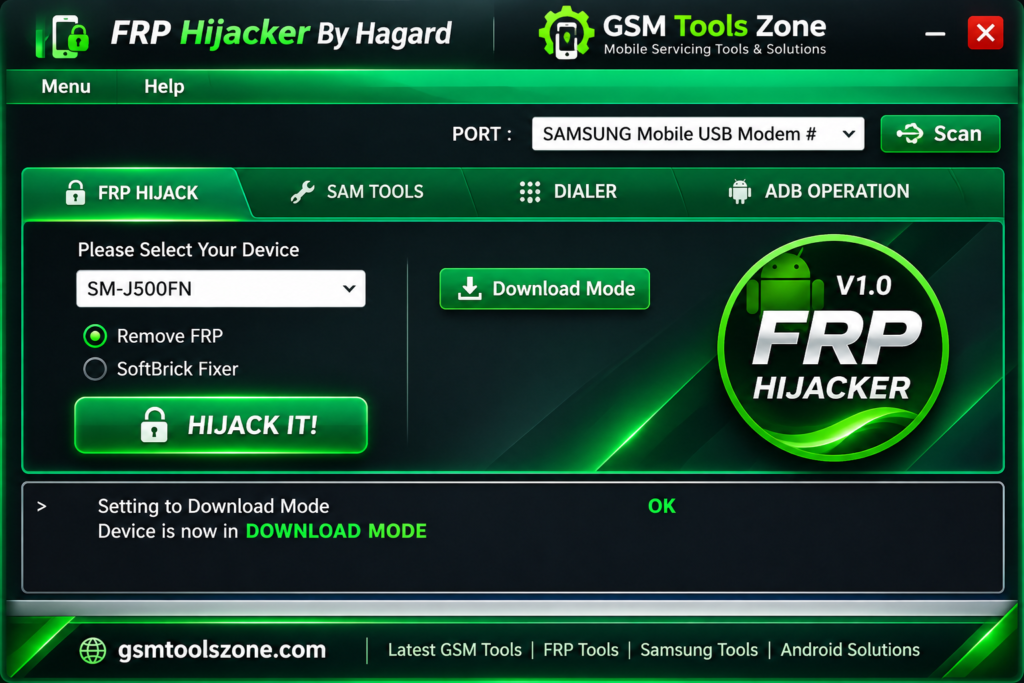
When a Samsung phone gets stuck on Google Account Verification after a factory reset, completing the setup process can become difficult without the previously synced Google account. FRP Hijacker Tool is a Windows-based Samsung servicing tool that technicians use to handle Factory Reset Protection (FRP) and selected screen-lock issues on supported older Samsung Galaxy devices. It provides different servicing options, including Download Mode, ADB Mode, Dialer Mode, and soft-brick repair functions. FRP Hijacker Tool supports selected Samsung devices running Android 5.0 Lollipop through Android 10 Q. It offers several useful functions in one interface.
Also Use: Ultra Unlock Tool v4.4.3 Free Download Latest Version [2027]
What is FRP Hijacker Tool?
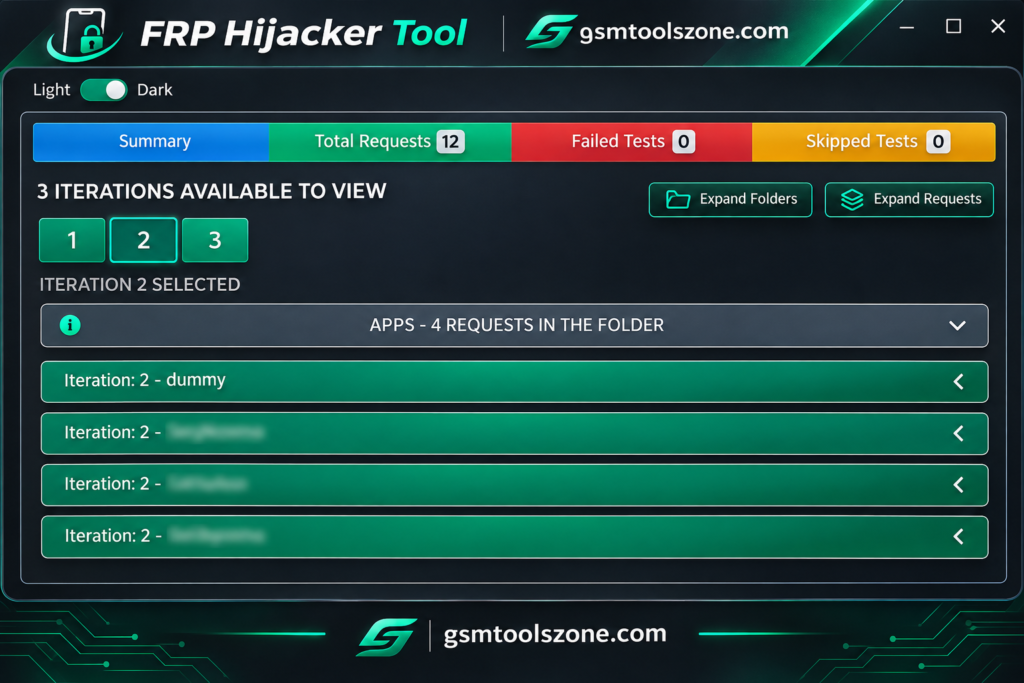
FRP Hijacker Tool is a Windows-based Samsung servicing tool. It is designed for selected Samsung Galaxy smartphones and tablets. It provides different options for handling Factory Reset Protection (FRP), ADB operations, Download Mode functions, screen-lock recovery, and soft-brick repair. This tool allows users and mobile technicians to perform supported software-related tasks through a computer. Its compatibility mainly focuses on older Samsung devices running Android 5.0 to Android 10.
Features
FRP Lock Removal:
Provides FRP-related servicing options for selected Samsung Galaxy devices running compatible Android versions.
Download Mode Support:
Includes Download Mode functions to communicate with supported Samsung phones through a Windows computer.
ADB Operations:
Offers ADB-based options for compatible devices when USB debugging and proper device access are available.
Soft-Brick Repair:
Includes selected repair functions for Samsung phones affected by boot loops and certain software-related problems.
Multiple Operating Modes:
Supports different servicing methods, including Download Mode, ADB Mode, and Dialer Mode, depending on the device and tool version.
Screen Lock Functions:
Provides selected screen-lock recovery options for compatible older Samsung devices.
Samsung USB Driver Support:
Works with compatible Samsung USB drivers to help establish a connection between the phone and PC.
Free Windows Utility:
FRP Hijacker is commonly available as a free Windows-based servicing application for mobile technicians and Samsung users.
Pros and Cons
Pros
- Free to use.
- Simple and easy-to-use interface.
- Supports multiple Samsung servicing modes.
- Includes FRP-related functions.
- Offers ADB and Download Mode support.
- Provides selected soft-brick repair options.
- Useful for mobile technicians.
Cons
- Mainly supports older Samsung devices.
- Limited compatibility with newer Android versions.
- Some functions depend on the security patch level.
- Requires proper Samsung USB drivers.
- Not all Samsung models are supported.
- Some operations may require technical knowledge.
System Requirements
| Requirement | Details |
| Operating System | Windows 7, 8, 10, or 11 |
| RAM | 4 GB |
| Processor | Intel or AMD |
| Storage | At least 1 GB of free space |
| USB Port | Required |
| USB Drivers | Samsung USB Drivers |
How to Download the FRP Hijacker Tool?
- Visit the official website to find the FRP Hijacker Tool download.
- Download the latest available version to your computer.
- Once the download is complete, open the downloaded ZIP or RAR file.
- Extract the files using WinRAR or 7-Zip.
- Open the extracted folder and look for the FRP Hijacker executable file.
Conclusion
FRP Hijacker Tool is a useful Windows-based application for Samsung device servicing. It offers several functions, including FRP-related operations, ADB support, Download Mode options, screen-lock recovery, and soft-brick repair for selected older Samsung Galaxy devices. FRP Hijacker Tool’s simple interface makes it helpful for mobile technicians and users working with compatible devices. Whether you are a beginner or an expert.
FAQs
Is FRP Hijacker Tool free to download?
Yes, FRP Hijacker is commonly distributed as a free Windows utility. Always download it from a trusted source and scan the file before opening it.
Which Android versions are supported by FRP Hijacker?
FRP Hijacker is mainly associated with older Samsung devices running Android 5.0 Lollipop through Android 10 Q. Newer versions may not be supported.
Does FRP Hijacker support all Samsung models?
No, it does not support every Samsung model. It is mainly designed for selected older Galaxy devices, so check compatibility before using it.
Is FRP Hijacker safe to use?
Download the tool from a trusted source and scan the files with antivirus software. Always use it only on devices you own or are authorized to service.


One Comment
Comments are closed.