Safina Pro Tool V2.1 Download for Xiaomi Fastboot & FRP [2027]
When you are facing an FRP lock, Mi Account activation lock, or a Xiaomi phone stuck in Fastboot mode. These problems make it difficult to reset or repair your device. Safina Pro Tool V2.1 is a Windows-based mobile servicing tool designed to help technicians troubleshoot supported Xiaomi, Redmi, and POCO devices. It offers features such as FRP removal, Mi Assistant reset, Fastboot-to-EDL options, and Mi Account activation lock checks. The tool also includes Qualcomm and MediaTek support, along with selected FRP functions for compatible Honor and Samsung devices.
Also Use: Pandora Tool V9.25 Download for Windows (Google Pixel Support)
What is Safina Pro Tool V2.1?
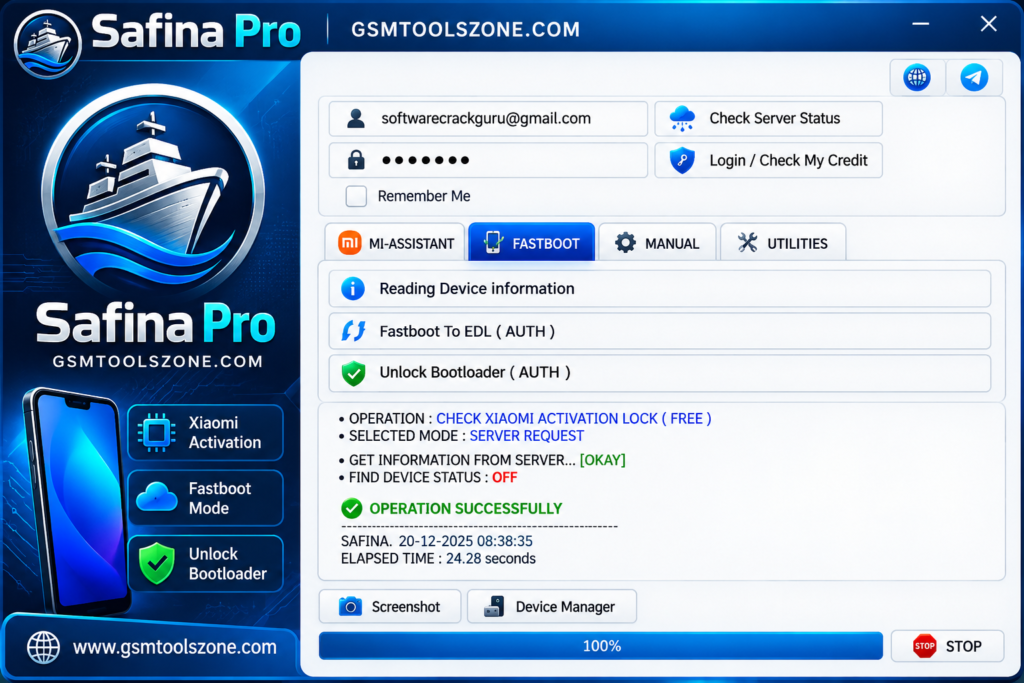
Safina Pro Tool V2.1 is a Windows-based mobile servicing software designed to help mobile technicians repair and manage supported Android devices. It offers different functions for Xiaomi, Redmi, and POCO smartphones, including device information checks, FRP-related operations, reset options, and other software servicing tasks. This tool also provides selected features for compatible Qualcomm and MediaTek devices. Its simple interface helps users find the available options and perform supported repair tasks more easily.
Features
Read Device Information:
Safina Pro Tool V2.1 allows users to read device information on supported Xiaomi phones through Mi Assistant and Fastboot mode. This helps technicians identify the connected device before starting repair or servicing tasks.
Mi Assistant Factory Reset:
This feature helps perform a factory reset on compatible Xiaomi devices using Mi Assistant. It can be useful when troubleshooting software problems or restoring a phone to its default settings.
FRP Reset:
Safina Pro Tool V2.1 includes FRP-related reset options for supported devices. This feature may help with factory reset protection issues, depending on the device model and required authorization.
Fastboot to EDL Mode:
The tool offers a Fastboot-to-EDL option for compatible Xiaomi devices. It helps switch the phone from Fastboot mode to Emergency Download (EDL) mode when the device and servicing method support it.
Bootloader Unlock:
Safina Pro Tool V2.1 includes a bootloader unlocking option for supported devices. Bootloader unlocking may require authorization and can erase user data, so check device compatibility and back up important files first.
Xiaomi Activation Lock Check:
This feature helps check the activation lock status of supported Xiaomi devices. It allows technicians to review the device’s lock status before choosing the next servicing step.
Qualcomm Chipset Support:
Safina Pro Tool V2.1 provides servicing options for compatible Qualcomm-based devices. Available functions depend on the phone model, chipset, connection mode, and authorization requirements.
MediaTek Chipset Support:
The tool also includes support for selected MediaTek-based devices. Compatible functions may vary depending on the device and the operations available in the software.
Multi-Brand Servicing Options:
In addition to Xiaomi, Redmi, and POCO devices, Safina Pro Tool V2.1 includes selected servicing options for supported Honor and Samsung phones. Not every feature works with every model.
Windows-Based Interface:
Safina Pro Tool V2.1 runs on Windows and brings supported servicing functions together in one interface. This can help mobile technicians access device information and available repair options from one place.
Pros and Cons
Pros
- Supports compatible Xiaomi, Redmi, and POCO devices.
- Includes useful device information reading options.
- Offers Mi Assistant factory reset functions.
- Provides FRP-related servicing options for supported devices.
- Supports Fastboot-to-EDL operations on compatible phones.
- Includes Qualcomm and MediaTek chipset support.
- Offers selected servicing options for Honor and Samsung devices.
Cons
- Some features require authorization.
- Not all functions support every device model.
- Certain operations require specific device modes and drivers.
- Bootloader unlocking may erase user data.
- Beginners may need technical knowledge to use some features.
- Compatibility should be checked before starting any repair operation.
System Requirements
| Requirements | Details |
|---|---|
| Operating System | Windows 7, 8, 10, or 11 |
| Processor | Intel or AMD |
| RAM | 4 GB or more |
| Storage | 1 GB free space |
| USB Connection | USB cable to connect the mobile device |
| USB Drivers | Compatible device drivers installed |
| Internet Connection | Required for certain functions or authorization |
How to download Safina Pro Tool V2.1?
- Visit the official website mobile servicing software website that provides the Safina Pro Tool V2.1 download.
- Find the Safina Pro Tool V2.1 download page and check the available version.
- Click the download button to download the setup file or ZIP package.
- If the file is in ZIP format, extract it using a suitable file extraction tool.
- Open the extracted folder and look for the setup file, if provided.
- Follow the on-screen instructions to complete the installation.
- Install the required USB drivers for your supported mobile device.
Setup Download Information
- File Version: v9.25
- File Size: 24.07 MB
- File Password: gsmtoolszone.com
- Download Link👇
Conclusion
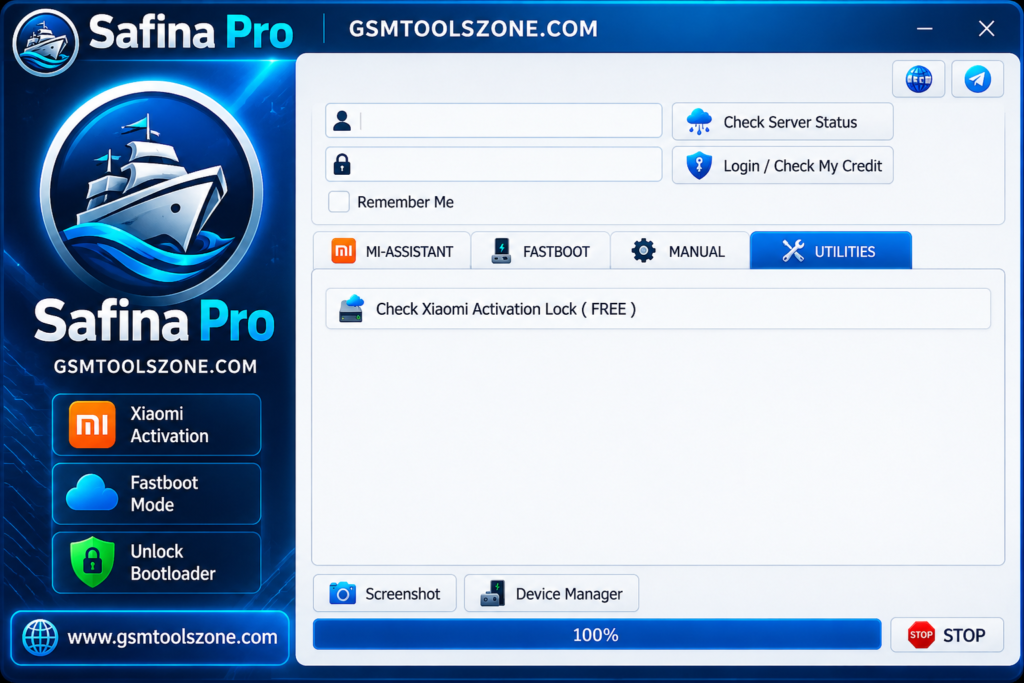
Safina Pro Tool is a useful Windows utility for mobile technicians who work with supported Xiaomi, Redmi, and POCO devices. It offers features such as reading device information, performing Mi Assistant factory resets, switching from Fastboot to EDL mode, and checking Xiaomi Activation Lock status. The tool also includes selected FRP and Qualcomm and MediaTek servicing options. This tool offers free authorized functionality. You can download this tool and repair your Android phone.
FAQs
Is Safina Pro Tool Free to Use?
Some features, such as reading device information and checking Xiaomi Activation Lock, are listed as free. Other functions may require authorization.
Can Safina Pro Tool Reset FRP?
Safina Pro Tool includes an FRP reset option for supported devices. Some FRP-related operations require authorization and compatible device support.
Is Safina Pro Tool Safe to Use?
Safety depends on the authenticity of the download and how the tool is used. Download files from trusted sources, scan them before opening, and back up important data before performing repair operations.