KS Tool V4.6 Download Latest Version Fully Activated [2026]
Android users and mobile technicians face issues like FRP locks, screen locks, boot loops, firmware errors, and MDM restrictions. KS Tool V4.6 helps users solve these problems very easily. KS Tool V4.6 provides an easy way to access multiple Android features in one place. KS Tool supports Qualcomm and MediaTek devices, including Samsung, Xiaomi, Redmi, and Huawei, and can help with tasks such as FRP removal, screen lock operations, firmware flashing, IMEI repair, MDM removal, and factory reset.
Also Use: Cheetah Tool Pro v2026.07.22 Download Latest Version for Android
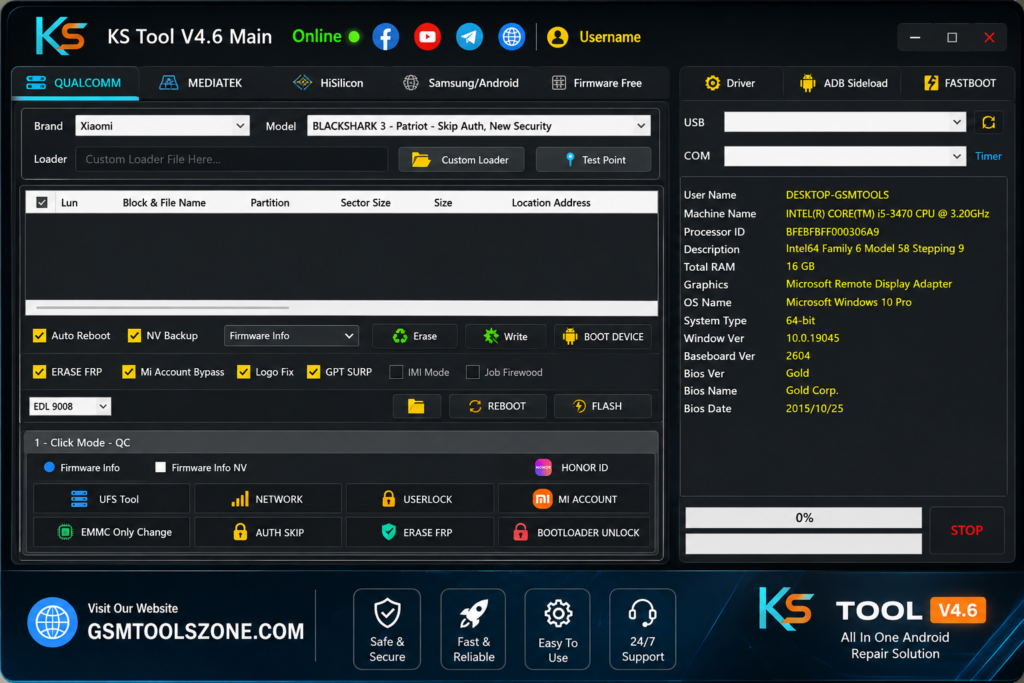
What is KS Tool V4.6?
KS Tool V4.6 is a Windows-based Android repair and servicing tool used for common smartphone software tasks. It connects devices through USB drivers, ADB, Fastboot, and Download Mode. The tool supports Qualcomm and MediaTek devices and provides features such as FRP removal, firmware flashing, screen lock removal, MDM removal, and IMEI repair. Its simple interface makes it useful for both mobile technicians and Android users.
Features
Firmware Flashing
KS Tool V4.6 can install or reinstall Android firmware to help repair software problems, stuck devices, and boot issues.
FRP Lock Removal
The tool provides Factory Reset Protection (FRP) servicing for supported Android devices, helping technicians handle Google account verification issues after a factory reset.
Screen Lock Removal
It supports servicing for common PIN, password, and pattern locks on compatible Android smartphones.
Bootloop Repair
KS Tool can help troubleshoot bootloop and stuck-logo problems caused by software errors or corrupted system files.
Factory Reset & Data Wipe
Users can perform factory reset and data wipe operations when troubleshooting or preparing a device for a fresh setup.
ADB & Fastboot Support
The software works with common Android connection modes such as ADB (Android Debug Bridge), Fastboot, and Download Mode through the required USB drivers.
Qualcomm & MediaTek Support
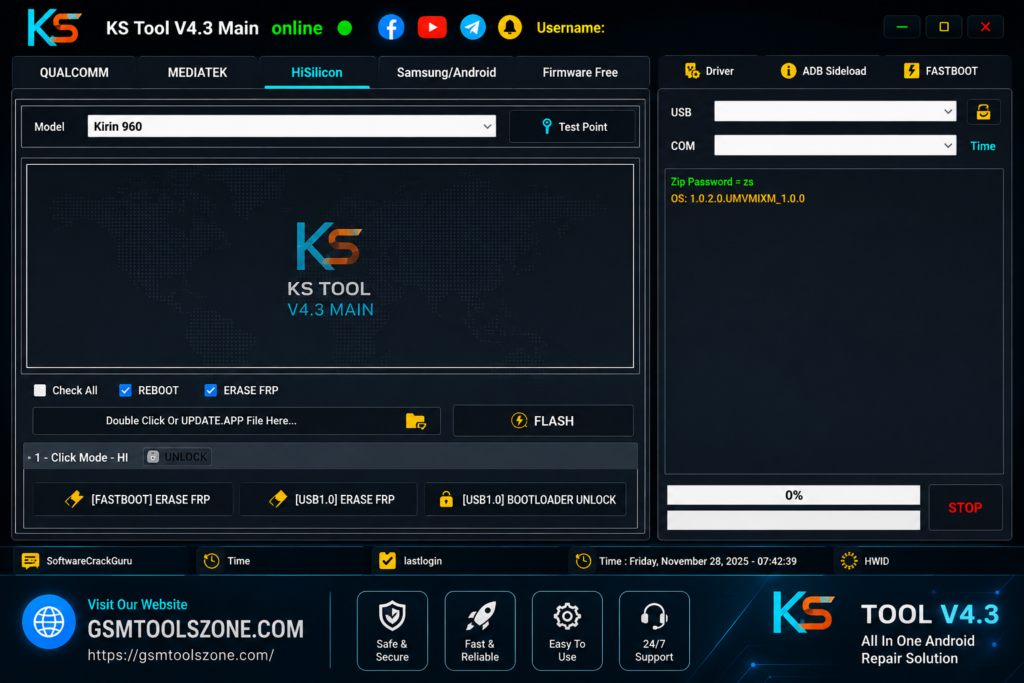
KS Tool V4.6 is designed to work with devices using popular Qualcomm and MediaTek chipsets, making it useful for different Android servicing tasks.
Multi-Brand Compatibility
The tool supports Android devices from brands such as Samsung, Xiaomi, Redmi, Huawei, Nokia, Motorola, and other supported manufacturers.
Simple User Interface
Its straightforward dashboard makes it easier to find repair and servicing options. Both beginners and professional mobile technicians can navigate the available functions.
Improved Performance
The latest version focuses on better device detection, compatibility, stability, and overall servicing performance, helping users complete supported operations more smoothly.
System Requirements
| Requirement | Details |
| Operating System | Windows 7, 8, 10, or 11 |
| Processor | Intel or AMD Dual-Core processor or higher |
| RAM | 4 GB minimum, 8 GB recommended |
| Storage | At least 500 MB of free space |
| USB Port | Working USB 2.0 or USB 3.0 port |
How to download the KS Tool?
- Download the KS Tool ZIP file from the official website.
- Extract the downloaded file.
- Open the extracted folder and run the setup.
- After installation, open KS Tool.
- Connect your Android phone with a USB cable.
- You are now ready to use the tool.
Setup File Download Information
- File Version: V4.6
- File Size: 844.3 MB
- Download Link👇
Conclusion
KS Tool V4.6 can be a practical choice for Android servicing when you need a simple Windows solution for mobile repair work. It has a simple interface and beginner-friendly. Its straightforward workflow makes everyday troubleshooting easier and helps technicians manage different devices from one place. KS Tool supports Android platforms and chipsets; it can be useful for users and mobile technicians.
FAQ’s
Is KS Tool V4.6 free to use?
KS Tool V4.6 may be available through different sources. Check the release information and usage terms before installing or using the software..
Is KS Tool V4.6 safe for Android devices?
The tool should be used carefully with supported devices and the correct files. Always verify the device model and create a backup when possible before performing repair operations.
Can KS Tool V4.6 damage a phone?
Incorrect firmware, unsupported operations, or an interrupted repair process can cause software problems. Always use compatible files and avoid disconnecting the device during an active operation.
Can beginners use KS Tool V4.6?
Yes. The interface is designed to keep common servicing options easy to access, although advanced Android repair operations should be performed carefully.