Auth Flash Tool V1.2 Download Activated Setup [Tested Version 2026]
Sometimes an Android phone stops working and gets stuck on the lock screen due to an FRP lock, flashing errors, boot problems, or software issues. Auth Flash Tool is the Perfect solution; it helps fix problems easily. Auth Flash Tool performs Qualcomm EDL Flash, MediaTek Flash, Fastboot to EDL, BROM Mode, and FRP Reset on supported devices from a Windows PC. Auth Flash. The latest version of MediaTek service is free; you do not need to buy credit to repair an Android phone.
Also Use: Hydra Tool v2026.3.21.0 Download Full Activated Version [Latest]
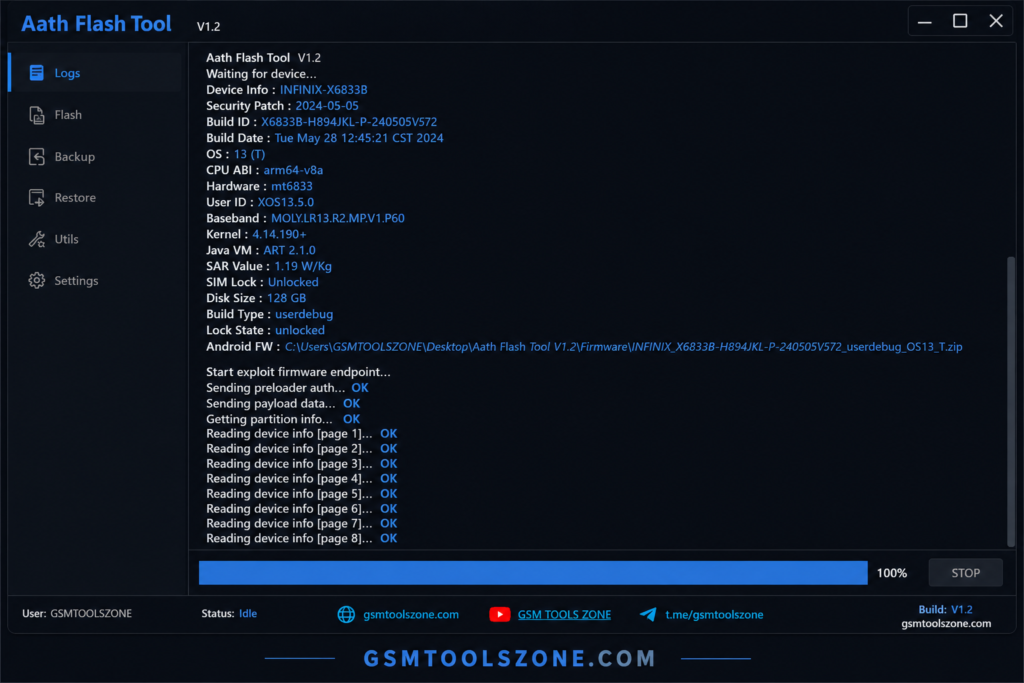
What is Auth Flash Tool?
Auth Flash Tool 1.2 is a Windows-based Android repair software that helps users fix software problems. It is designed for Xiaomi devices and supports Qualcomm and MediaTek (MTK) chipsets. Auth Flash Tool has a simple interface and powerful features. Auth Flash Tool is a useful solution for users and mobile technicians.
Features
Firmware Installation:
Install or reinstall stock firmware to repair software problems, fix boot issues, and keep your Android device running smoothly.
FRP Lock Removal:
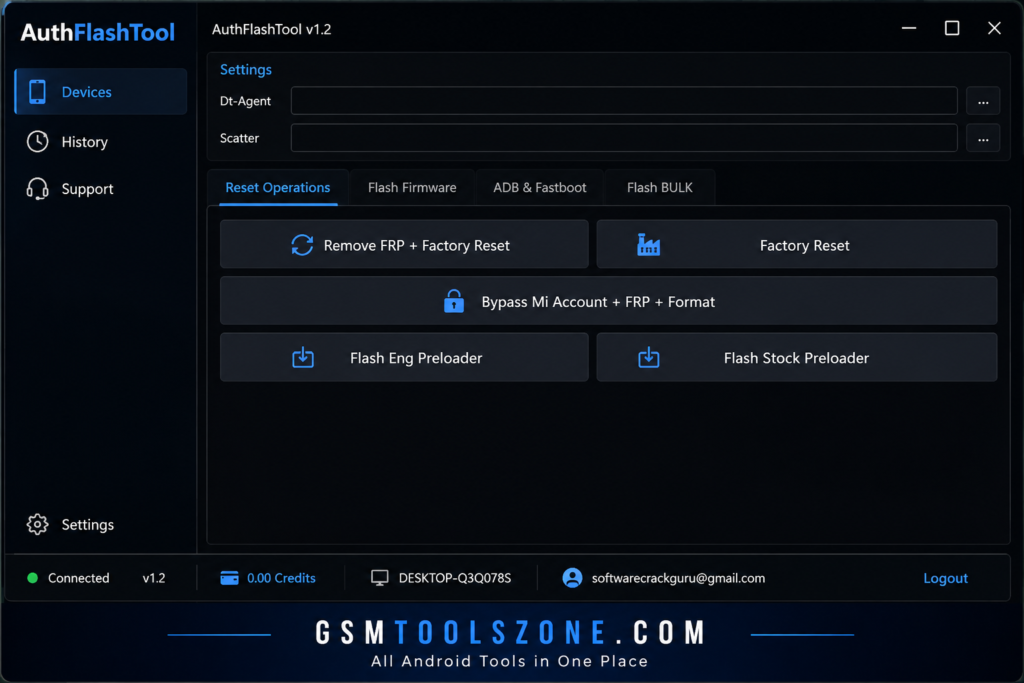
Remove the Factory Reset Protection (FRP) lock on supported Android devices to allow access after a factory reset.
EFS Protection:
Create an EFS backup before repairing your phone and restore it later if important network data is lost.
Safe Flashing:
Flash supported devices while protecting important partitions, reducing the risk of data-related issues during the process.
Device Reset:
Perform a factory reset to remove user data and solve common software or performance problems.
Device Information:
View important details such as the device model, chipset, Android version, and software status before starting any operation.
Boot Mode Tools:
Quickly reboot your phone into Fastboot, Recovery, or other supported service modes for repair tasks.
EDL & BROM Support:
Access Qualcomm EDL Mode and MediaTek BROM Mode for advanced flashing and software recovery on supported devices.
Xiaomi Auth Services:
Use Auth Server functions for supported Xiaomi devices, including flashing and repair operations.
Free MediaTek Support:
The latest version provides MediaTek V6 services without requiring credits, making repairs for supported devices easier and more affordable.
What’s New?
- Added free MediaTek V6 services with no credits required.
- Expanded support for more Xiaomi MediaTek (MTK) V6 devices.
- Improved FRP Unlock through BROM Mode on supported phones.
- Better Qualcomm EDL Flash performance and stability.
- Faster Firmware Flashing for supported Android devices.
- Improved Auth Server connection for smoother operations.
- Enhanced compatibility with the latest Xiaomi smartphones.
- Fixed minor bugs to provide a more stable user experience.
- Improved overall flashing and repair performance.
- Updated support for new Android device models.
System Requirements
Before installing Auth Flash Tool Plese make sure you meet these requirements:
| Requirement | Minimum Specification |
| Operating System | Windows 7, Windows 8, Windows 10, or Windows 11 (64-bit recommended) |
| Processor | Intel or AMD Dual-Core processor or higher |
| RAM | 4 GB minimum (8 GB recommended) |
| Storage | At least 500 MB of free disk space |
| USB Port | USB 2.0 or USB 3.0 |
How To Download Auth Flash Tool V1.2?
- Download the Auth Flash Tool setup file from the link below OR the official website.
- Extract the downloaded file
- Open the extracted folder and run the setup
- After installation, open the Auth Flash Tool
- Connect your Android phone with a USB cable
- You are now ready to use the tool
Auth Flash Tool Download Information
| Details | Information |
| Version | V1.2 |
| File Size | 35.37 KB |
| File Password | None |
| Download Link | 👇 |
Summary
Auth Flash Tool is a window base android reaping software to fix problems on supported devices. Auth Flash Tool supports Xiaomi, Qualcomm, and MediaTek (MTK) smartphones. Auth Flash Tool includes helpful features: Firmware Flashing, FRP Reset, Factory Reset, EFS Backup & Restore, Fastboot to EDL, and BROM Mode support. Its Simple interface practical solution for users and mobile technicians.
FAQ’s
Can beginners use Auth Flash Tool?
Yes. The tool has a simple interface that makes it easy for both beginners and experienced mobile technicians to use.
Will the tool support Xiaomi phones?
Yes, the tool is mainly designed for Xiaomi smartphones and supports many Xiaomi servicing operations.
Which chipsets are supported by Auth Flash Tool?
The tool supports smartphones powered by Qualcomm and MediaTek (MTK) chipsets. Device compatibility may vary by model.
Can I use Auth Flash Tool on macOS or Linux?
No. Auth Flash Tool is designed for Windows computers and does not officially support macOS or Linux.