KG Killer Tool v3.8.0 Download for Samsung KG Lock, MDM & FRP [2027]
Having problems with Mobile Device Management (MDM) restrictions, Samsung Knox security, or KG lock on Android devices? KG Killer Tool v3.8.0 is a Windows-based mobile servicing tool that helps mobile technicians manage supported MDM and KG-related restrictions. KG Killer Tool v3.8.0 provides useful functions such as MDM removal, ADB enablement, factory reset options, FRP erase and management, and Samsung Knox management support. It also offers support for selected Android 13 and Android 14 devices, including KG-related tasks. Additional support for Axio Lock and selected MediaTek (MTK) and Qualcomm-based devices.
Also Use: Nusantara Unlock Tool Free Download for FRP & Fastboot Latest [2027]
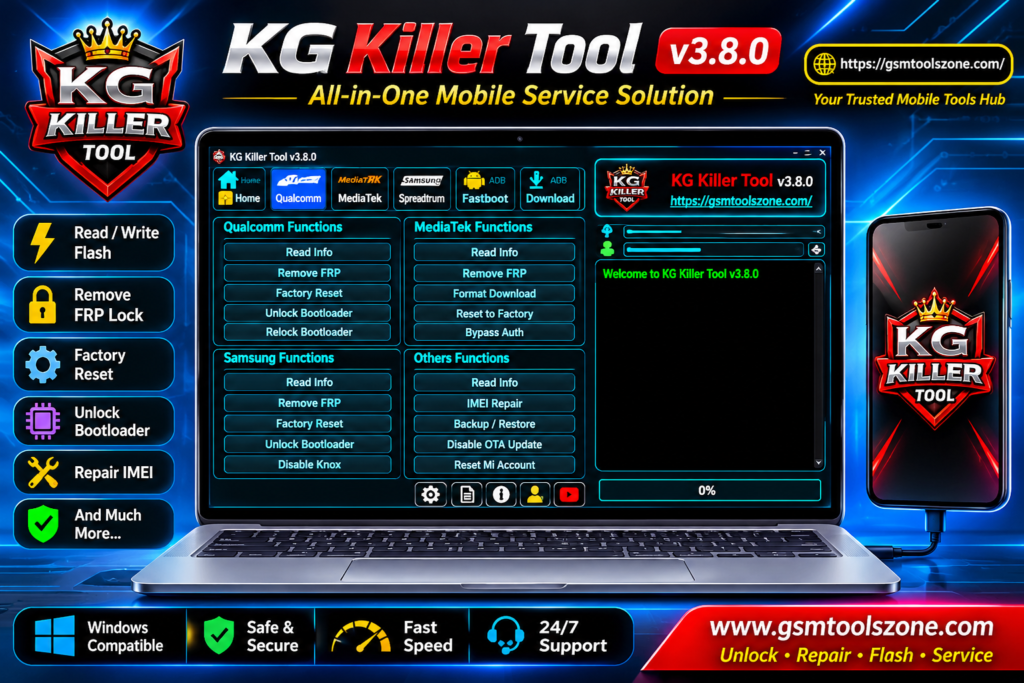
What is KG Killer Tool v3.8.0?
KG Killer Tool v3.8.0 is a Windows-based mobile servicing tool for mobile repair technicians who handle KG Lock, MDM restrictions, and Android security issues. It helps technicians perform different device management and unlocking operations through ADB and supported EDL modes. KG Killer Tool mainly focuses on Samsung Knox Guard (KG) management, MDM removal, FRP-related tasks, and IT Admin restrictions on selected Android devices. It also includes features such as ADB enablement, device information reading, factory reset control, and bootloader management.
Features
KG Lock Management:
Provides different KG-related methods for supported Samsung devices, including Android 13 and Android 14.
ADB Functions:
Supports ADB operations such as device information reading, KG status checking, and ADB enablement.
EDL Mode Support:
Includes EDL-based functions for supported devices, giving technicians additional servicing options.
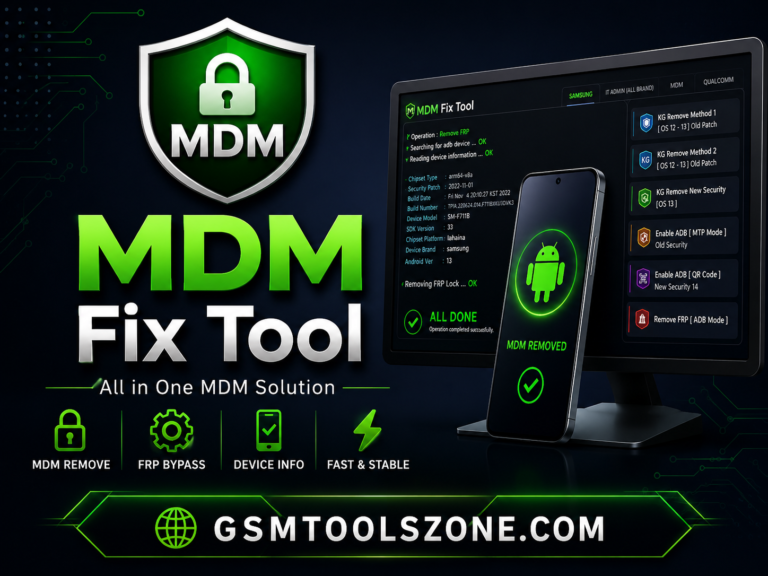
MDM Removal Support:
Offers MDM-related functions for selected Samsung, Redmi, Vivo, and Tecno devices.
Samsung Knox Management:
Includes Samsung Knox management and disable options for supported devices.
FRP Functions:
Provides FRP-related operations through supported ADB and EDL functions.
IT Admin Management:
Includes IT Admin-related functions for selected Android devices and brands.
Factory Reset Options:
Offers factory reset and factory reset restriction management features.
Bootloader Management:
Includes options to unlock or relock the bootloader on supported devices.
Samsung Account Management:
Provides Samsung account removal options through ADB.
OTA Management:
Includes options to enable or disable OTA updates on supported Samsung devices.
QR Code Support:
Provides QR code methods for ADB enablement and HyperOS-related operations.
Pixel SIM Unlock:
Includes a SIM unlock feature for supported Google Pixel devices.
Additional Repair Utilities:
Offers features such as MTP information reading, developer option management, and service provider update fixes.
Pros and Cons
Pros
- Supports multiple KG Lock management functions.
- Offers ADB and EDL mode support.
- Includes MDM and FRP-related operations.
- Provides Samsung Knox management features.
- Supports selected Android 13, 14, and 15 devices.
- Includes useful options for mobile repair technicians.
- Supports selected MediaTek and Qualcomm devices.
Cons
- Some features require paid activation.
- Not all functions work on every Android device.
- New security patches may affect compatibility.
- Requires proper USB drivers and device connection.
- Beginners may find some operations difficult.
- Some functions require technical knowledge of ADB or EDL mode.
System Requirements
| Requirement | Details |
| Operating System | Windows 7, 8, 10, or 11 |
| RAM | 4 GB |
| Processor | Intel or AMD |
| Storage | 1 GB Free Space |
| USB Drivers | Compatible Android USB Drivers |
| USB Connection | Required |
How to download KG Killer Tool v3.8.0?
- Visit the official website to find the available KG Killer Tool v3.8.0 download version.
- Click the download button to get the KG Killer Tool v3.8.0 setup file.
- Wait for the download to finish.
- Extract the ZIP or RAR file using WinRAR or 7-Zip.
- Open the extracted folder and locate the setup file.
- Run the setup file and follow the installation instructions.
- Install the required USB drivers on your computer.
- Open KG Killer Tool v3.8.0 and complete the activation process if required.
Setup Download Information
- File Version: v3.8.0
- File Size: 53.04 MB
- File Password: gsmtoolszone.com
- Download Link👇

Conclusion
KG Killer Tool v3.8.0 is a useful mobile servicing solution for technicians who work with Samsung KG Lock, MDM restrictions, FRP, and other Android security-related issues. It offers several functions, including ADB and EDL support, Samsung Knox management, IT Admin operations, and device information reading. The tool also supports selected Android devices from different brands, depending on the model and security patch. Overall, KG Killer Tool is very helpful for technicians to solve Android problems. You can download this tool file install and go to perform your task in easy way.
FAQs
What is KG Killer Tool used for?
KG Killer Tool is mainly used for Samsung KG Lock management, MDM removal, IT Admin operations, FRP-related tasks, ADB functions, and other supported device servicing operations.
Does KG Killer Tool support Android 15?
Yes, KG Killer Tool includes Android 15 support for selected operations, particularly IT Admin and Axio Lock-related functions. However, compatibility depends on the device model and software version.
Does KG Killer Tool support Samsung devices?
Yes, Samsung is one of its main supported brands. The tool includes KG Lock management, Samsung MDM, Knox management, ADB operations, and other supported Samsung servicing functions.
Can KG Killer Tool remove MDM locks?
KG Killer Tool provides MDM and IT Admin management functions for selected devices. It includes support for Samsung MDM and selected Redmi, Tecno, and other Android devices. Results depend on device compatibility.
Is KG Killer Tool free to download?
Some versions may be available for free download, but certain features require paid activation or a valid license. Check the version and activation requirements before downloading.

One Comment
Comments are closed.