
SamXTool V1.0.0 Free Download for Samsung FRP Bypass 2027
When a Samsung phone gets stuck on the FRP lock after a factory reset, completing the setup process is difficult without the previously synced Google account. SamXTool V1.0.0 is a Windows-based Samsung servicing tool that helps technicians handle FRP-related issues on supported Samsung Galaxy devices. It includes features such as Direct FRP Unlock, Enable ADB for Android 16, and Wipe FRP for Android 16.
Also Use: Xsoft FRP Unlock Tool Full Activated Version 2027 Download
What is SamXTool V1.0.0?
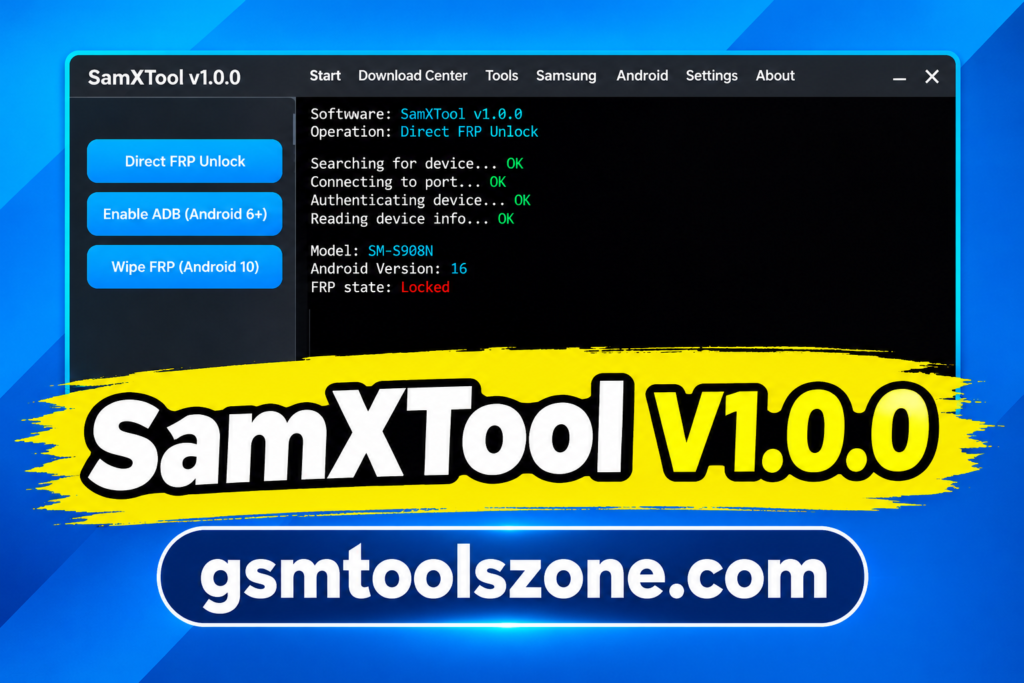
SamXTool is a Windows-based Samsung mobile servicing tool designed to help technicians work with supported Samsung Galaxy devices. SamXTool V1.0.0 provides options for handling Factory Reset Protection (FRP) and related servicing tasks. Its features include Direct FRP Unlock, Enable ADB for Android 16, and Wipe FRP for compatible devices. The tool lets you select available functions and follow the process through on-screen instructions or logs.
Features
Direct FRP Unlock
Provides an option to handle Factory Reset Protection (FRP) on supported Samsung Galaxy devices.
Enable ADB
Includes an option to enable Android Debug Bridge (ADB) on compatible Samsung devices running Android 16.
Wipe FRP
Offers an FRP-related function for supported Samsung devices. Compatibility may depend on the model and security patch level.
Samsung Device Support
Designed primarily for Samsung Galaxy smartphones, with available functions varying by device and software version.
Android 16 Support
Advertises selected servicing functions for compatible Samsung devices running Android 16.
Newer Security Patch Support
Promotes support for certain Samsung devices with recent security updates, although compatibility should be checked for the specific model.
USB Device Detection
Allows supported Samsung phones to connect to a Windows computer for servicing operations. Compatible USB drivers may be required.
Windows Compatibility
Provides a Windows-based interface for accessing available Samsung servicing functions.
On-Screen Logs
Helps users follow the servicing process and check operation messages through the software interface, where available.
Pros and Cons
Pros
- Simple interface for Samsung mobile servicing.
- Includes Direct FRP Unlock functionality.
- Offers ADB support for compatible Android 16 devices.
- Provides a Wipe FRP option for supported devices.
- Works on a Windows computer.
- Useful for mobile repair technicians.
Cons
- Supports only compatible devices and software versions.
- Some functions may not work on every security patch.
- Compatible USB drivers may be required.
- Android 16 features may be limited to specific Samsung models.
- Improper use may cause data loss or software issues.
System Requirements
| Requirement | Details |
| Operating System | Windows 7, 8, 10, or 11 |
| RAM | 4 GB |
| Processor | Intel or AMD |
| Storage | At least 1 GB of free space |
| USB Connection | USB cable for Samsung devices |
| USB Drivers | Compatible Samsung USB drivers |
How to download SamXTool V1.0.0?
- Visit a trusted source that provides the SamXTool setup file.
- Find the SamXTool download page and check the available version details.
- Click the download link to save the setup file to your Windows computer.
- After downloading, scan the file with reliable security software before opening it.
- Extract the downloaded ZIP file if required.
- Read any included instructions and install the required Samsung USB drivers.
- Connect your compatible Samsung Galaxy device using a working USB data cable when needed.
- Open SamXTool and check whether your device and required functions are supported.
Setup Download Information
- File Version: V1.0.0
- File Size: 20.31 MB
- File Password: ❌None
- Download Link👇
Conclusion
SamXTool is a professional Windows-based tool. It is specifically designed for Samsung mobile servicing and FRP-related tasks. It offers features such as Direct FRP Unlock, Enable ADB, and Wipe FRP for supported devices, including selected Android 16 models. Its simple interface helps users access the available functions more easily. It is easy to use and user-friendly. You can download this tool and solve your repair tasks.
FAQ’s
What are the main features of SamXTool?
Its advertised features include Direct FRP Unlock, Enable ADB, and Wipe FRP for supported Samsung devices.
Is SamXTool free to download?
The availability and cost of SamXTool may depend on the version and download source. Check the source’s details before downloading.
Can SamXTool remove FRP on Samsung phones?
SamXTool advertises FRP-related functions for compatible Samsung phones. Results depend on device compatibility and software security. FRP protects devices against unauthorized access after a factory reset.
Is SamXTool safe to use?
Download it only from a trustworthy source and scan the file before opening it. Incorrect servicing operations may cause data loss or software problems.




One Comment
Comments are closed.