QC Unlocker Tool v2 Setup Download 100% Working
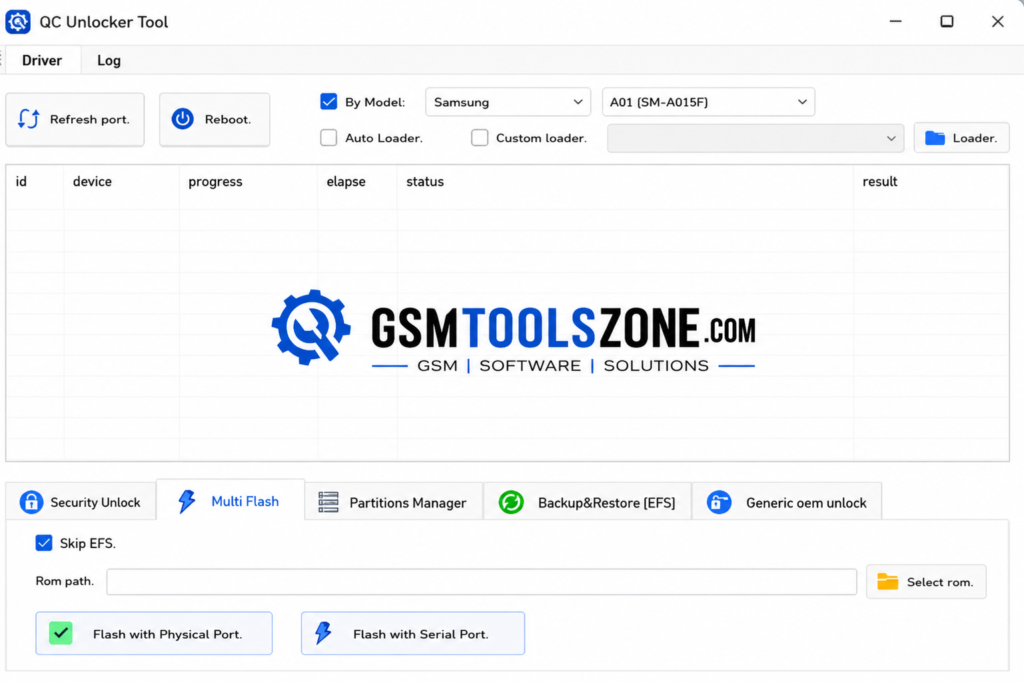
QC Unlocker Tool v2 is a free Windows-based utility for servicing Qualcomm Android devices. QC Unlocker Tool v2 provides useful functions such as firmware flashing, FRP servicing, screen lock operations, custom loader support, partition management, and EFS backup/restore. QC Unlocker Tool supports different Android brands, including Xiaomi, Samsung, Huawei, OnePlus, OPPO, Realme, and Vivo; it is a practical option for mobile technicians.
Also Use: SSM Tool v1.0.0.3 Full Activated Version [Latest 2026]
What is QC Unlocker Tool v2?
QC Unlocker Tool v2 is a Windows-based mobile servicing application for supported Qualcomm Android smartphones. It is especially designed to help technicians manage software repair and maintenance tasks through a single interface, with support for Android brands such as Xiaomi, Samsung, Vivo, OPPO, Realme, OnePlus, and Huawei.
Features
Security Unlock:
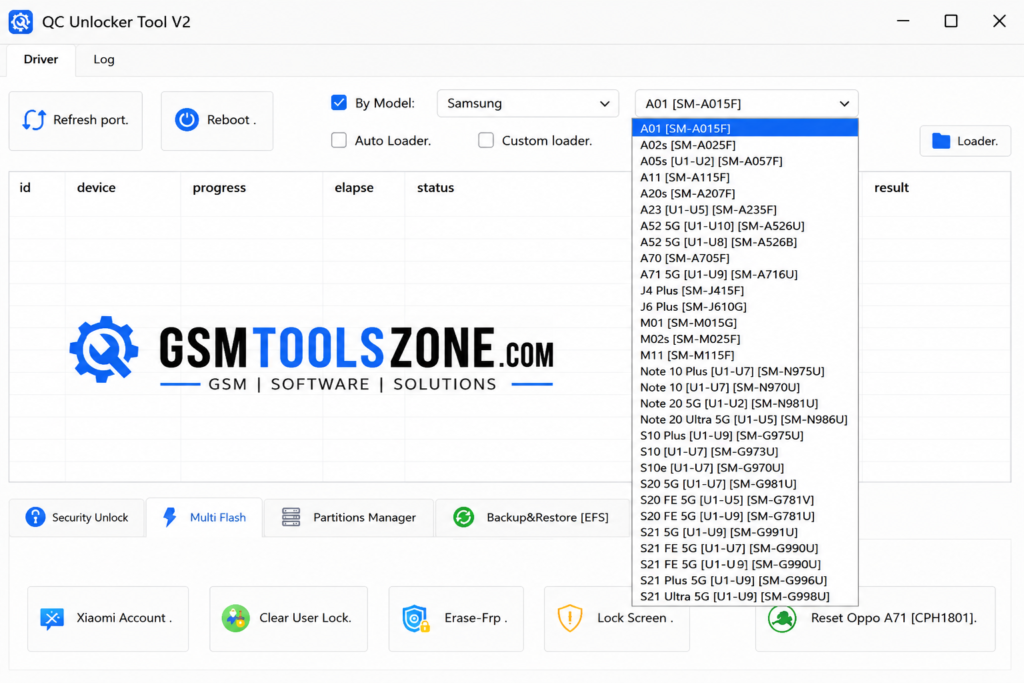
Provides security-related options for supported Xiaomi devices. Technicians can manage supported accounts and user locks through the available functions.
Firmware Flashing:
Allows technicians to flash firmware on compatible Qualcomm devices. It supports different connection methods for supported phones.
FRP Erase:
Includes an FRP erase option for supported Qualcomm smartphones. This can be useful during authorized device servicing.
Xiaomi Mi Cloud:
Supports Mi Cloud servicing on selected Qualcomm-based Xiaomi phones. Compatibility depends on the device model and software version.
OPPO A3s Support:
Offers supported unlock, reset, and FRP-related functions for compatible OPPO A3s variants.
OPPO A71 Reset:
Provides a reset option for supported OPPO A71 devices, making basic software servicing easier.
Partition Manager:
Includes a Partition Manager for supported devices. It provides access to basic partition-related servicing functions from one interface.
EFS Backup & Restore:
Allows users to create an EFS backup before performing supported operations. The restore function can be used when you need a previous backup.
Bootloader Unlock & Relock:
Provides OEM bootloader options for compatible devices. Supported phones can be unlocked or relocked when required.
Pros and Cons
Pros
- Free to use
- Supports Qualcomm devices
- Simple and easy interface
- Includes firmware flashing
- Supports FRP-related servicing
- EFS backup and restore available
- Supports multiple smartphone brands
- Includes partition management options
- Bootloader unlock and relock options
Cons
- Works mainly with supported Qualcomm devices
- Some functions may support only specific models
- Device compatibility can vary by software version
- Requires proper Qualcomm USB drivers
- Some advanced operations need technical knowledge
System Requirements
| Requirements | Details |
|---|---|
| Operating System | Windows 7, 8, 10, or 11 |
| Processor | Intel or AMD Dual-Core processor or better |
| RAM | 4 GB or more |
| Storage | At least 500 MB free space |
| USB Port | Working USB 2.0/3.0 port |
How to download QC Unlocker Tool v2?
- Download the QC Unlocker Tool v2 ZIP file from the official website.
- Extract the downloaded file.
- Open the extracted folder and run the setup.
- After installation, open QC Unlocker Tool v2.
- Connect your Android phone with a USB cable.
- You are now ready to use the tool.
Setup Download Information
- File Version: V2
- File Size: 372.57 MB
- Download Link👇
Conclusion
QC Unlocker Tool v2 can be a helpful addition to a technician’s Qualcomm mobile repair tool. Its simple workflow makes it easier to handle supported devices during regular software servicing and maintenance. If you work with compatible Android smartphones, QC Unlocker Tool saves time by keeping important servicing options available in one place. Always check device compatibility before starting any task for better results.
FAQs
Is QC Unlocker Tool v2 free?
Yes, QC Unlocker Tool v2 is available as a free mobile servicing tool.
Which devices does QC Unlocker Tool v2 support?
It mainly works with supported Qualcomm-powered Android devices. Compatibility can vary by model and software version.
Does QC Unlocker Tool v2 require drivers?
Yes, the required Qualcomm USB drivers should be installed so the computer can properly detect the connected device.
Is QC Unlocker Tool v2 safe to use?
It can be used safely when the correct device and supported function are selected. Always use the tool only on devices you are authorized to service.