Android Win Tool v1.3.2 Setup Download 100% Working
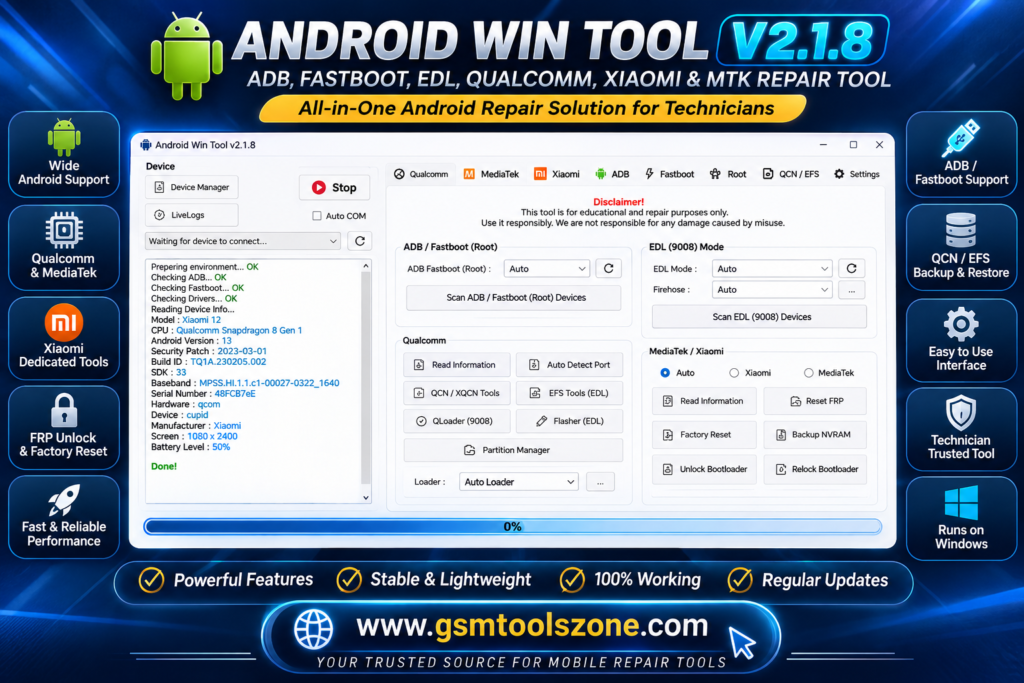
Users face a problem when a device gets stuck on the logo; it is difficult to handle at that time. Android Win Tool v1.3.2 is the best solution for these problems. It supports Qualcomm Android devices. It supports ADB and Fastboot, EDL flashing, QLoader, QCN backup and restore, EFS operations, partition management, and other device repair functions.
Also Use: GS Tool v2023.02.03 Full Activated Version 2026
What is Android Win Tool v1.3.2?
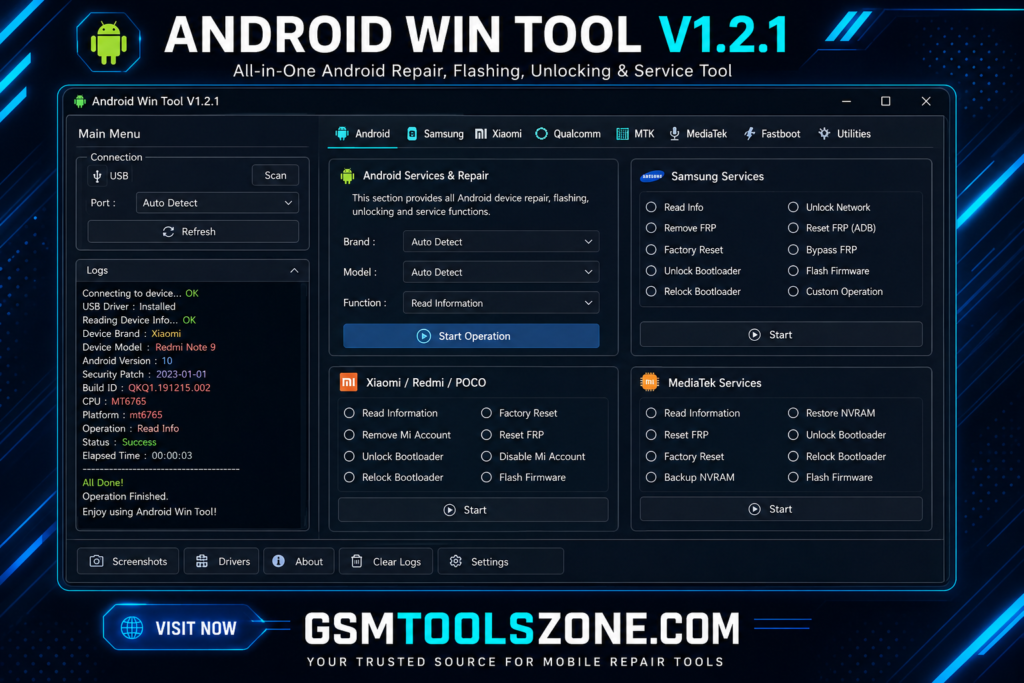
Android Win Tool v1.3.2 is professional Windows-based servicing software. It supports Qualcomm devices. This tool combines different repair tasks and servicing functions in one place. Android Win Tool v1.3.2 supports ADB and Fastboot commands, EDL flashing, QLoader, QCN backup and restore, EFS functions, partition management, firmware servicing, and device repair. It has a user-friendly interface whether you are benner and an expert is easy to use.
Features
Qualcomm Repair:
Check device information and use supported repair and diagnostic options for Qualcomm Android devices.
ADB & Fastboot Tools:
Use ADB and Fastboot commands to check device information, install APK files, reboot devices, and perform other supported tasks.
QCN / XQCN Backup & Restore:
Backup and restore QCN/XQCN files on supported devices. This can be useful for managing network-related device data.
EFS & Root Functions:
Backup, restore, or reset EFS on supported phones. The tool also provides options for DIAG mode and root management.
EDL Flasher:
Flash supported firmware through EDL mode. It also provides options for flash settings, user data, and Xiaomi authentication.
QLoader Services:
For supported Qualcomm devices in EDL mode, you can read device information, back up EFS, perform a factory reset, and use other service options.
Partition Manager:
View device partitions and use supported options to dump, write, or erase partition data.
Xiaomi Support:
Provides different servicing options for Xiaomi Qualcomm devices, including ADB, Fastboot, QCN/XQCN, EFS, EDL, and firmware tools.
Xiaomi Fastboot Flasher:
Flash supported Xiaomi firmware through Fastboot mode with options for verification and user-data handling.
Xiaomi Auto Root:
Check supported Xiaomi devices and use available root or unroot options.
Make Root:
Create or restore patched images using Magisk, with options related to AVB, DM-Verity, and VBMeta.
Android & Fastboot Flash:
Access common ADB and Fastboot commands such as reboot, sideload, APK installation, and other supported servicing functions.
ADB Partition Manager:
View Android partitions and perform supported dump, write, and erase operations through ADB.
Fastboot Partition Flasher:
Write or erase supported device partitions using Fastboot mode.
Apple MDM:
The tool also includes an Apple MDM section for accessing available device-management options.
Pros and Cons
Pros
- Supports Qualcomm Android devices.
- Includes ADB and Fastboot tools in one place.
- Supports QCN/XQCN backup and restore.
- Provides EFS backup, restore, and reset options.
- Includes EDL Flasher and QLoader services.
- Offers partition management features.
- Provides several Xiaomi servicing options.
- Includes Magisk-based root and patched image functions.
- Combines many Android servicing tools into one Windows application.
- Simple interface for common mobile servicing tasks.
Cons
- Mainly focused on Qualcomm devices and supported models.
- Some functions may work only with specific device models.
- Certain operations require the correct USB drivers.
- EDL and advanced repair functions may require technical knowledge.
- Some features may not work on newer Android versions or security patches.
- Incorrect flashing or partition operations can cause software problems.
System Requirements
| Requirement | Details |
|---|---|
| Operating System | Windows 7, Windows 8, Windows 10, or Windows 11 |
| Processor | Intel or AMD Dual-Core or higher |
| RAM | 4 GB minimum, 8 GB recommended |
| Storage | At least 500 MB of free space |
| USB Port | Working USB 2.0 or USB 3.0 port |
How to download Android Win Tool v1.3.2?
- Download the Android Win Tool v1.3.2 ZIP file from the official website.
- Extract the downloaded file.
- Open the extracted folder and run the setup.
- After installation, open Android Win Tool v1.3.2.
- Connect your Android phone with a USB cable.
- You are now ready to use the tool.
Setup Download Information
- File Version: v1.3.2
- File Size: 318.59 MB
- Download Link👇
Conclusion
Android Win Tool v1.3.2 is a good choice for mobile technicians who need a Windows-based solution for Qualcomm Android servicing. Its support for different device modes and repair environments makes it suitable for handling a wide range of software maintenance tasks. Android Win Tool v1.3.2 can be especially helpful when working with Xiaomi and other supported Qualcomm smartphones. It is useful for users and mobile technicians for mobile repair and software issues.
FAQs
Which devices does Android Win Tool support?
It mainly supports Qualcomm-based Android devices, with additional options for supported Xiaomi models.
Does Android Win Tool support ADB and Fastboot?
Yes, the tool provides ADB and Fastboot functions for supported Android devices.
Does it support QCN backup and restore?
Yes, Android Win Tool provides QCN/XQCN backup and restore options on supported Qualcomm devices.
Do I need USB drivers?
Yes. The correct ADB, Fastboot, and Qualcomm USB drivers may be required for proper device detection and servicing.
Is Android Win Tool safe to use?
The tool should be used carefully. Always verify the device model, firmware, drivers, and selected operation before starting advanced repair tasks.