
SSM Tool v1.0.0.3 Full Activated Version [Latest 2026]
Checking Android phones for problems can take time when you need different tools for different tests. SSM Tool v1.0.0.3 provides a simple Windows-based solution for Android device diagnostics, hardware testing, troubleshooting, and mobile servicing. It helps technicians check supported devices, identify common problems, and complete diagnostic tasks faster and more efficiently.
Also Use: Mr Auth Tool Full Activated Setup Download [2026]
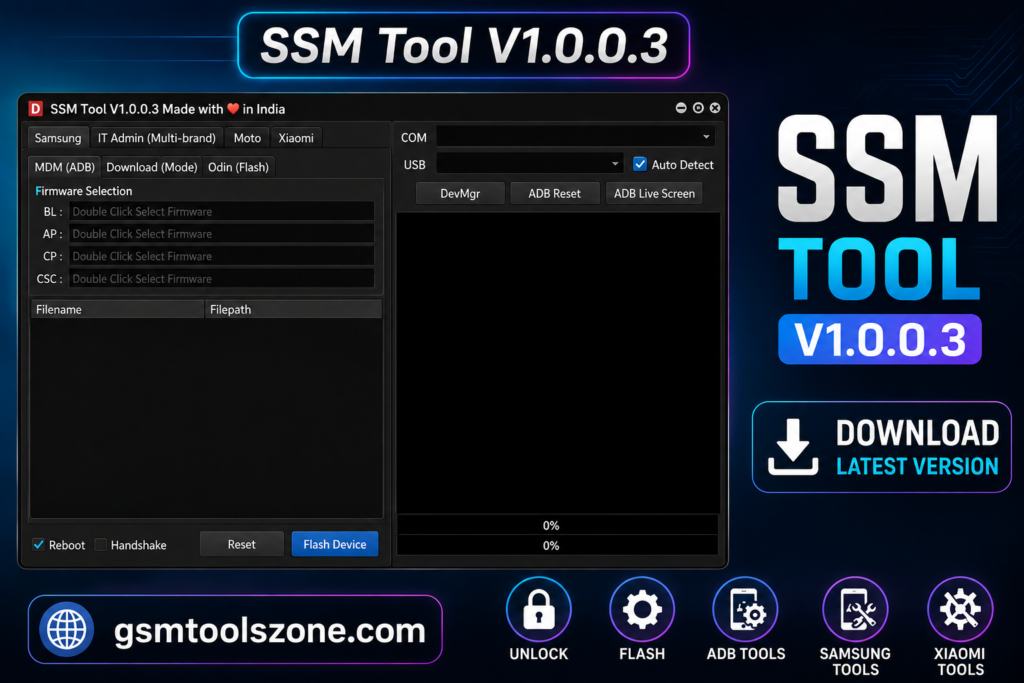
What is the SSM Tool v1.0.0.3?
SSM Tool v1.0.0.3 is a Windows-based Android servicing tool for users and mobile technicians. SSM Tool v1.0.0.3 also supports ADB, Fastboot, and MTP modes and provides features for device diagnostics, firmware flashing, device information, KG status, and MDM-related tasks. It supports popular Android brands like Samsung, Xiaomi, and Redmi and has a simple interface.
Features
FRP Removal:
Helps remove FRP (Factory Reset Protection) on supported Android devices when Google verification appears after a reset.
KG Status Check:
Check the Knox Guard (KG) status of supported Samsung devices to see their current security status.
KG Lock Removal:
Helps remove KG Lock on supported Samsung devices using available servicing methods.
MDM Bypass:
Helps bypass MDM (Mobile Device Management) restrictions on supported Android devices.
IT Admin Removal:
Helps remove IT Admin and Work Profile restrictions from compatible devices during servicing.
Firmware Flashing:
Flash supported Android firmware to fix software problems, boot issues, or restore the device.
Odin Flash Support:
Supports Odin firmware files, including BL, AP, CP, CSC, and DATA files for compatible Samsung devices.
NAND Erase:
Allows technicians to erase supported NAND storage partitions when preparing a device for firmware servicing.
Device Information:
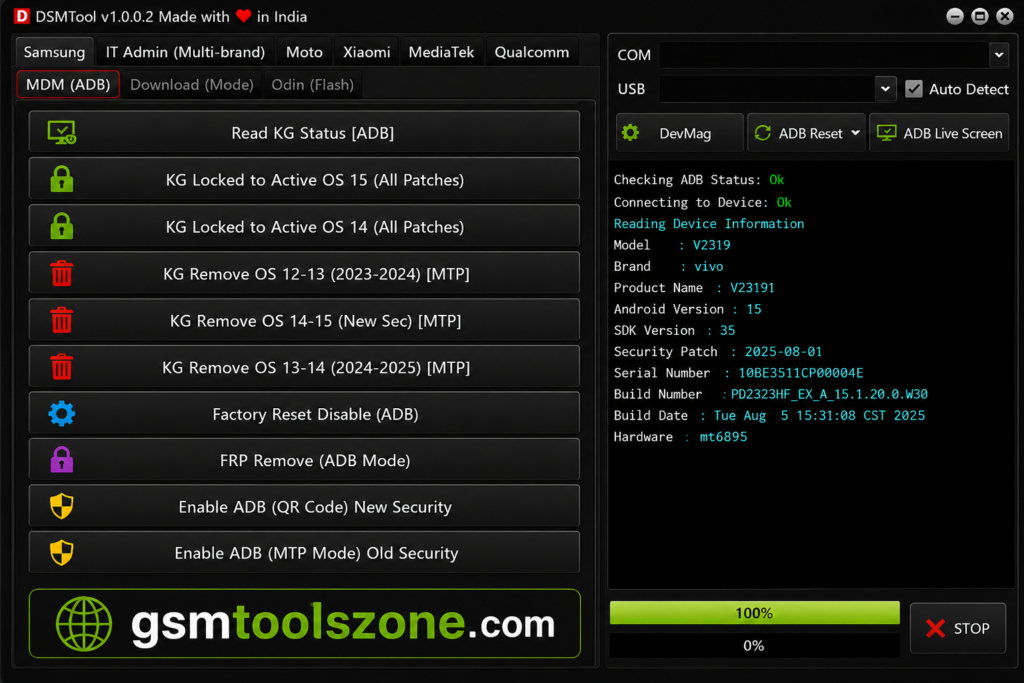
Reads useful details such as model number, firmware version, Android version, and security patch level.
ADB Support:
Uses ADB (Android Debug Bridge) to communicate with supported Android devices and perform service operations.
MTP Support:
Supports MTP (Media Transfer Protocol) mode for compatible Android servicing and device management tasks.
Enable ADB:
Helps enable ADB access on supported devices so technicians can perform advanced service functions.
Reboot Options:
Allows users to reboot supported Android devices into different modes needed for servicing and troubleshooting.
HyperOS Support:
Supports selected Xiaomi and HyperOS devices for compatible security and device management operations.
Diagnostic Functions:
Includes basic Android device diagnostics and information tools to help technicians check the device before starting repair work.
Pros and Cons
Pros
- Easy and simple interface
- Supports ADB, Fastboot, and MTP modes
- Useful Android diagnostic features
- Supports firmware flashing
- Works with Samsung, Xiaomi, and Redmi devices
- Provides useful device information
- Helps with common Android servicing tasks
Cons
- Works only with supported devices
- Some features may require specific device modes
- Not every Android model is supported
- Windows PC is required
System Requirements
| Requirements | Details |
|---|---|
| Operating System | Windows 7, 8, 10, or 11 |
| Processor | Intel or AMD Dual-Core processor or better |
| RAM | 4 GB or more |
| Storage | At least 500 MB free space |
| USB Port | Working USB port for device connection |
How to download SSM Tool v1.0.0.3?
- Download the SM Tool 1.0.0.3 ZIP file from the official website.
- Extract the downloaded file.
- Open the extracted folder and run the setup.
- After installation, open SM Tool 1.0.0.3.
- Connect your Android phone with a USB cable.
- You are now ready to use the tool.
Setup Download Information
- File Version: 1.0.0.3
- File Size: 22.8 MB
- Download Link👇
Conclusion
Choosing the right Android repair software can save time during troubleshooting. SSM Tool v1.0.0.3 can be a useful option for technicians who want a practical solution for everyday smartphone repair and device maintenance. Before using the tool, always check device compatibility and use the correct method for the connected phone. SSM Tool v1.0.0.3 is a usser friendly makes the overall repair process faster and smoother.
FAQs
Is SSM Tool easy to use?
Yes, SSM Tool has a simple interface that is easy to understand for mobile technicians.
Which devices does SSM Tool support?
SSM Tool supports selected Android devices from brands such as Samsung, Xiaomi, and Redmi.
Do I need USB drivers for SSM Tool?
Yes, the required Android USB drivers should be installed so the computer can properly detect the connected device.
One Comment