
Adanichell Tool v3.4 Download Setup 100% Working [Tested]
Are you facing problems like FRP Lock, bootloader restrictions, firmware errors, MTK connection issues, account locks, or a phone that won’t boot properly? Adanichell Tool v3.4 is the best solution for these problems for supported devices: MediaTek (MTK), Qualcomm, Exynos, Spreadtrum (SPD), and Huawei Kirin. Adanichell Tool v3.4 users and technicians have full access to useful functions for FRP and account servicing, firmware flashing, safe format, bootloader operations, partition management, MTP functions, and EDL-related tasks, depending on the supported device. Adanichell Tool V3.4 supports popular Android brands, including Samsung, Xiaomi, Huawei, Lenovo, Infinix, Vivo, Realme, Wiko, Oppo, Meizu, and Asus.
Also Use: TMT Pro Tool v3.0.0.7 Pre-Activated Version for Windows
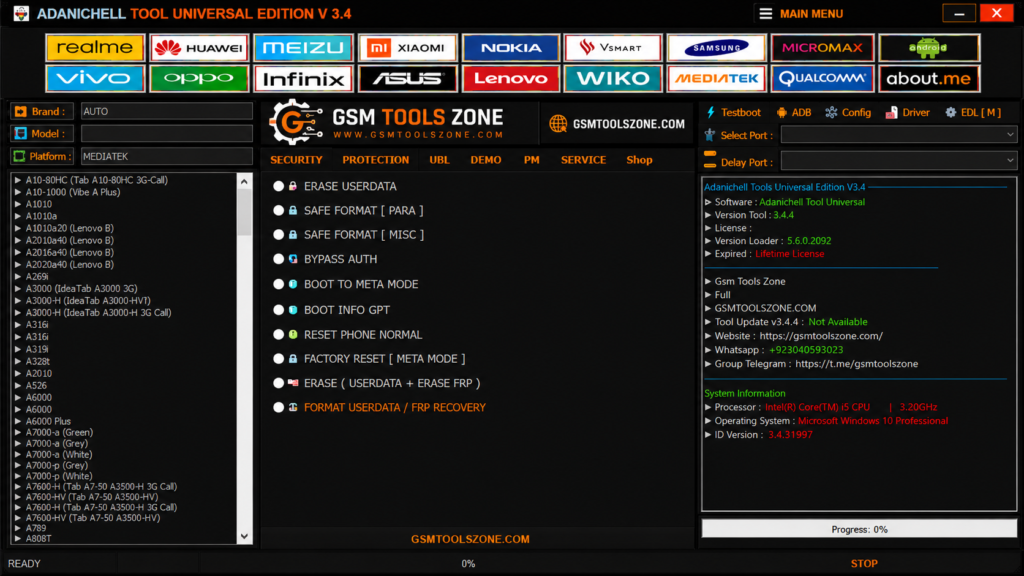
What is Adanichell Tool v3.4?
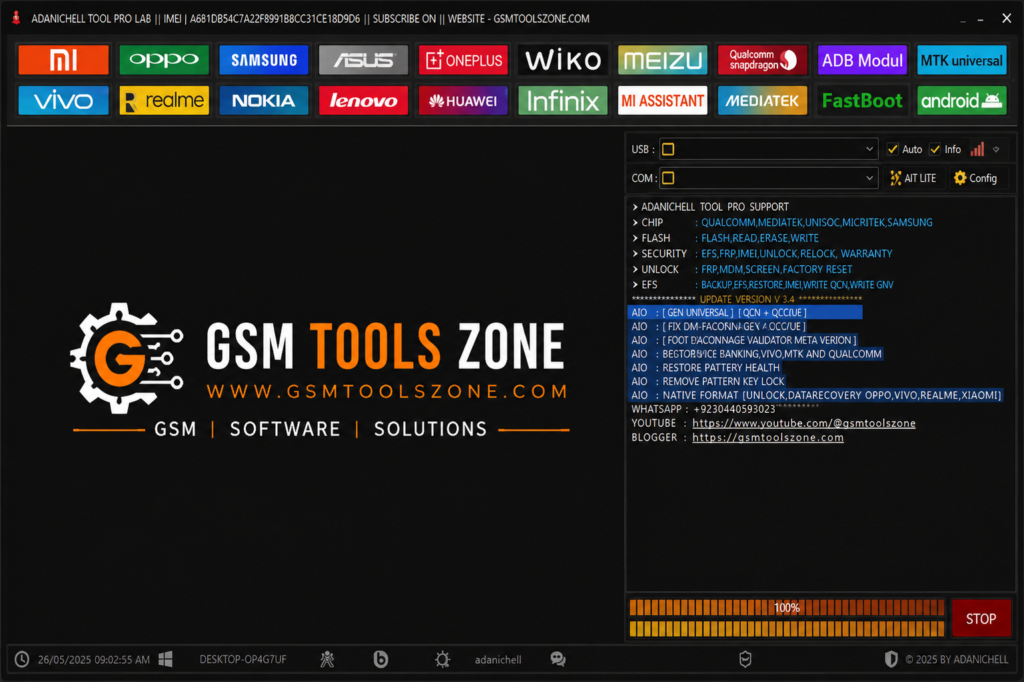
Adanichell Tool v3.4 is a professional Windows-based Android repair and servicing tool. It is especially designed to help mobile technicians solve different mobile repair tasks in one place. Adanichell Tool supports different Android platforms, including MediaTek (MTK), Qualcomm, MTP, Fastboot, and EDL on compatible devices. It has a user-friendly interface whether you are a beginner or an expert.
Features
MTK Universal Support:
Adanichell Tool v3.4 provides a dedicated MediaTek (MTK) section for compatible Android phones. It includes useful options for device information, supported boot modes, formatting, and other servicing tasks.
FRP & Account Servicing:
The tool includes FRP (Factory Reset Protection) and account-related servicing options for supported devices. Available functions depend on the phone model, Android version, chipset, and security level.
Safe Format & Userdata:
Adanichell provides options such as Safe Format, Erase Userdata, and Factory Reset for compatible phones. These functions can help technicians handle certain software and setup problems.
Bootloader Options:
For supported devices, the tool provides Bootloader Unlock and Relock options. These features can be useful during authorized software maintenance and device servicing.
MTP Mode Support:
Adanichell supports MTP-based functions on selected Samsung, Xiaomi, Vivo, Oppo, and Realme devices. MTP mode can help with certain device connection and servicing operations.
Qualcomm Support:
The Qualcomm section provides different servicing options for compatible Snapdragon-powered Android devices. It includes device connection, firmware-related functions, and other supported maintenance tools.
EDL & Firmware Functions:
Adanichell includes EDL (Emergency Download Mode) and firmware-related functions for selected Qualcomm devices. These options can be useful for deeper software servicing and firmware recovery.
Partition Management:
The tool offers partition-related options for compatible devices, including read, write, erase, GPT management, and backup-related functions. These options help technicians manage device partitions more conveniently.
Oppo & Realme Tools:
Adanichell provides dedicated servicing options for selected Oppo and Realme models. These functions can help technicians work with certain download modes and software-related issues.
Demo Mode Removal:
The tool includes demo-removal functions for selected Oppo and Vivo devices. Compatibility depends on the exact model, firmware, and security version.
Multi-Brand Support:
Adanichell works with multiple Android brands, including Samsung, Xiaomi, Oppo, Vivo, Realme, Infinix, Nokia, Asus, Lenovo, and Huawei, along with compatible MTK and Qualcomm devices.
Simple & User-Friendly Interface:
The tool has a straightforward interface with different sections for various servicing functions. This makes it easier for technicians to locate the required option without relying heavily on manual commands.
Device Information:
For supported phones, Adanichell can provide useful device and chipset information. This helps technicians identify the connected device before performing a servicing operation.
Fastboot Support:
Adanichell includes Fastboot-related functions for compatible Android devices. These options can assist with supported bootloader and software maintenance tasks.
Multiple CPU Platform Support:
One of the key features of Adanichell is its support for several major mobile platforms, including MediaTek, Qualcomm, Exynos, Spreadtrum (SPD), and Huawei Kirin, depending on the device and available functions.
Pros and Cons
Pros
- Supports multiple Android brands and models.
- Works with different CPU platforms like MTK and Qualcomm.
- Includes FRP and account servicing options.
- Provides Fastboot, MTP, and EDL-related functions.
- Includes firmware and software servicing options.
- Has Safe Format and Userdata functions.
- Provides bootloader-related options for supported devices.
- Partition management features are available.
- Simple and easy-to-use interface.
- Useful for both beginners and experienced technicians
Cons
- Not every feature works on every Android device.
- Support depends on the phone model and chipset.
- Some functions may not work on newer security patches.
- Requires proper USB drivers for device detection.
- Qualcomm EDL functions may require specific device modes.
- Older tool versions may have limited support for newer phones.
- Incorrect servicing operations can cause software problems.
- Some advanced functions may require technical knowledge.
System Requirements
| Requirements | Details |
|---|---|
| Operating System | Windows 7, 8, 10, or 11 |
| Processor | Intel or AMD Dual-Core processor or better |
| RAM | 4 GB minimum |
| Storage | At least 500 MB free space |
| USB Port | Working USB 2.0/3.0 port |
How to download Adanichell Tool v3.4?
- Download the Adanichell Tool v3.4 setup file from the official website.
- If the file is compressed, extract the downloaded ZIP/RAR file to a new folder.
- Open the extracted folder and run the Adanichell Tool v3.4 setup or executable file.
- Follow the installation instructions and wait for the setup to finish.
- Launch Adanichell Tool v3.4 from your desktop or installation folder.
- Install the required Android USB drivers if your device is not detected.
- Connect your Android smartphone to the computer using a suitable USB cable.
- Select the required servicing function and follow the instructions shown by the tool.
Setup Download Information
- File Version: v3.4
- File Size: 964.48 KB
- Download Link👇
Conclusion
Adanichell Tool v3.4 is a useful Android servicing solution for mobile technicians. It provides a simple working environment for handling different software repair tasks on compatible devices. Adanichell Tool supports Android-branded devices, including Samsung, Xiaomi, Oppo, Vivo, Realme, Huawei, and Infinix, and saves time and makes daily servicing work easier. Always check device compatibility before using the tool.
FAQs
Can Adanichell Tool help with FRP?
Yes, it provides FRP-related servicing functions for supported devices.
Which CPU platforms are supported?
Adanichell Tool supports selected MediaTek, Qualcomm, Exynos, SPD, and Huawei Kirin devices.
Which devices does Adanichell Tool support?
It supports selected devices from brands such as Samsung, Xiaomi, Oppo, Vivo, Realme, Huawei, Infinix, Lenovo, and others.
Is Adanichell Tool easy to use?
Yes, it has a simple interface that can be used by both beginners and experienced technicians.

![FRT Tool v1.7.5 Download Latest Version Fully Activated [2026]](https://gsmtoolszone.com/wp-content/uploads/2026/08/frt-tool-v1-7-5-2026-768x576.png)
One Comment